thermal core: 7 Practical Decisions Before Edge Inspection
Engineering memo for OEM inspection teams
A thermal core sample often arrives after the fixture, carrier board, and first inspection script are already half decided. That is where the expensive delay starts: the image looks acceptable on a bench, but the video path, lens view, control interface, or documentation package does not fit the edge inspection cell that has to run every shift.
This memo is for engineers and sourcing teams comparing compact uncooled LWIR modules for machine vision, outdoor monitoring, UAV-related inspection rigs, and OEM products. It uses CAMCUDA AeroMini 640 as the concrete product reference, while keeping the decision logic broad enough for an RFQ conversation.
Quick answer: where a thermal core decision usually goes wrong
Do not choose a thermal core only by resolution. For a repeatable edge inspection cell, confirm the video interface, control path, lens and FOV, thermal sensitivity, mechanical envelope, documentation package, and procurement constraints before sample purchase. CAMCUDA AeroMini 640 is a compact 640 × 512 uncooled VOx LWIR core with selectable USB + CVBS + MIPI or Type-C + CVBS packages. Choose non-radiometric imaging at 60 Hz by default or 30 Hz factory configuration; enquire about the 25 Hz radiometric version if temperature readings are required. Confirm the selected board, control path, host compatibility, and complete assembly before ordering.
thermal core decision map for the first sample
Industry examples help connect sensor choices to deployed systems. NVIDIA’s edge AI and physical-world framing discusses robotics, inspection, and industrial automation. Micron’s edge AI coverage puts pressure on data movement, memory, and device-level constraints. Teledyne FLIR’s SIRAS launch example describes a thermal/visible payload and pilot workflow for inspection. These are industry context, not evidence of CAMCUDA performance or host compatibility. The useful CAMCUDA buyer problem is narrower: can this thermal core move from a bench sample into a real inspection cell without a late redesign?
Review the evidence for the configuration you intend to order: the current product specification, the matched board guide, the lens view at your working distance, and the software resources for your host. Record open questions beside those documents so engineering and purchasing can resolve them before the RFQ leaves procurement.
| Decision | What to check before ordering | Why it matters in an edge cell |
|---|---|---|
| Image detail | Resolution, pixel pitch, lens path, target size, distance | A sharp bench image may still miss the smallest hot feature at conveyor distance. |
| Thermal sensitivity | NETD and operating expectations | Small temperature differences need enough contrast margin after the LWIR-transmissive enclosure window, airflow, and processing. |
| Video output | USB, MIPI, DVP, CVBS, frame-rate expectations | The wrong video path can break host compatibility or add avoidable latency. |
| Control interface | USB serial, RS-422, firmware commands, trigger needs | Inspection scripts need repeatable control, not only a visible video stream. |
| Mechanical fit | Module size, lens clearance, cable exit, heat path, mounting points | A compact core can still fail if the enclosure or fixture blocks the cable route. |
| Documentation | Datasheet, drawings, electrical references, compliance statements | Procurement and engineering need the same version of the truth. |
| Procurement context | Destination market, NDAA statement need, CE/RoHS/ISO-related review | North America and government-adjacent projects often need documentation before pilot approval. |
What the AeroMini 640 thermal core actually supports
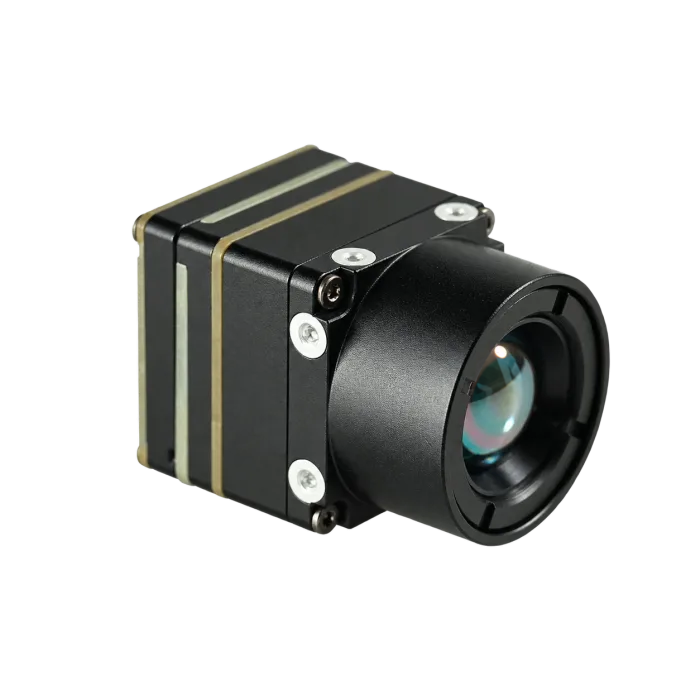
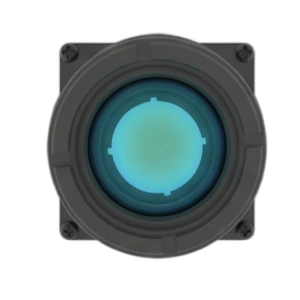
CAMCUDA AeroMini 640 is a 640 × 512 uncooled LWIR thermal imaging core. It is not a complete camera appliance. It is a compact module-level core for OEM teams, UAV payload engineers, robotics developers, and embedded inspection products that need a practical LWIR input.
| Product fact | AeroMini 640 value | RFQ note |
|---|---|---|
| Module type | Uncooled VOx LWIR thermal imaging core; 8–14 μm | Use for module-level integration, not as a finished handheld device. |
| Resolution | 640 × 512 | Check against target size, lens/FOV, and inspection distance. |
| Pixel pitch | 12 μm | Useful when comparing lens path, module size, and image sampling. |
| Version and frame rate | Non-radiometric: 60 Hz default / 30 Hz factory option; radiometric: 25 Hz, availability enquiry only | Non-radiometric imaging does not provide calibrated temperature readings. Confirm the required version before ordering. |
| NETD | ≤30 mK at 25 °C, F/1.0 | Important for low-contrast thermal differences; retain the stated test conditions. |
| Module weight | <20 g, excluding lens and flange | Budget separately for the complete kit, cables, mount, and host. |
| Interface packages | USB + CVBS + MIPI or Type-C + CVBS | These use distinct tailboards and cables; confirm host, firmware, control interface, and any concurrent-output requirement. |
| Analog video | CVBS, PAL/NTSC; availability depends on the selected board | Confirm the format and receiver path for legacy displays, recorders, or analog transmitters. |
| Commercial path | Select the current camera version, frame rate, lens, and interface configuration on the product page | Review the current configuration price or request a quote for the required quantity and documentation. |
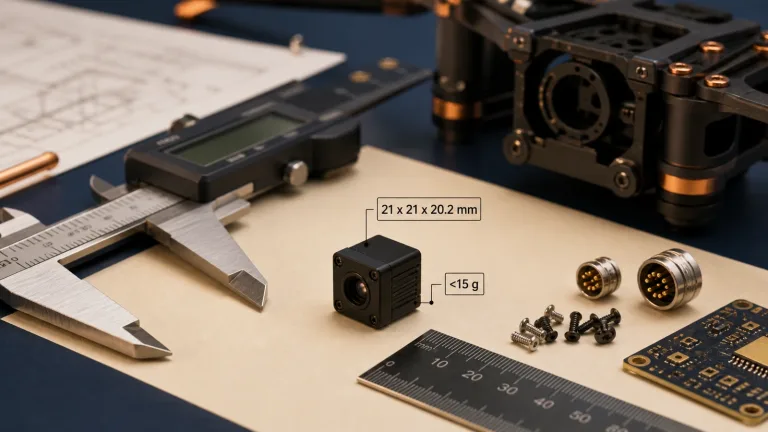
For adjacent product research, compare the broader thermal modules and thermal imaging cores category pages. Use those pages to understand CAMCUDA’s product family, then return to AeroMini 640 to review the selected sample configuration. Its published module dimensions are 21 × 21 × 28 mm and weight is <20 g, both excluding lens and flange. Typical module consumption is <0.5 W at 25 °C; complete-kit consumption may differ. The AeroMini datasheet provides specifications and interface references, but not a complete assembly dimension drawing. Request matched CAD or an assembly drawing before designing the fixture.
The edge inspection cell is the real buyer, not the demo laptop
A realistic mistake looks like this: a team orders a thermal core because the sample video looked clean on a Windows laptop. Two weeks later, the same core is expected to feed an edge box inside a small inspection cabinet. The lens is too narrow for the part queue. The USB cable bends into the enclosure wall. The operator still wants a low-latency monitor near the line. Procurement asks whether an NDAA statement is available because the final customer is in North America. None of those questions are visible in a sample screenshot.
The practical trade-off is speed versus integration control. USB video can make early evaluation faster because the host can display and process frames without a custom camera board. Embedded interfaces such as MIPI or DVP may fit a high-volume product better, but they usually require more carrier-board work. CVBS analog output on applicable configurations can still matter for legacy displays, field recorders, analog drone video transmitters, or low-latency monitoring. It should be requested clearly and confirmed during RFQ instead of assumed from a family-level interface list.
Illustrative example: an OEM line-inspection team wants to flag overheated bearings on a compact conveyor. The module sits 450 mm from the target. The host is a small edge computer with USB available, and the operator asks for a local monitor during setup. A 640 x 512 thermal core may be a better starting point than a lower-resolution module, but only if the lens covers the bearing row, the fixture leaves room for the cable, and the control interface lets the software lock the required image settings. The sample order should include those constraints, not just the keyword “thermal core”.
If the same core is headed toward UAV inspection or outdoor monitoring, the application pages are useful next steps. CAMCUDA’s drone thermal camera page is relevant when payload weight, pilot display, flight workflow, or video transmission enters the discussion. The outdoor field thermal imaging page fits fixed monitoring, utility yards, perimeter awareness, or rugged service conditions.
Interface planning: where the thermal core creates or removes work
Interface choice is not a small line item. It defines the carrier board, cable route, firmware work, host capture method, latency, and sometimes compliance review. USB-IF maintains the USB ecosystem, but a buyer still has to confirm the practical details: connector, bandwidth, host OS, cable length, power behavior, and whether the thermal data path is video-only or also needs serial control.


AeroMini’s USB + CVBS + MIPI and Type-C + CVBS packages are distinct kits. The family table lists YUV, USB, and BT.656 digital video, CVBS PAL/NTSC analog video, and UART, RS232, or RS422 communication; availability depends on the interface board and firmware. It does not establish USB serial or RS-422 support on every kit. Confirm the exact board, host OS, video format, frame rate, serial electrical levels, commands, and any simultaneous-output requirement. The illustrated 16-pin reference labels RS232; do not assume TTL-level signaling.
The illustrated 16-pin POWER_IN1 and 26-pin POWER_IN2 inputs are 5 V only; do not apply 12 V to either. The family-level 5 V or 12 V entry does not override these pin definitions. Request the separate matched Type-C board guide rather than applying the 16-pin or 26-pin references to that board. Before wiring, confirm connector orientation and board revision; neither the schematic nor the cable photograph is an assembly drawing.
Use the AeroMini SDK and Linux-resources FAQ to find the matching documentation path. Request the manual, serial commands, and SDK resources for the ordered configuration, and confirm compatibility with your host and software version before treating sample video as a completed integration.
Compliance language needs the same discipline. Ask CAMCUDA which NDAA-related statements and CE/RoHS/ISO-related materials are available for the exact product, configuration, destination country, and intended use. Have the buyer’s procurement or legal team review the relevant evidence; document availability does not itself establish approval or certification. For teams working through North America procurement, that one paragraph in the RFQ can prevent a late purchasing hold.
Application case: a compact edge cell with a future field variant
In this illustrative case, an industrial automation supplier is building a thermal inspection add-on for a small production line. The first cell sits indoors, but the second customer wants a weather-protected outdoor cabinet for utility equipment monitoring. The supplier likes a thermal core because the same sensor path could support both versions, but the two deployments pull the design in different directions.
The indoor cell values USB evaluation speed, stable mounting, and repeatable software access. The outdoor cabinet cares about the LWIR-transmissive enclosure window, solar heating, cable strain relief, and service documentation. If the supplier also sells a UAV inspection accessory later, module weight and pilot video workflow become part of the same product conversation. This is why a single sample RFQ should mention current and future variants. It helps CAMCUDA recommend the module, lens, interface, and documentation package without pretending that one bench setup describes the whole product roadmap.
Common mistakes that delay thermal core samples
Ordering by resolution before defining the target
Resolution matters, but it does not replace geometry. Give the target size, inspection distance, expected temperature contrast, and lens constraints before asking whether 640 x 512 is enough. Use the thermal imaging calculator for preliminary scene-coverage and sampling estimates, then test the actual lens and target; estimates do not establish inspection performance or temperature accuracy.
Separating video output from control communication
A visible stream is not the same as a controllable inspection input. If the host software needs command access, ask about USB serial communication, RS-422, firmware expectations, and available references.
Assuming analog video is included everywhere
CVBS analog output can be useful for legacy displays, recorders, analog transmitters, or low-latency monitor paths. The correct wording is “CVBS analog output on applicable configurations” and “confirm during RFQ”.
Leaving compliance documents to the purchasing stage
If the project is for North America, security monitoring, utility inspection, industrial monitoring, or government-adjacent procurement, request the NDAA statement availability and other documentation during RFQ, not after the sample is approved.
Using a polished field example as a product guarantee
Thermal imaging examples from major OEMs are useful context, but they do not define your module fit. Treat them as workflow inspiration, then document your actual enclosure, host board, lens, and inspection target.
RFQ checklist for a thermal core sample
| RFQ field | What to send CAMCUDA | Why it helps |
|---|---|---|
| Application | Indoor edge inspection, outdoor monitoring, UAV payload, robotics, handheld device, or another product type | Connects the module choice to real deployment constraints. |
| Target and distance | Object size, temperature difference, working distance, speed, and scene width | Guides resolution and lens/FOV selection. |
| Host system | Edge computer, SBC, carrier board, recorder, display, or transmitter | Prevents interface mismatch. |
| Interface need | Required USB video, serial control, RS-422, MIPI, DVP, or CVBS path; identify mandatory outputs | These are customer requirements to confirm, not a promise that one AeroMini kit provides every interface. |
| Mechanical envelope | Available space, mounting method, cable exit, lens clearance, and weight target | Finds fit issues before the sample is mounted. |
| Documentation | Datasheet, drawings, interface references, NDAA statement if required, CE/RoHS/ISO-related review where applicable | Lets engineering and procurement approve the same configuration. |
| Commercial plan | Sample quantity, pilot quantity, region, and target production timing | Helps quote the right configuration without unsupported delivery promises. |
Start with the AeroMini 640 product page if your project needs a compact 640 × 512 LWIR module with USB-oriented evaluation. State whether you need heat-pattern imaging or temperature measurement, and identify the required factory frame rate and interface kit. Use support downloads and the CAMCUDA FAQ for documentation paths, then send the final constraints through CAMCUDA contact/RFQ.
Send a cleaner thermal core RFQ
Share the target, distance, host interface, mechanical envelope, documentation needs, and destination market. CAMCUDA can then review whether AeroMini 640 or another module path fits the sample, pilot build, and procurement file.
FAQ: thermal core selection for edge inspection and OEM samples
What is a thermal core in an OEM inspection product?
A thermal core is the module-level LWIR imaging component inside a larger product or inspection system. It usually still needs a lens choice, mechanical mount, host interface, control path, enclosure design, and software integration.
Is a 640 x 512 thermal core always better than a lower-resolution core?
No. It gives more thermal pixels, but the right choice depends on target size, distance, field of view, processing budget, cost, and enclosure space. For many inspection cells, 640 x 512 is useful when the target detail or scene width would make a lower-resolution sample risky.
Why does the interface matter so early?
The interface decides the host hardware, cable path, firmware work, latency, and sometimes the operator display path. Choosing it late can force a carrier-board redesign or a second sample order.
Can AeroMini 640 support analog video?
The AeroMini USB + CVBS + MIPI and Type-C + CVBS packages list CVBS, with analog format and output availability dependent on the selected board. Confirm PAL/NTSC, the receiver, firmware, and any concurrent digital-output requirement for the ordered configuration.
When should I mention NDAA documentation?
Mention it when the project involves North America procurement, security monitoring, drone inspection, industrial monitoring, utility work, or government-adjacent customers. Ask which documents are available for the exact configuration and use case, then have your procurement or legal team assess their suitability.
What information should I send before ordering a sample?
Send the application, target size, working distance, scene width, temperature contrast, host system, preferred interface, mechanical envelope, lens constraints, documentation needs, destination market, and pilot quantity.
Does USB make a thermal core easier to evaluate?
Often, yes. USB video can shorten early evaluation on common host systems. The trade-off is that high-volume embedded products may still need another interface path later, so teams should discuss both the sample setup and production intent.
Can one thermal core support indoor inspection and outdoor monitoring variants?
Possibly, but the enclosure, lens, field of view, cable strain relief, environmental conditions, and documentation package may change. Describe both variants in the RFQ so the sample does not solve only the indoor bench case.
Where should I start on CAMCUDA.com?
Start with the AeroMini 640 product page when you need a compact 640 × 512 USB-oriented LWIR module. Then compare the thermal modules category, review the datasheet and SDK resources guidance, and contact CAMCUDA with the constraints needed for RFQ review.