CAMCUDA / PRODUCT SUPPORT
Support for
your next build.
Find your product. Check the edition.
Get the file you need.
Access existing datasheets, interface references and user guides. Submit a short form before downloading a file. For SDK or firmware, share the hardware version so we can confirm the right package.
AEROMINI 640 / DEDICATED SUPPORT
One product family.
Clear version boundaries.
Start with the Integrated EN specifications and interface definitions. Then confirm the exact camera version, lens, board and firmware.
- Non-radiometric: 60 Hz imaging; 30 Hz factory option.
- Radiometric: 25 Hz supply enquiry; compatibility is confirmed separately.
- Developer resources: SDK, evaluation software and firmware are matched to the ordered configuration.
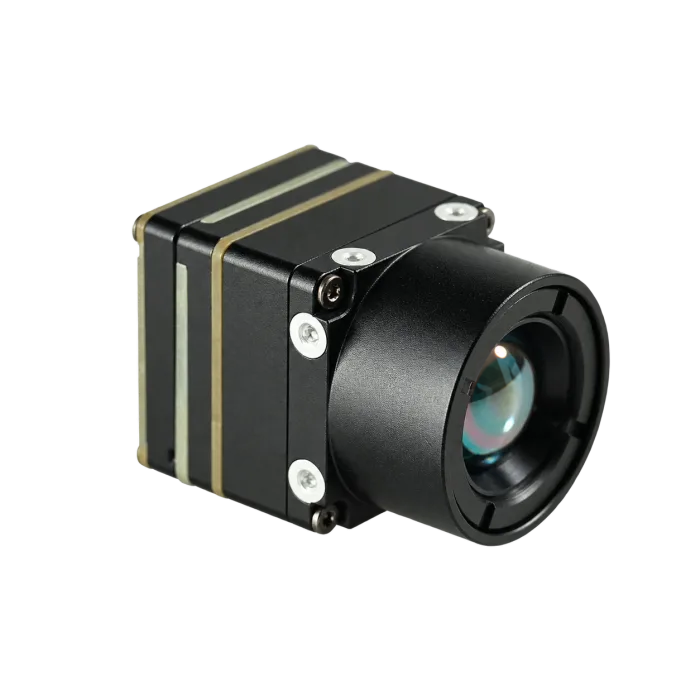
EXISTING RESOURCES
Find support by product.
File editions are shown below. “Source edition” means the supplied file does not state a separate release number.
1 DOCUMENT
AeroCore 384
- Datasheets2026.10English
1 DOCUMENT
AeroCore 640
- Datasheets2026.10English
3 DOCUMENTS
AeroMini 640
- Interface referencesSource editionEnglish
- DatasheetsIntegrated EN · 2026-11-03English
- Interface referencesSource editionEnglish
2 DOCUMENTS
AirTiny2
- DatasheetsOwner-supplied referenceEnglish
- DatasheetsSource editionEnglish
1 DOCUMENT
AI VisionCube
- DatasheetsSource editionEnglish
1 DOCUMENT
AnalogMini 256
- Datasheets2026.11 · English specificationsEnglish
1 DOCUMENT
AnalogMini 384
- Datasheets2026.11 · English specificationsEnglish
8 DOCUMENTS
FlexMini 640
- Mechanical drawings1.0.1English
- Mechanical drawings1.0.1English
- Mechanical drawings1.0.1English
- Datasheets1.0.1English
- Interface references1.2.0English
- Interface references1.2.0Simplified Chinese
- User guides1.2.0English
- User guides1.2.0Simplified Chinese
1 DOCUMENT
GlobalMini 2.3MP
- Datasheets2026.11 · English specificationsEnglish
2 DOCUMENTS
HI640
- Integration guidesSource editionEnglish
- DatasheetsSource editionEnglish / Russian
1 DOCUMENT
HR-1280
- DatasheetsV1.0 · EnglishEnglish
2 DOCUMENTS
SuperMini 640 / 640T
- Mechanical drawings01English
- User guidesSource editionEnglish
1 DOCUMENT
TC160-NF
- Datasheets2026-11-17 · EnglishEnglish
1 DOCUMENT
ThermoCore 640
- Datasheets1.1-ENEnglish
1 DOCUMENT
ThermoCore HT 384
- Datasheets2026.10English
1 DOCUMENT
ThermoCore HT 640
- Datasheets2026.10English
1 DOCUMENT
ThermoCore IP 256
- Datasheets2026.10English
1 DOCUMENT
ThermoCore IP 384
- Datasheets2026.10English
1 DOCUMENT
ThermoCore IP 640
- Datasheets2026.10English
1 DOCUMENT
ThermoFusion 384
- Datasheets2026.10English
A SIMPLE DOWNLOAD PATH
Select. Submit.
Download.
Choose the file, enter your name and email, then download. No account is needed. Configuration-matched SDK and firmware requests go to engineering for review.
Open download center ↓Which version should I use?
Match the product family, document edition and hardware revision. An updated datasheet does not make firmware or pinouts interchangeable between boards.
What should I include in a support request?
Send the model, camera version, lens, interface board and host OS. For existing units, include the serial number, current firmware and order reference if available.
Do I need an account to download?
No. Complete the short form for your selected file. Your file is available immediately after a successful submission.