LWIR Thermal Camera: 2026 Practical Memo for Reliable OEM Retrofits
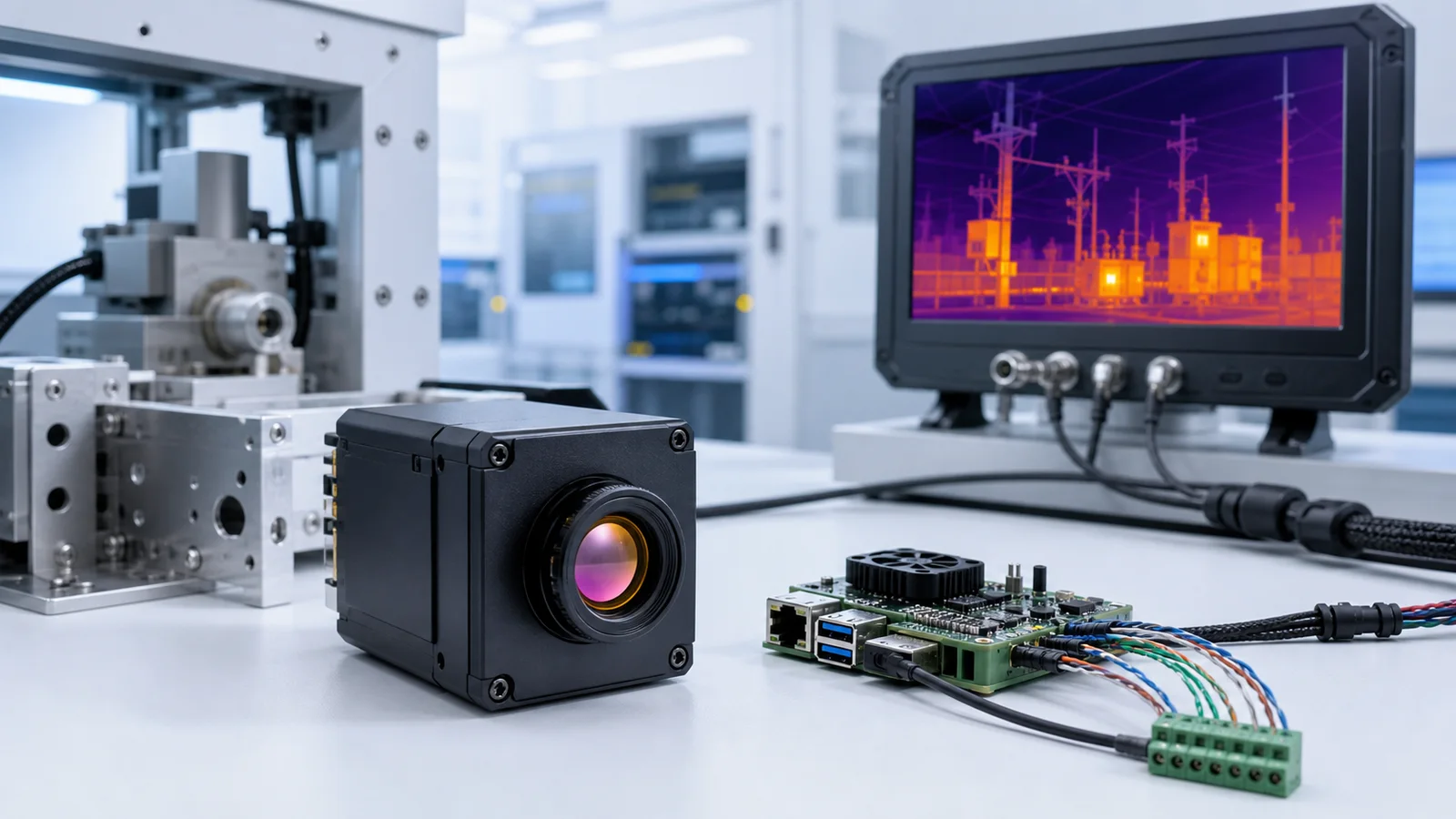
lwir thermal camera selection gets expensive when a retrofit team freezes the enclosure before it freezes the output path. The featured CAMCUDA module for this memo is the CAMCUDA AeroMini 640 uncooled LWIR thermal camera core, and the question is not only whether 640 × 512 is enough. The harder question is whether the host platform needs USB for fast bench validation, RS-422 for robust control wiring, or CVBS analog output on applicable configurations for a legacy display, recorder, or low-latency field monitor.
Technical author: Daniel · Hardware Support. Sales contributors: Vivian, Lena and Sophie.
Quick answer
A useful lwir thermal camera buying memo should lock five things before quotation: the real video path, the control path, the lens and viewing-distance target, the mechanical envelope, and the paperwork pack required by procurement. For the current featured AeroMini 640, start with the non-radiometric version: 60 Hz factory default or 30 Hz factory option, ≤30 mK NETD at 25°C, F/1.0, and a 21 mm × 21 mm × 28 mm core excluding lens and flange. The 9 mm USB + CVBS + MIPI kit is the example here; Type-C + CVBS uses a different board and cabling. Confirm the selected board’s serial protocol, electrical levels and any required RS-422 transceiver during RFQ. Non-radiometric imaging does not provide calibrated temperature measurements.
lwir thermal camera selection map for retrofit buyers
A mixed engineering and procurement team needs to decide what must be true before a lwir thermal camera sample is ordered. Start with the host computer, legacy display and field harness already in the retrofit, then use the selection map to identify the requirements that the exact module kit must satisfy.
| Decision area | What to confirm first | Why it matters in a retrofit | CAMCUDA note |
|---|---|---|---|
| Video output | USB first, analog fallback, or another host-specific path | The wrong output path can force a host-board redesign or make a legacy monitor useless | The example AeroMini kit provides a USB + CVBS + MIPI board; confirm the required output mode on the selected board |
| Control path | Required serial protocol, electrical levels and any RS-422 field harness | Control wiring can remain in place when the video chain is upgraded | UART / RS232 / RS422 are family options; confirm the selected board, host levels and transceiver. USB video does not guarantee USB serial control |
| Thermal detail | Whether 640 × 512 fits the viewing distance and operator task | More pixels do not fix a bad lens or a poor display chain | AeroMini 640 is a 640 × 512 uncooled LWIR module |
| SWaP budget | Board space, cable bend radius, lens stack, and heat path | Retrofits fail when the module fits on paper but not in the service envelope | AeroMini lists <20 g and 21 mm × 21 mm × 28 mm, excluding lens and flange; confirm the complete kit envelope |
| Procurement docs | NDAA statement, drawings, interface notes, destination-market paperwork | Program-specific procurement review can delay sample acceptance | Ask which documents cover the exact configuration; have procurement review their scope |
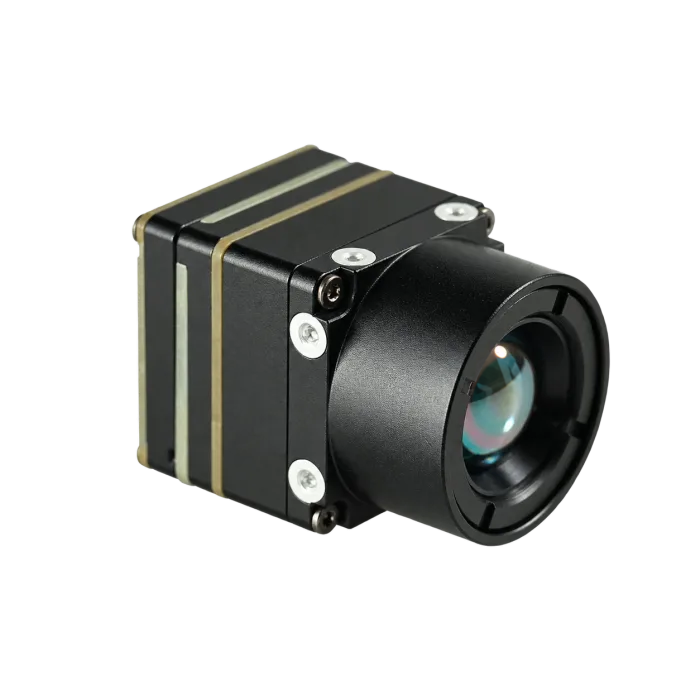
Exact lwir thermal camera product table: AeroMini 640
The table below scopes the non-radiometric AeroMini 640 used for this retrofit example, with a 9 mm lens and USB + CVBS + MIPI interface kit. If a project needs a different connector route, lens package, or output combination, that should be treated as an RFQ configuration question, not an assumption.
| Product | CAMCUDA AeroMini 640 uncooled LWIR thermal camera core — non-radiometric example |
|---|---|
| Exact-configuration quotation | Check the current product configurator or request a quotation for the exact camera version, lens, interface kit and quantity |
| Detector type | Vanadium oxide uncooled infrared focal plane detector |
| Resolution | 640 × 512 |
| Non-radiometric frame rate | 60 Hz factory default / 30 Hz factory option; confirm delivered output timing for the selected board |
| Pixel pitch | 12 μm |
| Spectral range | 8-14 μm |
| NETD | ≤30 mK @ 25°C, F/1.0 |
| Supply voltage | The illustrated 16-pin POWER_IN1 and 26-pin POWER_IN2 inputs are 5 V only; do not apply 12 V. Confirm the matched board and guide |
| Typical power consumption | <0.5 W at 25°C, typical module consumption; complete-kit consumption may differ |
| Digital video | USB and MIPI on the selected board; confirm host compatibility, output format and timing for each required digital path |
| Communication interface | UART / RS232 / RS422 at family level, depending on the board; confirm the selected electrical levels, protocol and required transceiver. USB serial is not assumed |
| Analog video | CVBS on the selected USB + CVBS + MIPI or separate Type-C + CVBS board; confirm PAL / NTSC mode and host requirements |
| Weight | <20 g, excluding lens and flange |
| Dimensions | 21 mm × 21 mm × 28 mm, excluding lens and flange; request complete assembly dimensions |
| Operating temperature | −40°C to +80°C |
| Storage temperature | −50°C to +85°C |
Use these module specifications to screen the retrofit, then validate the complete kit on the real host. The 60 / 30 Hz factory choices do not guarantee the same frame rate on every output simultaneously. This non-radiometric path supplies thermal imagery, not calibrated temperature readings; a temperature-measurement requirement needs a separately specified radiometric system.
Field memo: when a lwir thermal camera retrofit is really about outputs, not pixels
Scenario. Imagine a utility contractor upgrading a trailer-mounted perimeter and equipment-monitoring system used across substations and remote yards. The old build still has an analog service monitor and recorder in the field kit, while the new build adds a small embedded computer for better logging and remote diagnostics. Procurement wants a compact module that can pass paperwork review without turning the project into a full mechanical redesign.
Why the featured AeroMini path is worth evaluating. A compact lwir thermal camera like AeroMini 640 can suit this mixed-generation evaluation because the selected USB + CVBS + MIPI kit offers a USB host path and CVBS for review with the existing analog service chain. Bench-test the actual output format and end-to-end latency. If the field-control harness requires RS-422, ask which board and transceiver implement it; the family serial-interface list does not guarantee that control path on every kit.
What the team should not assume. A module that is small enough for the new enclosure is not automatically ready for the old display chain. Likewise, an NDAA-sensitive buyer should not wait until after bench testing to ask for procurement documents. In retrofit programs, paperwork delays and interface surprises can delay acceptance even after the thermal sensor works on the bench.
This is also where the general LWIR reference matters. LightPath’s OEM overview explains why long-wave infrared works without visible light and why it remains relevant for drone, security, and industrial platforms. That broad LWIR context is useful, but it still does not replace the module-specific work of matching video path, control wiring, and enclosure risk to a real program.

How to choose the lwir thermal camera interface path before the enclosure
For the selected AeroMini example, review USB video through the USB + CVBS + MIPI board when the project needs an evaluation path on an embedded computer or engineering workstation. Plan serial control separately: the product family lists UART, RS232 and RS422 depending on the board, while the illustrated 16-pin schematic labels RS232_RX and RS232_TX. Confirm the selected protocol, electrical levels and transceiver; do not interpret those labels as TTL UART or assume USB video includes USB serial control. Treat RS-422 as a system requirement to resolve when field wiring, noise tolerance or longer harness runs matter.
The harder decision is what to do when a retrofit still has analog hardware in the chain. Check which display and recorder interfaces the service team actually uses. If the system already depends on an analog field monitor, recorder, or low-latency transmitter, analog can still be the lower-friction service path. Confirm CVBS analog output on the selected configuration, including PAL / NTSC mode and the complete host-to-display path. Type-C + CVBS is a separate board option; its cabling and guide should not be inferred from the USB + CVBS + MIPI kit.
| If your priority is… | Prefer this path first | Why |
|---|---|---|
| Fast bench validation on a host computer | USB video | Shorter evaluation loop and simpler early-stage capture workflow |
| Robust command and control wiring in a field harness | Specify RS-422 as a requirement; confirm the board and transceiver | Useful when the control link must survive a noisier or longer cable run; not a verified default on every AeroMini kit |
| Legacy monitor, analog recorder, or low-latency downlink | CVBS analog output on applicable configurations | Can preserve older field hardware while the rest of the retrofit is modernized |
| Need for MIPI or DVP specifically | Select and validate the USB + CVBS + MIPI board for MIPI | Confirm host receiver, output format, timing and driver support. If DVP is required, request separate board and firmware confirmation; the Type-C + CVBS board is a separate option |

Common mistakes that make a lwir thermal camera retrofit look cheaper than it is
- Buying by resolution alone. A 640 × 512 module can still fail the job if the video path does not match the host or field monitor.
- Ignoring the analog chain until late review. Teams often discover too late that the service kit or transmitter still expects analog video.
- Treating brand-level interface capability as product-level default. CAMCUDA supports multiple interface families across the portfolio, but the exact module configuration still has to be confirmed during RFQ.
- Skipping the paperwork request until after sampling. North America buyers should ask early whether they need an NDAA statement, CE/RoHS review materials, interface references, or mechanical drawings.
- Freezing the bracket without the real cable route. Small modules still fail retrofits when connector exit, shielding, and service access are not modeled.
Procurement packet: what to send before you request this lwir thermal camera
A useful RFQ packet ties each required output and document to the exact camera version, lens and interface kit. Include the existing monitor or recorder, host platform, field-control requirement and mechanical limits so engineering and procurement can review the same configuration before quotation.
For North America and security-adjacent work, a procurement lead should usually ask for the NDAA statement at the same time as the sample discussion, not after. An Acquisition.gov reference to FAR 52.204-25 is useful context for buyers who need to align thermal-module sourcing with internal telecom or surveillance-equipment review. That does not mean every commercial project needs the same paperwork, but it does explain why some buyers want the document trail early.
| RFQ item | What to include |
|---|---|
| Application | Drone payload, outdoor monitoring, industrial inspection, embedded vision, or retrofit service unit |
| Host video path | USB first, analog fallback, or other required workflow |
| Control path | Required serial protocol and electrical levels, any USB-serial or RS-422 requirement, cable length, transceiver and field-harness constraints |
| Optics | Lens / FOV target, viewing distance, target size, and whether the scene favors wide awareness or tighter inspection |
| Mechanical limits | Available space, weight budget, connector exit direction, mounting limits, and service-access needs |
| Documents | Ask which datasheet, matched electrical guide, mechanical drawing or CAD file, NDAA statement and destination-market review materials are available for the exact configuration; procurement reviews suitability |
| Commercial plan | Prototype quantity, expected production range, and destination market |
Use the thermal imaging calculator to outline target size, viewing distance and lens geometry for the RFQ; treat its estimates as planning inputs that require validation with the actual target and lens. A complete packet helps CAMCUDA review the configuration and prepare a more useful quotation.
Need a featured lwir thermal camera path that fits the real host system?
Start with the featured AeroMini 640 product page, then send the application, host video path, control wiring, lens target, quantity, and destination market. Specify the non-radiometric version and selected interface board, and ask CAMCUDA to review the required CVBS mode, serial-control hardware and host compatibility. Ask which drawings and procurement documents are available for that exact configuration.
View AeroMini 640
View thermal imaging cores
Outdoor application page
Drone application page
Downloads
Request RFQ
lwir thermal camera FAQ from retrofit and procurement buyers
Is a lwir thermal camera the same as a finished thermal camera?
No. In this article, lwir thermal camera refers to the module-level thermal imaging path used inside a larger product or retrofit assembly. The finished device still depends on lens choice, housing, power design, control electronics, display path, software, and documentation.
Can AeroMini 640 be used outside of a drone payload?
Yes, AeroMini 640 can be evaluated for embedded thermal vision and OEM retrofit assemblies. The key is to evaluate the host interface, power rail, mechanical envelope, and scene requirements instead of assuming that “drone module” means “drone only.” The non-radiometric example here supplies imagery; calibrated temperature measurement requires a separately specified radiometric system.
When should I ask for CVBS on a lwir thermal camera project?
Ask when the project still depends on an analog monitor, recorder, field transmitter, or low-latency service view. Specify the USB + CVBS + MIPI or separate Type-C + CVBS board, confirm the required PAL / NTSC mode, and test the complete video chain rather than assuming a latency figure.
Why is RS-422 still useful when USB is already listed?
Because the video path and the control path do not have to be the same. USB can simplify evaluation, while RS-422 can still be attractive for control wiring in noisier or longer field harnesses. On AeroMini, treat RS-422 as a requirement to confirm for the selected board and transceiver; USB video alone does not confirm USB serial or RS-422 control.
Is 640 × 512 enough for a lwir thermal camera retrofit?
Often yes, especially when the project needs a compact package and a practical SWaP balance. The final answer still depends on working distance, lens / FOV choice, operator display, and whether the task is broad awareness or detail-heavy inspection.
When should North America buyers request the NDAA statement?
Early. If procurement or program review is likely to ask for it, request it together with the sample and interface discussion. Ask which documents are available for the exact configuration and have the buyer’s procurement or compliance team review their scope and suitability.
What do community discussions add to interface planning?
Community discussions show why buyers need to specify the complete video path. In this drone integration discussion, a builder asks which camera and transmission protocol to use, and replies discuss several output approaches. That is useful context for an RFQ; it does not verify CAMCUDA interface compatibility.
What is the fastest way to validate this lwir thermal camera after the sample arrives?
Bench-test the module on the real host path first, then mount it with the actual cable route, enclosure clearances, and target scene. One FPV thermal-build discussion reports latency and intermittent freezes in that particular camera/converter/display chain. Use that as a reason to test your complete chain on the bench and in its installed operating conditions; it is not a CAMCUDA benchmark. Request the matching drivers, examples and SDK for the selected board, firmware and host.