drone thermal: 5 reliable payload handoff questions after the demo flight
UAV payload sourcing memo
drone thermal: 5 reliable payload handoff questions after the demo flight
A drone thermal demo can look successful on the pilot’s monitor and still leave the buyer without a buildable payload RFQ. The handoff after the flight is where the useful questions start: what module fits, what video path the host can accept, what the field team actually needs to see, and which documents procurement will ask for before the second sample.
Quick answer for drone thermal buyers
drone thermal payload selection should not stop at the aircraft demo. Use the flight observations to define acceptance requirements, then confirm the module class, mechanical envelope, video and control paths, lens/FOV, operating environment and procurement documents. A current featured starting point is CAMCUDA AeroMini 640 in the non-radiometric 9 mm USB + CVBS + MIPI configuration: 640 × 512 imaging, 60 Hz default or a 30 Hz factory option. It does not measure temperature. Confirm the supplied board, cable and actual output rates during RFQ.
drone thermal: what changes after a successful demo flight?
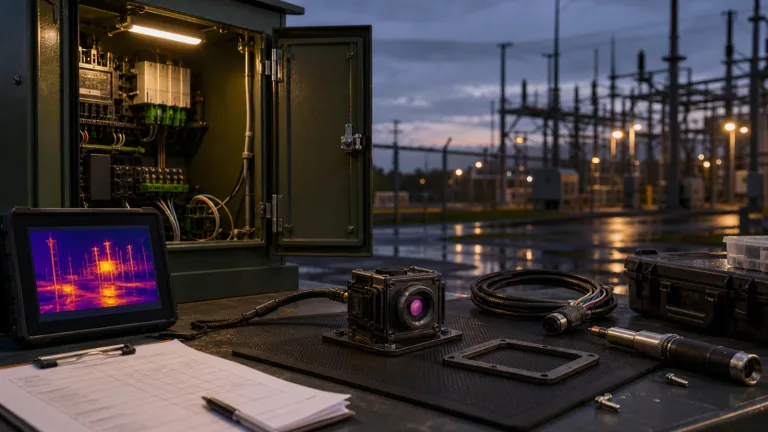
Consider a typical handoff scenario. A utility inspection team flies a thermal drone over a substation, sees useful heat contrast on a display, and returns to the office asking for a repeatable payload source. The flight provides observations to review against the mission requirements. It does not establish whether the same result can be built into a lighter bracket, a different video transmitter, a North America procurement file, or a repeatable OEM product.
This is why the handoff matters. A finished drone bundle, a rental aircraft, and a board-level thermal module solve different buying problems. Teledyne FLIR’s SIRAS material, for example, frames professional UAV work around an aircraft and payload system for inspection and public-safety workflows. That is useful context for the mission. A CAMCUDA RFQ is narrower: it asks what compact LWIR module, interface path, and documentation package should support the payload or embedded product behind that mission.
The Federal Aviation Administration’s commercial UAS operator guidance is another reminder that the operating workflow sits outside the camera module. Aircraft rules, pilot process, site access, and safety planning are handled by the operator. The module supplier can still help by making the thermal payload decision clearer: resolution, video output, bracket fit, power budget, and support documents.
For CAMCUDA buyers, the practical trade-off is often between fast evaluation and long-term repeatability. USB video can be useful for development capture and host-side review. CVBS can matter when the drone or ground station uses an analog transmitter, display or recorder; confirm the selected board, PAL/NTSC format, output combination and measured end-to-end latency. Control is a separate path: match the connector and electrical levels to the supplied board. The mistake is choosing these interfaces after the mechanical bracket is already machined.
Selection chart before a drone thermal payload RFQ
Use this chart before asking for sample pricing. It turns a general drone thermal request into an engineering note that CAMCUDA can review against module fit, available interfaces, and documentation needs.
| Handoff question | What to decide | Why it changes the RFQ | CAMCUDA note |
|---|---|---|---|
| What did the demo prove? | Search, utility inspection, roof scan, patrol, or product prototype; record what was actually observed. | The mission changes lens/FOV, resolution, and viewing workflow. | Link the request to a real drone thermal camera application. |
| What module class fits? | 640×512 detail, lower-resolution sensing, or another path. | Not every job needs the same detector, power budget, or host complexity. | Review AeroMini 640 non-radiometric 9 mm USB + CVBS + MIPI for compact 640×512 UAV/OEM evaluation. |
| Where does video go? | USB capture, CVBS analog display/transmitter, MIPI host input, or a defined evaluation combination. | The video path affects board layout, latency expectation, ground display, and test plan. | Confirm the selected board, video formats, actual output rates and compatible control levels during RFQ. |
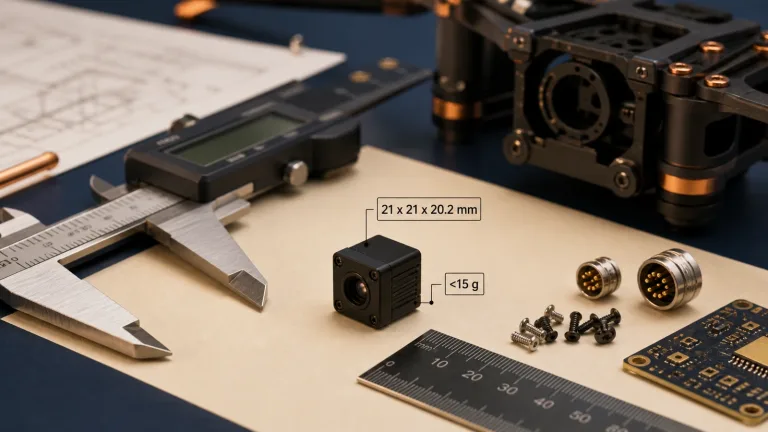
| What has to fit? | Bracket volume, lens clearance, cable bend, vibration, and service access. | A module can be small but still fail if connector routing is ignored. | AeroMini reference: 21 × 21 × 28 mm and <20 g, excluding lens and flange; confirm the complete 9 mm assembly. |
| What documents are needed? | Datasheet, ordered-assembly drawing, matched interface reference and contract-specific procurement evidence. | Procurement may block the second order even after a good sample. | If the buyer’s contract requires NDAA-related or CE/RoHS materials, ask which model-specific documents are available and review their scope. |
Featured product path: AeroMini 640 for compact drone thermal builds
When the buyer needs a compact 640-class UAV thermal module, review the featured AeroMini 640 non-radiometric 9 mm configuration. Its F1.0 lens has a listed 48.7° horizontal × 38.6° vertical field of view. The USB + CVBS + MIPI kit includes the module and 9 mm lens, tailboard and USB cable; customer soldering is required. The buyer still defines the host board, payload shell, receiver path and document package. The table below describes this imaging configuration; complete-kit dimensions, power and output behavior need separate confirmation.
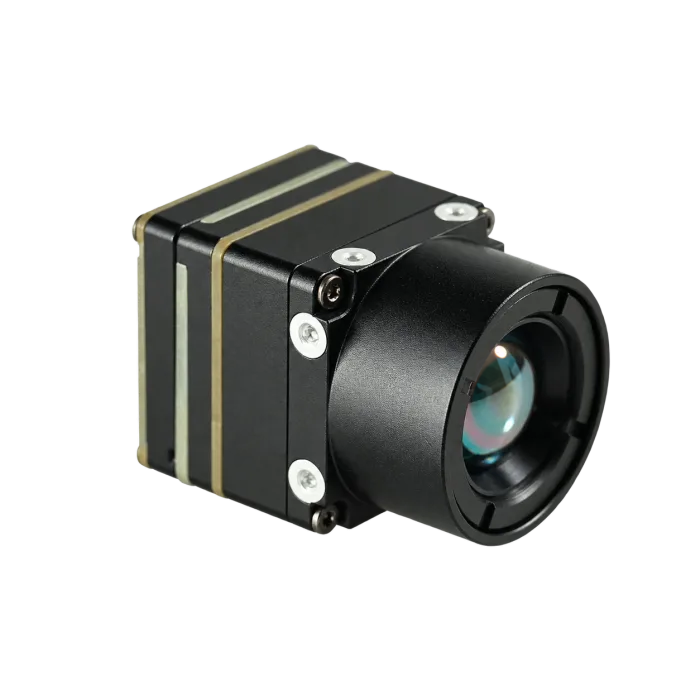
| Product model | CAMCUDA AeroMini 640 — non-radiometric 9 mm, USB + CVBS + MIPI |
|---|---|
| Detector class | Vanadium oxide uncooled infrared focal plane detector |
| Resolution | 640 x 512 |
| Pixel pitch | 12 um |
| Spectral range | 8-14 um LWIR |
| Imaging frame rate | 60 Hz default / 30 Hz factory option; confirm the actual rate of each required output |
| NETD | ≤30 mK at 25 °C, F/1.0 |
| Supply voltage | 5 V at illustrated POWER_IN1 / POWER_IN2 inputs; do not apply 12 V; confirm the supplied board |
| Typical power consumption | <0.5 W typical module consumption at 25 °C; complete-kit power may differ |
| Digital video | USB and selected-board MIPI path; confirm host, formats, firmware and output combination |
| Communication | Illustrated 16-pin: RS232_RX/TX on pins 3/4; separate 26-pin: 3.3 V UART. Match the board guide |
| Analog video support | CVBS on the selected board; confirm PAL/NTSC, receiver and concurrent output requirements |
| Dimensions | 21 × 21 × 28 mm, excluding lens and flange; request complete 9 mm assembly dimensions |
| Weight | <20 g, excluding lens and flange; confirm complete payload mass |
| Operating temperature | −40 °C to +80 °C; validate the complete payload against its operating requirements |
A lower-resolution embedded sensing project may need a different detector class; choose it from the target size, distance, FOV and host workflow. For a separate 640 × 512 bare-core comparison, CAMCUDA SuperMini 640, CC-SM640-I50, provides imaging at 50 Hz with an 8 μm pixel pitch. Its 13 × 13 × 13.4 mm core and under-3.5 g weight exclude optics and expansion boards. This imaging-only model does not measure temperature and is distinct from the 30 Hz SuperMini 640T. Review the SuperMini manual, PDF pages 6–8, for its own 30-pin interface, power rails and 1.8 V UART; confirm the quoted lens, board, cables and supplied items.
Interface handoff: USB, CVBS, and control cannot be left for later
A drone team may use one video route for the demo and a different route for the final payload. That is where delays begin. Name the USB capture host and any required CVBS transmitter, display or recorder. For the illustrated AeroMini 16-pin USB/CVBS board, control pins 3/4 are labelled RS232_RX/TX; the separate 26-pin MIPI/DVP guide specifies 3.3 V UART. USB video does not by itself establish USB serial control. Confirm the board revision, electrical levels, firmware, formats and actual output rates before wiring or software integration.

Industry coverage around edge AI and industrial vision, including NVIDIA’s manufacturing and industrial AI examples, describes industrial AI and factory workflows. Micron’s edge AI material explains on-device processing and the role of memory and storage. For this RFQ, describe how thermal data reaches the host, recorder and analysis workflow. These background references do not establish CAMCUDA onboard AI or tested host compatibility.
Use careful wording in the RFQ: “Please confirm the AeroMini 640 non-radiometric 9 mm USB + CVBS + MIPI configuration, 60 Hz default or the requested 30 Hz factory option, the required video formats and actual output rates, and the matched control pins and levels for our host. Identify which outputs can operate together and provide the board-specific guide.” State the receiver and acceptance test for each required path before freezing the bracket or electronics.
Illustrative application case: utility patrol payload after a field demo
In this illustrative scenario, a distributor supports a utility patrol team. The demo aircraft shows thermal contrast that prompts the field team to consider a smaller repeatable payload. The first email says, “We need a drone thermal module like the demo, price please.” That does not yet define acceptance requirements.
A more useful note says the payload is for outdoor utility inspection, the bracket target is a compact gimbal bay, and AeroMini 640 non-radiometric 9 mm is being evaluated for 640 × 512 imaging. The host will evaluate USB video, and any CVBS path must be checked against the existing display or recorder. It names the factory frame rate, required formats, complete assembly envelope and power budget, requests matched interface references, and asks which model-specific procurement materials are available for the buyer’s applicable contract. It links the intended field use to CAMCUDA’s outdoor and field thermal imaging context and requests the ordered-assembly drawing before sample approval. If temperature values are required, specify a separate radiometric requirement.
The drawing below belongs to the separate SuperMini bare-core comparison introduced above. It does not show the AeroMini 9 mm assembly. Request the complete ordered AeroMini 9 mm drawing for bracket design; the published AeroMini STEP resource represents the 7 mm model.

This drone thermal handoff gives engineering a configuration and acceptance plan to review, and gives procurement a defined document request before the next sample order.
Common mistakes after a drone thermal demo
- Using the demo aircraft as the whole specification. The flight provides observations for acceptance planning, but the module RFQ still needs detector class, lens/FOV, video output, control path, power, and mechanical limits.
- Choosing video output after the bracket is designed. USB, CVBS and MIPI requirements, plus board-matched control pins and electrical levels, affect connector routing and receiver planning. Confirm the actual output combination before release.
- Ignoring documentation until purchasing asks. Ask for the datasheet, matched electrical reference, ordered-assembly drawing and any model-specific procurement materials required by the buyer’s applicable contract. Confirm their availability and scope before the internal approval meeting.
- Treating compact size as automatic payload fit. AeroMini’s 21 × 21 × 28 mm and <20 g references exclude the lens and flange. Review the complete 9 mm lens/board/cable assembly, bracket, window, vibration requirements and service access before tooling.
- Copying a consumer shopping list into an OEM RFQ. Dealer pages and forum threads can surface useful questions, but the CAMCUDA request should be tied to the exact host, mission, and destination market.
RFQ checklist for drone thermal payload handoff
Before asking CAMCUDA for a sample or volume quote, prepare the following. It helps the team route the request to the right thermal module or thermal imaging core path.
- Mission and field scene: utility inspection, roof scan, perimeter monitoring, search workflow, or OEM product prototype.
- Payload context: aircraft model or bracket envelope, available volume, lens clearance, cable exit, vibration concern, and target weight.
- Thermal requirement: 640×512 target, imaging or temperature-measurement need, factory frame rate and actual output-rate requirements, working distance, target size, and field-of-view preference.
- Interface path: selected AeroMini tailboard, USB capture host, required CVBS format and receiver, any MIPI path, matched control pins and levels, and the output combination to validate.
- Power and host: approved input voltage for the selected board, complete-assembly power budget, host processor or recorder, matched SDK/GUI request if relevant, and integration timeline.
- Documents: datasheet, ordered-assembly drawing, matched electrical reference and document revisions. If the buyer’s applicable contract requires NDAA-related evidence or CE/RoHS materials, ask which model-specific documents are available and have the purchaser review their scope.
- Commercial details: sample quantity, pilot quantity, target market, annual estimate if known, and contact engineer.
When these items are ready, send the request through CAMCUDA contact / RFQ. Start AeroMini integration review with its official datasheet, model-specific SDK FAQ and public technical documentation folder. Match the manual, serial commands and software package to the supplied board, firmware and host; these links do not establish tested compatibility. SuperMini uses its own Product Manual V1.0.0. For other document requests, review support and downloads and confirm the exact package during RFQ.
Turn the demo into a buildable CAMCUDA RFQ
If your drone thermal demo has moved from “interesting” to “we need a repeatable payload,” review the AeroMini 640 non-radiometric 9 mm configuration, then send CAMCUDA the field mission, bracket envelope, receiver path, host, lens/FOV, frame-rate choice, power budget and destination. Request the ordered mechanical and electrical references, define the acceptance tests, and confirm which procurement documents are available for the buyer’s applicable contract.
Technical author: Daniel · Hardware Support
Sales contributors: Vivian, Lena and Sophie
FAQ: drone thermal payload handoff questions
What should a drone thermal buyer do after a successful demo flight?
Document what the demo proved, then convert it into an RFQ with mission, module class, interface path, mechanical envelope, power budget, documents, destination market, and sample quantity.
Is AeroMini 640 a complete drone camera?
No. AeroMini 640 is a 640×512 uncooled LWIR module for UAV payload and OEM integration. The selected non-radiometric 9 mm configuration provides imaging without temperature measurement. The buyer still plans the host electronics, enclosure, lens/FOV, receiver path and acceptance tests.
Why does CVBS matter in a UAV payload RFQ?
CVBS can matter when the payload must connect to an existing analog transmitter, monitor, recorder or legacy display path. For the selected AeroMini board, confirm PAL/NTSC, the required output combination, receiver compatibility and measured end-to-end latency during evaluation.
When is USB video the better first evaluation path?
USB video is useful when engineering wants host-side capture, development review, or a laptop-based evaluation workflow. The final aircraft path may still need another receiver or display plan.
What does compact mean for AeroMini 640?
The AeroMini reference is 21 × 21 × 28 mm and under 20 g, excluding the lens and flange. Request the complete ordered 9 mm assembly drawing and confirm lens, tailboard, cable, bracket, window, thermal path and service clearance. The separate 7 mm STEP resource does not establish the 9 mm envelope.
Should a buyer choose 640×512 for every drone thermal job?
No. 640×512 is useful when the mission needs more thermal detail, but lower-resolution sensing may fit simpler embedded tasks. Define the target, distance, field of view, and host workflow before choosing.
What documents should North America buyers request?
Ask for product specifications, ordered-assembly drawings, matched electrical references and document revisions. If the buyer’s applicable contract requires NDAA-related evidence or CE/RoHS materials, identify the exact model, configuration, destination and intended use, ask which documents are available, and have the purchaser review their scope against that contract.
Can a consumer thermal drone listing be used as a benchmark?
Yes, as a mission and workflow reference. It should not replace the module RFQ because a finished drone listing usually does not define the OEM video path, bracket envelope, interface pins, or procurement documents.
What information makes CAMCUDA’s RFQ response faster?
Send the application, target scene, desired resolution, lens/FOV expectation, host device, video/control interface, bracket limits, power budget, destination market, document needs, and sample quantity.