mini thermal camera core: 5 reliable fit proofs before a supplier quote
Supplier evaluation memo
mini thermal camera core: 5 reliable fit proofs before a supplier quote
A mini thermal camera core can look right in a spreadsheet and still become the part that delays the enclosure, the FPC, or the first field demo. The safer question for an OEM buyer is not only “how small is it?” It is “what compact-fit evidence can the supplier show before we pay for samples?”
Quick answer
For a mini thermal camera core RFQ, ask for five proofs before you compare price: real mechanical dimensions, host-interface evidence, power and thermal budget notes, optical/FOV fit, and the documentation package needed for your destination market. CAMCUDA’s current Featured paths offer two 640 x 512 integration choices: SuperMini 640 / 640T for a bare-core design and AeroMini 640 for a selected lens and tailboard assembly. Compare the complete envelope and host requirements, not just the core footprint. For drone, fixed outdoor, or North America projects, confirm the selected configuration’s video path, environmental protection, and required procurement documents during RFQ. Featured status does not establish availability of every variant.
Why a mini thermal camera core needs evidence, not just a small number
The awkward buyer moment usually arrives after the first quote is shared internally. Procurement sees a small line item. Engineering sees the unresolved work: where the FPC exits, whether the host board has room for the connector, whether the lens clears the bracket, whether the video path matches the processor, and whether the supplier can provide drawings before the enclosure is frozen.
That is why a mini thermal camera core should be evaluated as part of a system. The sensor is only one input in a larger edge device. NVIDIA’s industrial AI manufacturing coverage often frames vision as a full workflow problem, from image capture to edge reasoning and operational response. That framing is useful here: the compact LWIR core does not create value until it can send usable thermal data through the chosen host system in a repeatable mechanical package.
Micron’s computer vision explainer makes a similar point from the device side: visual intelligence depends on the capture path, processing path, and reliability of data movement. For a thermal OEM project, that means the smallest-looking part can still be the risky part if interface timing, connector orientation, or evaluation-board support is left for later.
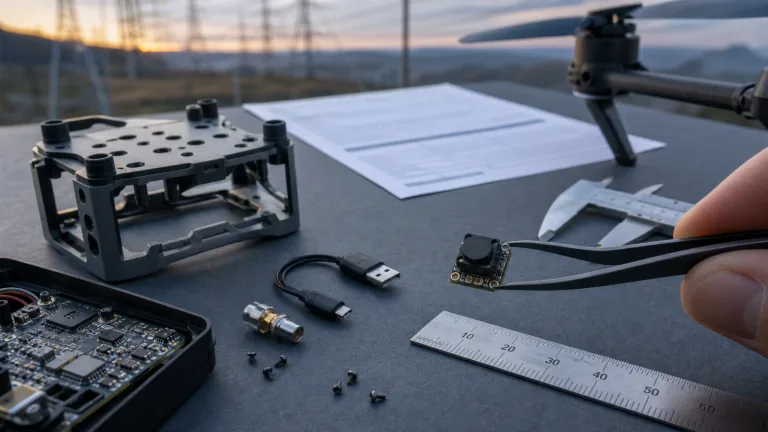
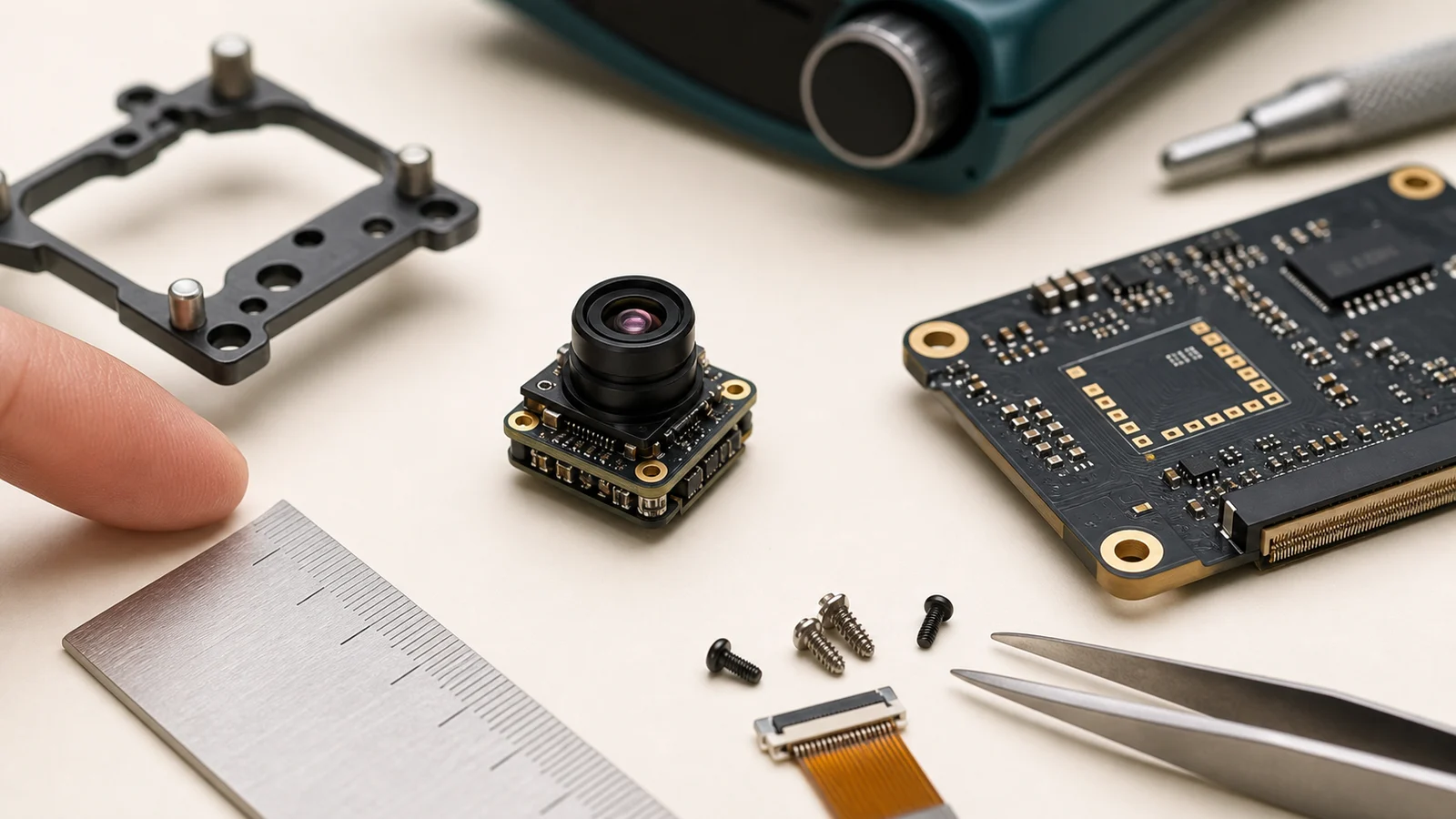
The right supplier conversation should therefore produce evidence. For a mini thermal camera core, evidence can be a mechanical drawing, a connector note, a product image with scale, an interface reference, a known evaluation path, a lens/FOV confirmation, and a plain statement about what documents are available during RFQ. Without that, “mini” is only an adjective.

Selection chart: turn compact specs into supplier questions
| Fit proof | What to ask | Why it changes the quote | CAMCUDA path to review |
|---|---|---|---|
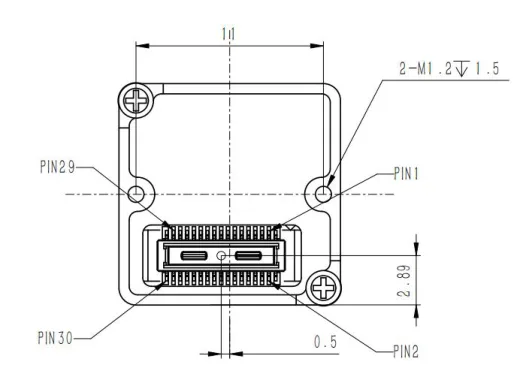
| Mechanical envelope | Can you share dimensions, lens clearance, connector side, and mounting reference? | Prevents a late bracket or enclosure redesign. | SuperMini bare-core Figure 4.1 plus the chosen optical/board assembly; request AeroMini CAD for the exact lens and tailboard. |
| Interface route | Which video format, connector, control levels, firmware and host receiver does this configuration require? | Separates bare-core design work from configured-tailboard integration. | SuperMini 30-pin core reference; AeroMini USB + CVBS + MIPI and Type-C + CVBS need their own matched guides. |
| Power budget | What rails, startup current, sequencing, noise limits and complete-kit power should the host reserve? | Small devices often fail when thermal, battery, and processor budgets are guessed. | SuperMini needs MAIN_POWER, 3.3 V and 1.8 V rails; AeroMini supply is board-specific. Include boards and optics in the system review. |
| Optics and FOV | What FOV, working distance, and lens assumptions match the application? | Small modules can disappoint if the target size and distance are chosen after sampling. | Select the SuperMini or AeroMini lens against target size and distance, then confirm its FOV and assembled envelope. |
| Documentation | Can the supplier provide drawings, interface references, datasheets, and compliance statements? | Reduces procurement delay for North America and Europe projects. | Request configuration-specific files and NDAA documentation for procurement review; document availability and eligibility are not guaranteed. |
The chart is deliberately practical. A mini thermal camera core RFQ should not start with a long essay. It should ask the supplier to show which path is real for your device: compact sensing, compact video, UAV payload, outdoor field monitoring, or another embedded thermal workflow.
Featured product evidence for a mini thermal camera core RFQ
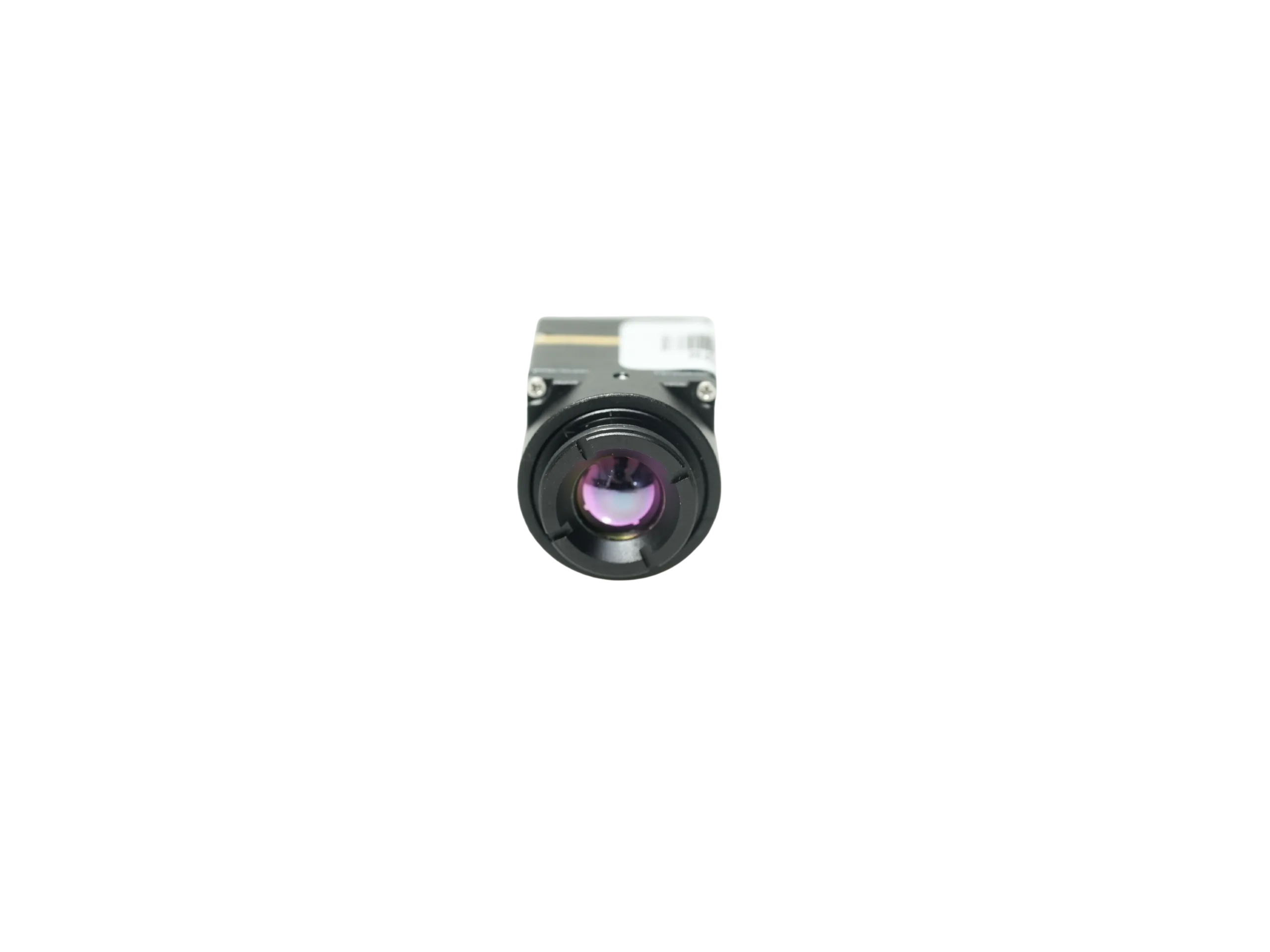
CAMCUDA’s current Featured product set gives buyers two useful compact paths. SuperMini 640 / 640T starts with a 640 x 512 bare core measuring 13 x 13 x 13.4 mm and weighing less than 3.5 g, excluding optics and boards. AeroMini 640 pairs a 640 x 512 module with a selected lens and interface tailboard; its published 21 x 21 x 28 mm and less-than-20 g references exclude the lens and flange. Neither core-only figure is the delivered assembly envelope.
The difference matters. A smart appliance, small room sensor, HVAC input, or compact monitoring node may be served by a generic 160 x 120 sensing design when its detail and sensing-zone requirements are modest. A 640 x 512 inspection design can retain more spatial detail, but the lens, processor, data route and power budget still decide whether it is useful. Both Featured paths here are 640 x 512 products. Within that resolution, SuperMini puts more of the board-level integration on the OEM, while AeroMini lets the buyer evaluate a specified tailboard package. Confirm the exact model, lens, board, firmware and availability before treating quotations as equivalent.
| Product models | SuperMini 640 imaging-only; SuperMini 640T thermographic |
|---|---|
| Detector and resolution | Uncooled VOx LWIR; 640 x 512 in both models |
| Pixel pitch / spectral range | 8 um / 8–14 um |
| NETD | Less than or equal to 40 mK at 25 deg C, F1.0 |
| Frame rate and function | 640: 50 Hz imaging, no temperature measurement; 640T: 30 Hz imaging and thermography |
| Bare-core dimensions / weight | 13 x 13 x 13.4 mm / less than 3.5 g, excluding optics and boards |
| Typical core power | Less than or equal to 0.5 W at 25 deg C, excluding the expansion board; budget the complete system separately |
| Power rails | MAIN_POWER 3.8–5.2 V, typical 5 V; separate 3.3 V and 1.8 V rails. Apply the manual’s tolerances, noise, current and power-on timing limits. |
| Core connector / control | Hirose DF40C-30DP-0.4V(51), 30 pins; UART at 1.8 V logic, TX/RX defined from the core |
| Digital output | 8-bit LVCMOS and 2-lane MIPI paths; 640 uses BT656 and 640T uses CDS3 for image and temperature data. BT656 and MIPI cannot operate simultaneously. |
| CVBS / USB integration | CVBS needs an external video-buffer IC. The optional TMS6102V100F022 4-pin USB expansion board is a separate configuration. |
| Optical and mechanical evidence | Choose a lens, then confirm full assembly dimensions, mounting, connector access and heat path. The bare-core drawing alone cannot approve an enclosure. |
| Product family | AeroMini 640; select camera version, lens and tailboard |
|---|---|
| Detector and resolution | Uncooled VOx LWIR; 640 x 512 |
| Pixel pitch / spectral range | 12 um / 8–14 um |
| NETD | Less than or equal to 30 mK at 25 deg C, F1.0 |
| Non-radiometric frame rate | 60 Hz factory default; 30 Hz factory option; imaging without temperature measurement |
| Radiometric option | 25 Hz, availability enquiry only; confirm the selected lens, temperature-data format and accuracy |
| Module dimensions / weight | 21 x 21 x 28 mm / less than 20 g, excluding lens and flange; request the full assembly envelope |
| Typical module power | Less than 0.5 W at 25 deg C; complete-kit consumption may differ |
| Tailboard packages | USB + CVBS + MIPI, or Type-C + CVBS. The USB + CVBS + MIPI cable requires customer soldering; confirm the ordered package and supplied cables. |
| Power input | Board-dependent. The illustrated POWER_IN1 and POWER_IN2 connections are 5 V inputs; do not connect them to 12 V. |
| Serial and video evidence | UART, RS232 and RS422 are board-dependent family options. The illustrated 16-pin diagram labels RS232; it does not establish RS422 or Type-C wiring. Match video format and frame rate to the host. |
| Mechanical documentation | The reviewed AeroMini datasheet has no dimensioned assembly drawing. Request CAD/drawings for the selected lens and tailboard; a different product’s drawing cannot establish fit. |
Application case: the bracket fits, but the evidence arrives too late
Consider a compact outdoor inspection device, mounted in a fixed enclosure or carried as a payload. The mechanical engineer has a small bracket window. The embedded engineer has a USB capture route. Procurement has a supplier quote that says “mini thermal camera core” and lists resolution, price, and lead time. At first, the sample looks approved.
The mistake appears one week later. The bracket drawing assumed the connector exited backward, but the selected sample needs side clearance. The image pipeline assumed USB video, but the internal review did not confirm control communication. The buyer also forgot to ask whether a CVBS analog output path is needed for a legacy transmitter or recorder. CAMCUDA can support CVBS analog output on applicable configurations and project requirements, but that should be confirmed during RFQ rather than assumed from a generic interface list.
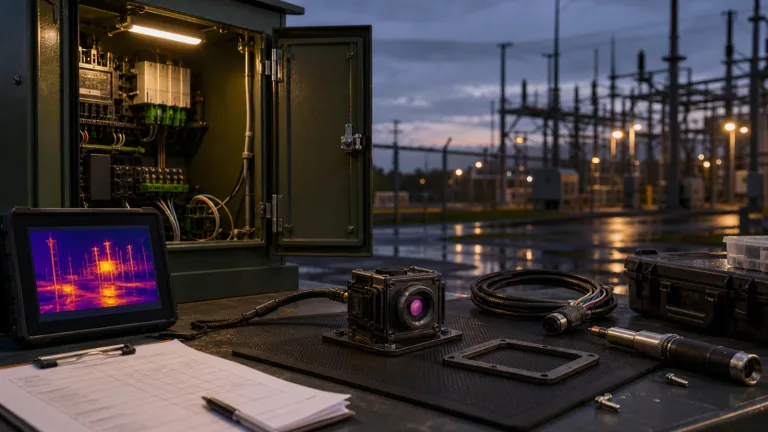
For drone buyers, the next step is to compare the module evidence against the actual drone thermal camera application: aircraft payload limits, gimbal or fixed bracket, pilot viewing workflow, video latency, and documentation. The outdoor and field observation page distinguishes a finished handheld viewer from a module for your own enclosure and host. It is useful for choosing that product class. A fixed cabinet, pole-mounted installation or utility-yard device still needs a separate protection and mounting plan: enclosure sealing, optical window, cable entry, condensation, heat path and site-specific environmental validation. An exposed OEM core is not a ready weatherproof fixed-site camera.
Teledyne FLIR’s SIRAS material is a useful industry example because it treats drone thermal work as a payload, field, and inspection workflow, not just a sensor resolution choice. CAMCUDA buyers can use the same discipline at the module level: decide what the host system needs before treating a quote as comparable.
Interface and integration notes that belong in the quote
The word “mini” does not answer the interface question. For SuperMini, begin with the 30-pin definitions and power requirements in the product manual. MAIN_POWER is 3.8–5.2 V, typically 5 V, alongside separate 3.3 V and 1.8 V rails; this is not a one-rail bare-core design. Follow the manual’s limits and power-on sequence. UART uses 1.8 V logic with TX/RX referenced to the core. CVBS requires an external video-buffer IC. Select the digital mode before designing the receiver: BT656 and MIPI cannot run simultaneously, and 640T CDS3 carries image and temperature data.
If the buyer wants low-latency viewing through older displays, analog transmitters, or existing recorders, the RFQ should say so directly. Use careful wording: CVBS analog output on applicable configurations; confirm during RFQ. If the buyer needs embedded data capture for a processor, the quote should ask for the digital path, evaluation board assumptions, and software or SDK support where available. For AeroMini, review the official datasheet and connector tables with the AeroMini Linux drivers, examples and SDK FAQ. These resources belong to AeroMini; match the board, firmware, host, output format and frame rate rather than assuming the same SDK or pinout applies to SuperMini.
AeroMini’s USB + CVBS + MIPI and Type-C + CVBS tailboards are distinct. The illustrated 16-pin USB/CVBS and 26-pin MIPI/DVP references apply to the former, not the Type-C board. POWER_IN1 and POWER_IN2 are 5 V inputs, never 12 V. The 16-pin drawing labels RS232; the family list of UART, RS232 and RS422 does not prove that every board exposes them. Request the matched board revision, signal table and physical mating orientation before wiring.


CAMCUDA’s thermal camera module interface guide is a useful next read for teams comparing USB, MIPI, CVBS, and DVP. For product browsing, start from thermal imaging cores, thermal modules, or uncooled thermal modules rather than mixing finished cameras and bare modules in the same shortlist.
Common mistakes when buying a mini thermal camera core
- Comparing only footprint. A compact module still needs lens clearance, connector room, cable bend radius, and bracket access.
- Choosing resolution before workflow. A 160 x 120 sensing node and a 640 x 512 inspection payload solve different problems.
- Leaving the video path vague. USB, SPI, MIPI, DVP, RS-422, and CVBS are not interchangeable purchasing words.
- Ignoring field conditions. Outdoor, drone, and industrial monitoring projects need temperature, humidity, vibration, enclosure, and support-document review.
- Treating compliance as an afterthought. For North America procurement, security monitoring, drone inspection, and industrial monitoring, request NDAA and other relevant documents for the exact configuration early. Procurement must review their scope against the intended use and destination; a request or family-level statement does not guarantee document availability or purchasing eligibility.
RFQ checklist for a mini thermal camera core quote
| RFQ field | Useful detail to provide |
|---|---|
| Application | Embedded sensing, smart device, UAV payload, outdoor field monitoring, industrial inspection, security monitoring, or another use case. |
| Preferred product path | SuperMini 640 imaging / 640T thermography for a bare-core design, or AeroMini 640 with the selected imaging version, factory frame rate, lens and tailboard. |
| Mechanical limits | Available volume, bracket drawing, lens clearance, connector side, cable route, and target module weight. |
| Interface | Exact core or tailboard, connector revision, digital format and rate, serial levels, power rails, cable route, and CVBS buffer or evaluation-board requirements where applicable. |
| Optics | Target distance, target size, FOV expectation, enclosure window, lens assumptions, and whether final lens details need confirmation. |
| Documents | Datasheet, matched mechanical drawing/CAD, full signal tables, power timing, host/software references, and requested configuration-specific compliance/NDAA documents for procurement review. |
| Commercial details | Prototype quantity, annual estimate, destination country, timing, and whether support is needed before board freeze. |
Buyers who need files before internal approval can start with support downloads, review the support FAQ, and then send the exact project constraints through CAMCUDA contact/RFQ.
Send a better compact-core RFQ
Share the target application, available mechanical volume, interface path, FOV needs, destination market, and document requirements. Use those constraints to compare a SuperMini bare-core design with an AeroMini configured-tailboard assembly, then request the evidence needed to approve the exact sample.
Review SuperMini 640 / 640T | Review AeroMini 640 | Request engineering RFQ
FAQ: mini thermal camera core supplier evaluation
What is the first proof to request for a mini thermal camera core?
Ask for mechanical evidence: dimensions, mounting reference, connector side, lens clearance, and a matched drawing that helps the mechanical team judge real fit. SuperMini’s 13 x 13 x 13.4 mm and less-than-3.5 g figures describe the bare core, excluding optics and boards. AeroMini’s 21 x 21 x 28 mm and less-than-20 g figures exclude lens and flange. Request the complete assembly drawing before approving either enclosure.
Is a 160 x 120 module enough for OEM thermal sensing?
It can be enough when the product needs compact thermal input, low power, and a known sensing zone rather than a high-detail inspection image. Judge a generic 160 x 120 design against target size, distance and host requirements; 640 x 512 offers more spatial detail for inspection. SuperMini and AeroMini, the Featured paths discussed here, are both 640 x 512.
When should a buyer consider a current 640 x 512 alternative?
Consider SuperMini when the OEM can design around the 30-pin bare core and separate power rails, or AeroMini when a selected lens and tailboard suit the host. SuperMini 640 is 50 Hz imaging-only and 640T is 30 Hz thermographic. AeroMini non-radiometric imaging is 60 Hz by default with a 30 Hz factory option; its 25 Hz radiometric version requires an availability enquiry. Confirm lens, firmware, assembly envelope, documents and destination requirements during RFQ.
Does every CAMCUDA mini thermal camera core support CVBS?
No. CAMCUDA thermal imaging modules can support CVBS analog output on applicable configurations and project requirements, but interface availability must be confirmed during RFQ. Do not assume every product includes every interface by default.
Why does FPC orientation matter?
A small module can still fail mechanical review if the FPC exits toward a wall, blocks a mounting post, or forces a bend radius the enclosure cannot support. Ask for connector and cable-route evidence before the board or bracket is frozen.
What documents should North America buyers request?
Ask for datasheets, mechanical drawings, interface references, product specifications and applicable compliance/NDAA documents for the exact configuration. Procurement should review the evidence for the destination and intended use; document availability and eligibility are not guaranteed.
Should a drone buyer search for a complete thermal drone instead?
If the buyer needs a finished aircraft, a complete drone bundle may be appropriate. If the buyer is building an OEM payload, gimbal, embedded inspection device, or custom platform, a compact LWIR module RFQ can be the better path.
How many supplier quotes should be compared?
Compare only quotes that answer the same evidence questions. A cheaper quote without mechanical drawings, interface clarity, or document support is not equivalent to a quote that helps engineering approve the sample.
What should be sent with the first RFQ email?
Send target application, volume limits, interface preference, host processor or controller, FOV/working distance, prototype and annual quantity, destination country, and required documents. That gives the supplier enough context to recommend the right mini thermal camera core path.
Technical author: Daniel · Hardware Support
Sales contributors: Vivian, Lena and Sophie