high-accuracy online thermal camera core: 5 Reliable RFQ Notes for Live Monitoring
Engineering memo for continuous thermal monitoring
high-accuracy online thermal camera core: 5 Reliable RFQ Notes for Live Monitoring
A high-accuracy online thermal camera core sounds like a sensor purchase until the first live-monitoring cabinet runs for a week and the temperature trend no longer matches the bench demo. The usual problem is not that the core suddenly became poor. The RFQ left out the measurement chain: target surface, optics, enclosure, interface timing, calibration expectation, and the document package the buyer needs before samples.
Quick answer
A high-accuracy online thermal camera core should be specified as a complete monitoring path, not just a resolution and price request. Define the target, emissivity assumption, working distance, field of view, enclosure window, frame-rate need, host interface, calibration documents, and acceptance test. For a temperature-measurement RFQ, review the CAMCUDA SuperMini 640T thermographic / 30 Hz configuration. For an image-review requirement, compare AeroMini 640 non-radiometric imaging at 60 Hz default or 30 Hz factory configuration. Both are native 640 × 512 cores, but they serve different requirements. The imaging-only SuperMini 640 at 50 Hz and non-radiometric AeroMini do not provide calibrated temperature readings and should not be specified for quantitative temperature trends. Online measurement still requires complete-system validation.
What a high-accuracy online thermal camera core has to prove
The buyer moment is familiar. A maintenance team wants a small thermal core inside a cabinet or a fixed monitoring head near outdoor equipment. The demo image looks clean. The dashboard shows a sensible temperature trend. Then the enclosure changes, the target surface changes, or the host software samples frames differently, and the “accurate” core becomes a dispute between engineering and procurement.
Accuracy in live thermal monitoring is not a single line in a table. It is the result of a measurement model, a stable optical path, a known target, and a repeatable data path. NIST’s thermal camera measurement work is useful here because it treats calibration as a procedure for converting images into temperature measurements, not a decorative certificate. FLIR’s calibration education makes a similar point: thermal cameras need uniformity correction and correlation against known temperature points before measurement claims are meaningful.
For CAMCUDA buyers, the practical question is narrower: what must the RFQ include so a supplier can recommend the right uncooled LWIR module, lens path, interface, and support documents? A high-accuracy online thermal camera core should be evaluated against the object it will monitor, the installation geometry, and the software decision it feeds. That is especially true when the buyer wants online monitoring rather than a technician holding a thermal imager for a single inspection.
Teledyne FLIR’s OEM core pages show why serious buyers talk about SWaP, core families, interfaces, and support resources together. Micron’s edge AI material is also a helpful reminder that sensor data eventually becomes a local decision, alert, or model input. Those industry patterns do not prove any CAMCUDA claim. They explain why the RFQ has to cover the full signal path before price, sample timing, and acceptance criteria make sense.
high-accuracy online thermal camera core selection chart
Use this chart before asking for a quote. It turns “accuracy” from a vague buying word into engineering inputs that can be reviewed by both sides.
| Decision area | Why it affects live accuracy | What to send in the RFQ |
|---|---|---|
| Target surface | Different materials radiate differently, so trend quality depends on emissivity and surface condition. | Material, finish, expected temperature range, and whether a reference patch is possible. |
| Working distance and FOV | The monitored object must occupy enough pixels for useful trend or alarm logic. | Distance, object size, required scene width, and mounting tolerance. |
| Enclosure and window | A protective window or angled cover can alter thermal transmission and create reflection problems. | Window material with LWIR-transmission evidence, thickness, angle, sealing plan, and outdoor exposure. |
| Frame rate and data path | Fast process changes may need more frequent sampling; slow cabinet monitoring may not. | Alert interval, host processor, interface preference, and storage or edge-processing plan. |
| Calibration expectation | Factory calibration may support trend monitoring only after the complete measurement path is validated; measurement claims need defined acceptance work. | Acceptance method, reference source, tolerance discussion, and required documents. |
| Procurement documents | Approvals can stall if drawings, interface references, or compliance statements arrive late. | Datasheet, mechanical drawing, interface reference, and confirmation of available CE/RoHS or NDAA-related documents for buyer review. |
The trade-off is not always higher resolution. A 160 x 120 core can be a disciplined choice when the object is fixed, close, and large enough in the scene. A 640 x 512 module makes more sense when the scene is wider, the target is smaller, the buyer needs richer operator review, or the same hardware may later move into a payload or inspection device.
Featured CAMCUDA modules for online monitoring RFQs
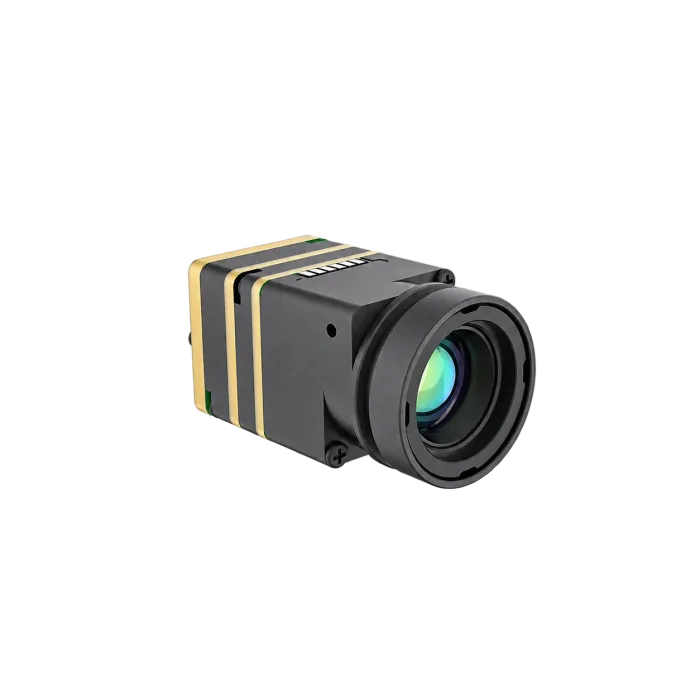
SuperMini 640T offers a thermographic core path for a space-constrained design; AeroMini 640 non-radiometric offers an image-review path. Both use native 640 × 512 detectors, so the generic lower-resolution trade-off above is separate from this comparison. Neither resolution nor NETD alone establishes absolute temperature accuracy. Select the measurement or imaging requirement, optics, board, and data path before comparing samples.
| Parameter | SuperMini 640T thermographic path | AeroMini 640 non-radiometric image-review path |
|---|---|---|
| Best use in this article | Space-constrained temperature-data integration; configuration review and quotation | Operator-visible thermal imagery; not a quantitative temperature-measurement alternative |
| Resolution | 640 × 512 VOx; 8 μm pixel pitch | 640 × 512 VOx; 12 μm pixel pitch |
| Spectral range | 8–14 μm | 8–14 μm |
| Frame rate | 30 Hz thermography | 60 Hz default / 30 Hz factory configuration, non-radiometric |
| Interface | 30-pin core connector; 640T CDS3 and MIPI temperature-data paths; confirm output mode and host parsing | USB + CVBS + MIPI or Type-C + CVBS imaging packages; confirm selected board, output format and host compatibility |
| Power | MAIN_POWER 3.8–5.2 V, typical 5 V, plus required 3.3 V and 1.8 V rails; typical ≤0.5 W at 25°C excluding expansion board | Typical module consumption <0.5 W at 25°C; complete kit may differ. Illustrated POWER_IN1 / POWER_IN2 inputs are 5 V only |
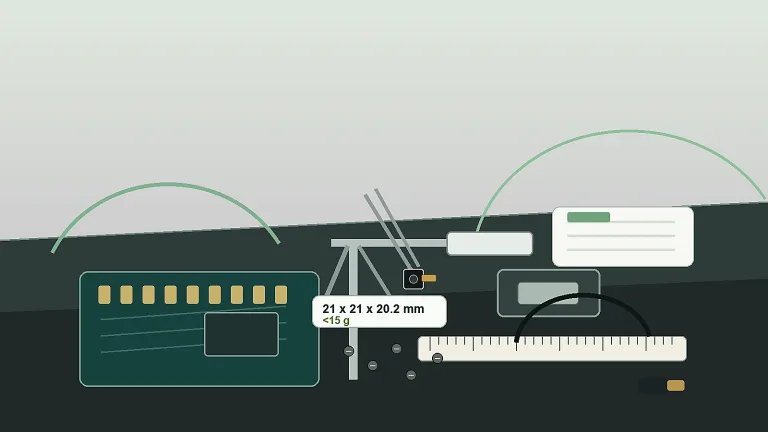
| Mechanical note | 13 × 13 × 13.4 mm; <3.5 g bare core, excluding optics and boards | 21 × 21 × 28 mm; <20 g, excluding lens and flange; request complete-assembly CAD |
| Accuracy note | NETD ≤40 mK at 25°C, F1.0; published typical measurement accuracy and its limits are discussed below | NETD ≤30 mK at 25°C, F/1.0; imaging version does not provide calibrated temperature readings |
For a high-accuracy online thermal camera core RFQ, the SuperMini V1.0.0 manual and current product page specify 640T measurement ranges of −20°C to +150°C and 100°C to +650°C. The manufacturer publishes typical accuracy of ±2°C or ±2% of reading at ambient −20°C to +60°C. This is a module statement under its stated conditions, not a final monitoring-system guarantee; agree on the calibration conditions and acceptance method for the selected optics and enclosure. The current 640T configuration is reviewed by quotation. NETD describes thermal sensitivity rather than absolute temperature accuracy.
AeroMini also lists a separate 25 Hz radiometric version with a −20°C to +550°C range and 9, 13, or 18 mm lens enquiries. The current product selector shows it as out of stock, without pricing, online purchase, or pre-order. Availability timing, measurement accuracy, calibration conditions, temperature-data format, and the radiometric interface remain to be confirmed; do not assume compatibility with the imaging boards shown below.
Interface and integration notes before sample ordering
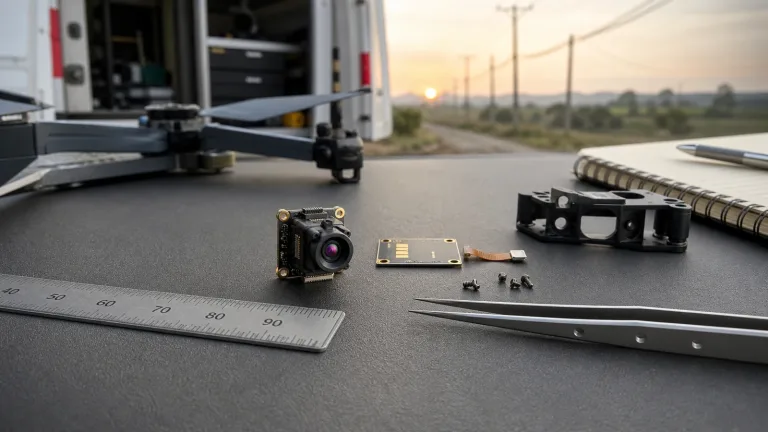
A common integration problem is changing the mechanical or thermal environment after bench validation. A core can perform well on an open bench and then behave differently once it sits behind a window, close to a warm processor, or beside a cable bundle that blocks airflow. The RFQ should describe the enclosure before the buyer treats the module quote as final.


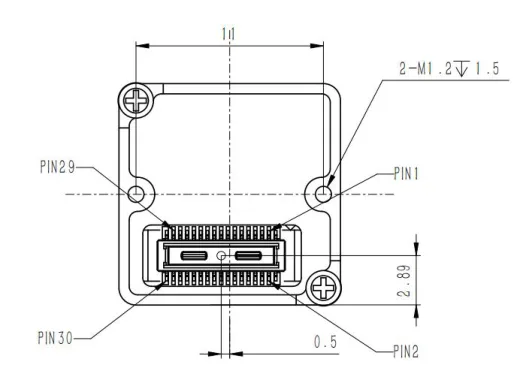
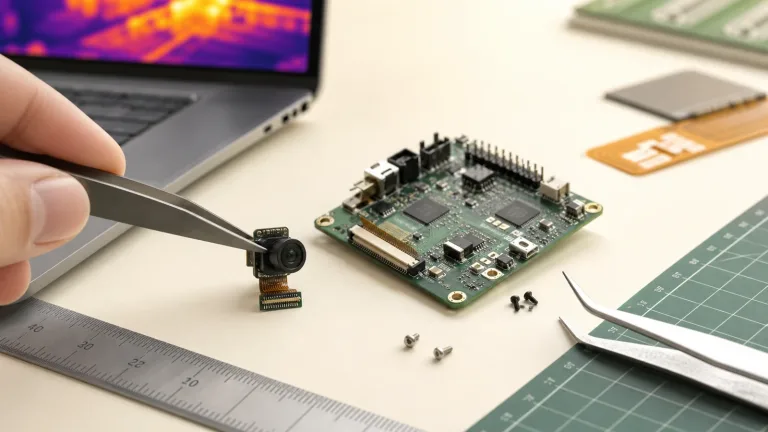
SuperMini uses a Hirose DF40C-30DP-0.4V(51) core connector and 1.8 V UART logic. Its MAIN_POWER input needs the additional 3.3 V and 1.8 V rails; a single 5 V connection does not describe bare-core integration. BT656 and MIPI cannot operate simultaneously. For 640T temperature data, request the matched CDS3 or MIPI output-mode documentation and validate host parsing and calibration. The optional 4-pin USB expansion board is a different interface, and the core CVBS path requires an external video-buffer IC.
AeroMini’s non-radiometric USB + CVBS + MIPI and Type-C + CVBS packages use distinct boards and wiring guides. The illustrated 16-pin POWER_IN1 and 26-pin POWER_IN2 inputs are 5 V only; do not apply 12 V to either. The family-level 5 V or 12 V entry does not authorize 12 V at these pins. Confirm serial electrical levels rather than assuming TTL, and request the selected imaging board’s output format and host requirements. These imaging references do not confirm the separate radiometric assembly or its interface. The AeroMini SDK and Linux-resources FAQ is an AeroMini resource path, not a SuperMini compatibility statement.
CVBS is an analog display path, not a calibrated temperature-data stream. For quantitative temperature trends and alarms, validate the measurement output, host decoding, timestamps, logging, and alarm thresholds together with optics, enclosure, calibration, and intended duty cycle. Neither a module frame rate nor a successful bench image proves an unattended online monitoring system.
Procurement language matters as well. If the project is for North America, outdoor security monitoring, industrial monitoring, or another documentation-sensitive deployment, ask which NDAA-related statements and other procurement documents are available for the exact configuration, together with product specifications, mechanical drawings, and interface references. Have the buyer’s procurement or legal team review the relevant evidence. For broader module browsing, use the thermal imaging cores and uncooled thermal modules pages before narrowing the sample request.
Illustrative application case: a fixed cabinet monitor after enclosure changes
In this illustrative case, an OEM integrator is building a compact online monitor for electrical cabinets in a utility yard. The prototype uses a small LWIR core pointed at a repeatable set of terminals. On the bench, the trend looks stable. In the first enclosed build, the protective window of unverified LWIR transmission sits at a slight angle, the host board warms the nearby cavity, and the monitored target occupies fewer pixels than expected. The team asks whether the high-accuracy online thermal camera core was overrated.
The investigation should test these possible contributors rather than assign a cause from the image alone. The RFQ did not include the window material, mounting angle, expected target size, cabinet temperature range, or acceptance test. No one confirmed whether the software needed temperature measurement, relative change, or simple alarm classification. Engineering also forgot to ask whether a reference target or blackbody-style validation step would be used during sample acceptance.
In this scenario, review SuperMini 640T for the temperature-data requirement, choose optics and target coverage for the cabinet, then validate the complete thermal and data path. AeroMini non-radiometric can be discussed for operator image review only; it is insufficient for calibrated temperature trends. The buyer should also review CAMCUDA’s outdoor and field thermal imaging page because fixed field monitoring raises different questions from a clean indoor bench: enclosure, sunlight, ambient range, cable service, and maintenance access.

Common mistakes when buying for online thermal accuracy
- Using “high accuracy” as a requirement without defining target material, temperature range, and acceptance method.
- Choosing resolution first when the real issue is target size in pixels, lens/FOV, or mounting distance.
- Testing on an open bench, then adding a window or enclosure after the sample has been approved.
- Assuming factory-calibrated output automatically proves every final product measurement claim.
- Leaving the selected CDS3, MIPI, USB, serial-control, or CVBS path, host timing, and temperature-data format until the PCB layout is almost finished.
- Requesting compliance and procurement documents after the purchasing team has already started approval.
RFQ checklist for a high-accuracy online thermal camera core
Send this information before asking for a final sample recommendation. It helps CAMCUDA respond with a module path instead of a vague product suggestion.
- Application: electrical cabinet, HVAC monitor, smart device, outdoor equipment, utility yard, robotics, or another fixed monitoring workflow.
- Measurement goal: relative trend, threshold alarm, operator image review, or temperature-related output requiring validation.
- Target details: material, surface finish, approximate temperature range, minimum target size, and whether a reference patch is allowed.
- Geometry: distance, field width, camera angle, enclosure window, bracket constraints, and service access. The thermal imaging calculator can support preliminary coverage and sampling estimates; test the actual target and lens because geometry estimates do not establish temperature accuracy.
- Interface: 640T CDS3 or MIPI temperature-data path; confirm host decoding, control levels, and any separate CVBS display need. For AeroMini image review, name the required imaging package; do not assume that board is compatible with the separate radiometric version.
- Electrical and thermal environment: supply voltage, host board heat, airflow, operating temperature, and duty cycle.
- Documents: datasheet, matched mechanical drawing, electrical interface reference, product specification, calibration conditions and available calibration records; ask which CE/RoHS and NDAA-related materials are available for buyer review.
- Commercial path: prototype quantity, expected production quantity, destination market, sample timing, and the engineer responsible for acceptance testing.
When the checklist is ready, review CAMCUDA’s support and downloads area, check the FAQ for common module questions, and send the final request through Contact / RFQ.
Build the RFQ around the monitoring path
If your project needs a compact high-accuracy online thermal camera core with temperature data, request a SuperMini 640T configuration review. For a separate operator-imaging requirement, review AeroMini 640 non-radiometric configurations. Share the target, enclosure, required output, acceptance limits, and documentation list so CAMCUDA can review a module path for the real monitoring station. Validate system logging, alarms, and sustained operation in the complete installation before deployment.
FAQ: high-accuracy online thermal camera core
Does high accuracy mean the highest resolution module?
No. Resolution controls scene detail, but accuracy depends on target surface, optics, calibration expectation, enclosure, and data handling. A lower-resolution core can work well for a fixed close target, while a 640 x 512 module helps when scene detail matters.
Is SuperMini 640T suitable for online monitoring RFQs?
SuperMini 640T is the 30 Hz thermographic configuration to evaluate when temperature data is required. Confirm target size, distance, FOV, output mode, host parsing, calibration conditions, enclosure, and acceptance method. The imaging-only 50 Hz SuperMini 640 does not provide calibrated temperature readings.
When should AeroMini 640 be considered?
Consider its 60 Hz default / 30 Hz factory non-radiometric configuration for operator image review, with the selected lens and interface kit confirmed. It does not provide calibrated temperature readings. The separate 25 Hz radiometric version is currently out of stock; availability timing and its interface require confirmation.
Can a thermal core measure exact temperature online?
A thermographic or radiometric configuration can provide temperature data within its specified conditions, but an exact-temperature promise is inappropriate. Define the target, emissivity, optics, calibration conditions, environment, uncertainty or tolerance, and acceptance test. NETD, display colors, and AGC-processed image values do not establish calibrated temperature readings.
What usually causes live-monitoring drift after a good bench demo?
Possible contributors include enclosure windows, changing target surface, warm nearby electronics, blocked airflow, unstable mounting, different working distance, and software sampling changes. Test these along with warm-up, calibration stability, host decoding, and duty cycle; the RFQ should describe the conditions before samples are approved.
Should CVBS be requested for online monitoring?
Request CVBS only when the project needs analog video for a legacy monitor, recorder, transmitter, or viewing path. It is not a calibrated temperature-data stream. Confirm the selected board and format; SuperMini core CVBS needs an external video buffer, while AeroMini imaging CVBS depends on the selected package.
What documents should procurement ask for?
Ask for product specifications, matched mechanical drawings, electrical interface references, calibration conditions and available calibration records. Confirm which CE/RoHS and NDAA-related materials are available for the exact configuration and have the buyer review their suitability.
How should acceptance testing be described?
Define the monitored target, distance, enclosure state, ambient range, warm-up behavior, data output, and reference method. If a calibrated reference source is required, say so before sample shipment. Validate logging, alarm behavior, and measurement drift over the intended duty cycle with the complete host, optics, and enclosure.
Can one RFQ compare SuperMini 640T and AeroMini 640?
Yes. Separate the temperature-data requirement from the operator-image requirement. Request a SuperMini 640T configuration review for measurement and an AeroMini non-radiometric configuration for imaging. Both are native 640 × 512, but their dimensions, rails, boards, and output formats differ; neither is a drop-in replacement for a lower-resolution SPI core.