thermal camera for drone: 5 Practical RFQ Decisions Before the Payload Becomes the Bottleneck
Drone payload RFQ note
thermal camera for drone: 5 Practical RFQ Decisions Before the Payload Becomes the Bottleneck
Technical author: Daniel · Hardware Support
Sales contributors: Vivian, Lena and Sophie
A thermal camera for drone looks like a simple payload purchase until the pilot asks where the live view will appear, the engineer asks what the host board can power, and procurement asks whether the next reorder will include the same documentation package. That is the buyer moment this article is written for: not a finished drone catalog shopper, but a UAV integrator trying to keep a thermal module sample from becoming the schedule bottleneck.
Quick answer
If you are sourcing a thermal camera for drone, settle five RFQ decisions before ordering a sample: the thermal job and field evidence, payload fit, video path, control path, and documentation. The current reference here is CAMCUDA AeroMini 640 with a 9 mm lens and USB + CVBS + MIPI tailboard. Its non-radiometric version provides thermal imagery, not temperature measurement, with a 60 Hz factory default or a 30 Hz factory option. Confirm the complete lens-and-board envelope, delivered outputs, host support and reorder documents for that configuration.
Why a thermal camera for drone becomes the payload bottleneck
Drone thermal imaging is now discussed in system terms, not just camera terms. Industrial edge articles from NVIDIA keep coming back to the same idea: inspection value depends on the full edge workflow, from sensing to inference to response. UAV buyers feel the same pressure in a smaller package. The thermal image is only useful if it reaches the right screen, recorder, processor, or field report at the right moment.
The realistic mistake is ordering the module because the resolution and price look right, then discovering two weeks later that the aircraft has no clean mounting envelope, the analog video path was assumed but not confirmed, or the field team needs procurement paperwork that was never requested. None of those failures means the detector was bad. They mean the RFQ was too thin.
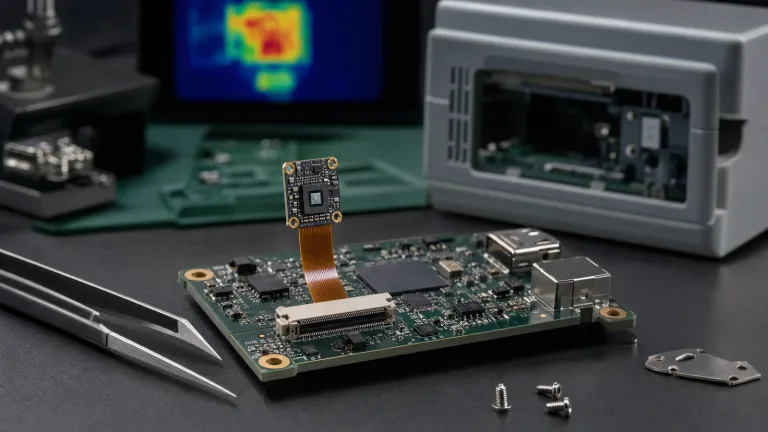
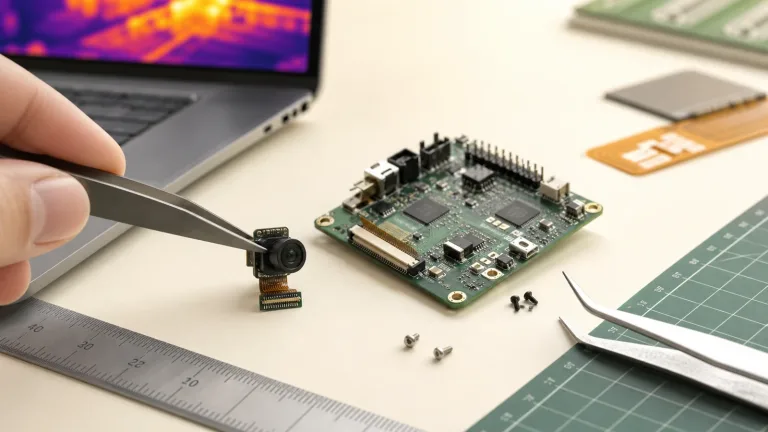
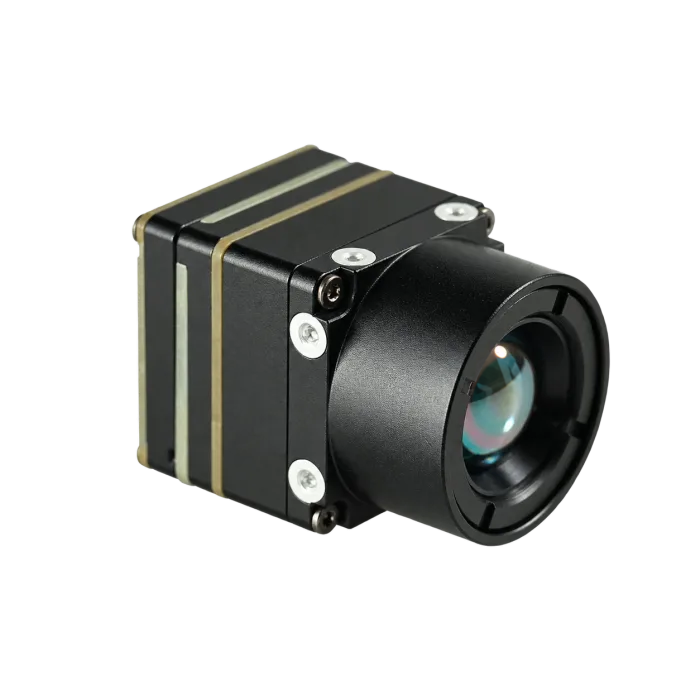
For CAMCUDA, the current featured product to evaluate is AeroMini 640 in the 9 mm non-radiometric USB + CVBS + MIPI configuration. It is a module-level component for UAV payloads and OEM devices, not a finished aircraft payload. Integration still depends on the host board, lens/FOV, enclosure, video path, complete power budget and buyer documentation. The pictured 9 mm assembly does not establish the dimensions or mass of every lens-and-board combination.
thermal camera for drone: 5 RFQ decisions that should come before the sample
| RFQ decision | What to define | Practical trade-off | CAMCUDA note |
|---|---|---|---|
| Thermal job | Inspection target, working distance, field window, and whether the pilot needs live viewing, recorded evidence or calibrated temperatures. | Broader field of view helps finding targets; tighter optics help detail but make search and pointing harder. | Share lens/FOV and mission context. The thermal imaging calculator can support geometry planning; validate the chosen lens on the intended scene. |
| Payload fit | Available module envelope, bracket route, vibration/shock exposure, and airflow or enclosure limits. | A small module still needs mechanical clearance, cable strain relief, and service access. | AeroMini lists <20 g and 21 × 21 × 28 mm excluding lens and flange; request the complete 9 mm kit envelope and mass. |
| Video path | USB capture, required CVBS format, MIPI host path if needed, recorder/display needs, and measured end-to-end delay. | USB can suit digital capture; CVBS can suit an analog downlink. Neither interface alone establishes usable delay or simultaneous output. | Confirm the AeroMini USB + CVBS + MIPI board, firmware, output combination and delivered frame rate. |
| Control path | Required palette/NUC controls, supported commands, connector levels, host-board integration and firmware version. | Control and video can be separate concerns; treating them as one cable decision causes late integration work. | UART / RS232 / RS422 availability is board-dependent. Request the selected AeroMini board’s serial-command and wiring guide. |
| Documentation | Matched datasheet, interface reference, mechanical drawing, available compliance or sourcing records, and approved order/BOM revisions. | Waiting until procurement review to ask for documents slows reorders and North America project review. | Request available documents for the exact model, configuration, destination and contract; have procurement assess their scope. |
The goal is not to make the first RFQ long for its own sake. It is to stop the sample from being judged against requirements that were never shared. That is also why OEM thermal imaging integration writing tends to focus on module selection, optics, and system fit rather than detector resolution alone.
Featured product fit: AeroMini 640 as a thermal camera for drone candidate
Use the table below as a buyer-side starting point for the AeroMini 9 mm non-radiometric configuration, then confirm the ordered assembly during RFQ. The 21 × 21 × 28 mm and <20 g figures exclude the lens and flange; <0.5 W is typical module consumption at 25°C, not the complete kit or payload load. If the inspection needs calibrated temperatures, specify a separate radiometric version. AeroMini radiometric is 25 Hz, currently out of stock and enquiry-only, with documented 9 / 13 / 18 mm lenses; do not apply its measurement capabilities to this imaging-only reference.
| Product | CAMCUDA AeroMini 640×512 uncooled LWIR core; 9 mm non-radiometric, USB + CVBS + MIPI |
|---|---|
| SKU | AEROMINI-640-9MM; confirm camera version, factory frame rate and interface package with the order |
| Detector type | Vanadium oxide (VOx) uncooled infrared focal-plane detector |
| Resolution | 640 × 512 |
| Pixel pitch | 12 μm |
| Spectral range | 8–14 μm |
| Non-radiometric frame rate | 60 Hz factory default; 30 Hz factory option at the same price. Confirm output rate for the selected board and mode. |
| NETD | ≤30 mK @ 25°C, F/1.0; sensitivity, not temperature accuracy |
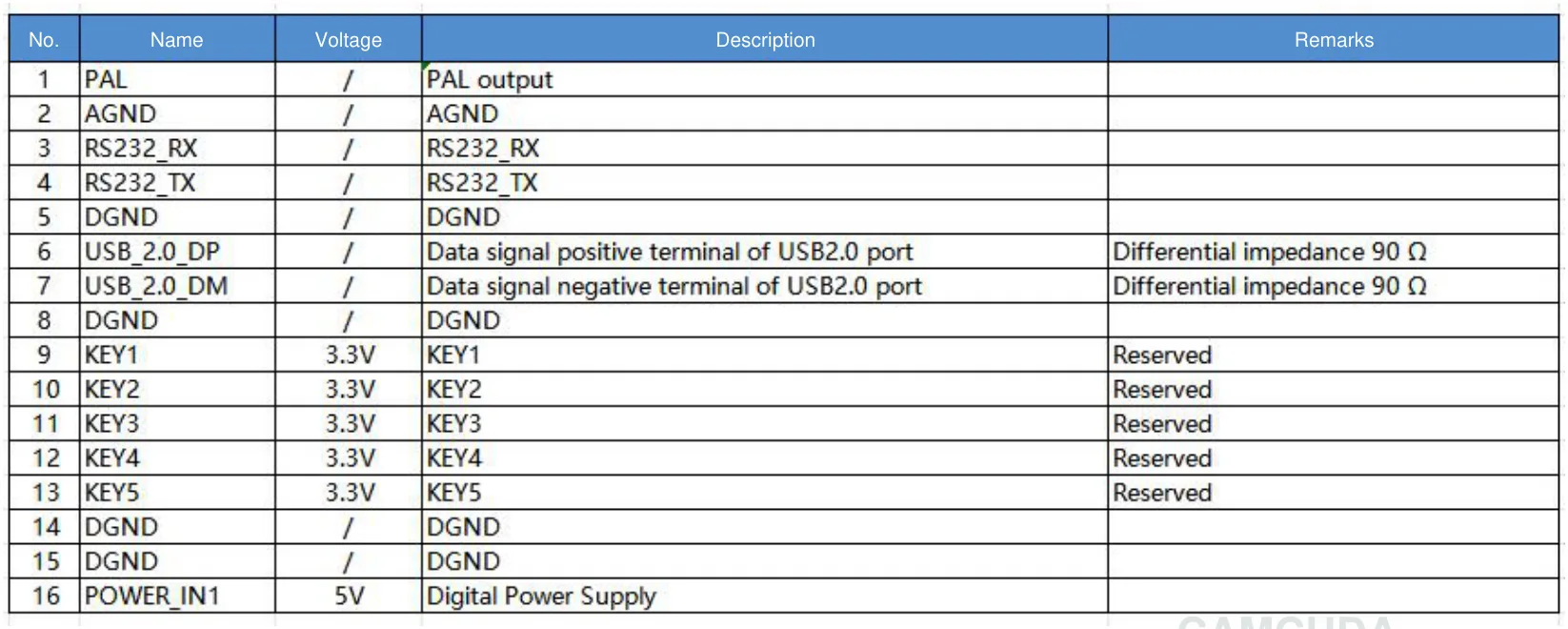
| Supply voltage | Illustrated POWER_IN1 / POWER_IN2 inputs: 5 V only. Confirm the approved supply for the ordered board; do not apply 12 V to these pins. |
| Typical power consumption | <0.5 W typical module consumption @ 25°C; complete-kit and payload power require a separate budget |
| Digital video | USB + CVBS + MIPI is the selected board package; confirm digital format, host compatibility and simultaneous-output limits |
| Analog video support | CVBS / PAL / NTSC are board-dependent; confirm the selected board and firmware |
| Communication interface | UART / RS232 / RS422 availability depends on the selected interface board; confirm port and electrical levels |
| Weight | <20 g excluding lens and flange; not the complete 9 mm kit mass |
| Dimensions | 21 × 21 × 28 mm excluding lens and flange; request the ordered assembly drawing |
| Operating temperature | −40°C to +80°C |
| Storage temperature | −50°C to +85°C |
| Humidity | 5%–95%, non-condensing |
| Vibration | Request configuration-specific test evidence and qualify the mounted payload for the mission |
| Shock | Request configuration-specific test evidence; do not transfer another module’s rating |
| Configuration pricing | Request a quotation for the selected lens, board, frame rate, quantity and delivery terms; confirm the current product-page price |
A separate compact alternative is SuperMini 640 imaging-only, SKU CC-SM640-I50: 640 × 512, 8 μm pitch and 50 Hz. Its 13 × 13 × 13.4 mm and <3.5 g figures describe the bare core, excluding optics and boards. It needs a configuration review and quotation; it is not automatically a ready-to-connect USB kit. Confirm the carrier, rails, cable and software separately. The bare-core drawing below is useful for that comparison only. For AeroMini, request a drawing matched to the ordered 9 mm lens and tailboard before machining; its published 7 mm STEP reference is not a 9 mm assembly drawing.

Short example: the utility patrol sample that passed the bench but failed the handoff
Consider an illustrative UAV integration handoff, rather than a measured customer result. A team is building a light utility patrol payload with three constraints: a narrow module compartment, a pilot who wants live view on an existing analog downlink, and an operations manager who wants stills or clips for an inspection report after landing. A bench image alone would not show that all three requirements are satisfied.
The first mistake would be to ask only for “a 640 thermal camera for drone” and wait for a quote. A better RFQ states the working distance, expected FOV, available regulated power, bracket envelope, preferred USB capture route, and required CVBS pilot-display path. It asks for the matched mechanical and electrical references before machining, then defines an acceptance test for live view, recording, control and end-to-end delay. Temperature-based reporting would need a separately validated radiometric configuration.
Use the drone thermal camera application page to frame inspection or patrol requirements. If the module may later move to a fixed yard, perimeter or field-service installation, compare the outdoor and field thermal imaging application page before splitting the RFQ into unrelated samples. Identify which enclosure, cable, service access and evidence requirements change between those deployments.
Professional drone examples from Teledyne FLIR show how field missions shape the required evidence. For this utility-patrol example, agree on what the operator must see, what the recorder must retain and what the report must demonstrate. Define those handoff checks before treating the module as a mechanical-only purchase; another manufacturer’s payload claims do not establish AeroMini performance.
Interface and document choices that change the reorder
A thermal camera for drone RFQ usually has two conversations happening at once. Engineering is asking how video and control move through the aircraft. Procurement is asking whether the sample can be reordered with the same configuration, documentation, and commercial terms. If those conversations happen in separate emails, the second order often exposes the missing details.
For interface planning, the USB-IF document library provides standards background, while the ordered camera’s documents define its actual wiring and output modes. The AeroMini USB + CVBS + MIPI kit includes a USB cable and requires customer soldering. Confirm video formats, simultaneous outputs, delivered frame rate and control-port levels for the selected board and firmware. UART, RS232 and RS422 are board-dependent family listings, not a promise that every board exposes them. Type-C + CVBS is a separate board option with its own guide.

For documentation, ask for the available model- and revision-matched datasheet, drawings, interface guide, test evidence and procurement declarations before the sample is ordered. The AeroMini datasheet, PDF page 3 pairs the illustrated 16-pin USB/CVBS schematic with its signal table; PDF page 4 covers the separate 26-pin MIPI/DVP connection. POWER_IN1 and POWER_IN2 are 5 V inputs: do not apply 12 V to those pins. These references do not cover the Type-C board or SuperMini. The AeroMini developer FAQ points to its model-specific manuals, serial commands and SDK resources; match them to the board, firmware and host, and do not assume tested compatibility from a file listing. For a reorder, record those revisions with the approved BOM, lens, frame rate and commercial terms. Request any available sourcing or compliance documents required by the buyer’s contract, including an NDAA-related declaration if needed, and have procurement assess their scope. A supplier statement alone does not guarantee NDAA, TAA or export-control compliance for the completed aircraft or transaction.
Common mistakes that make the thermal camera for drone decision feel harder than it is
- Choosing by resolution alone. A 640 x 512 module is useful, but the payload still needs the right lens/FOV, mounting envelope, host path, and field evidence workflow.
- Assuming the output path is settled by the product name. Confirm the selected board, firmware, CVBS format, host receiver and simultaneous-output limits, then test the full pilot-display and recording chain.
- Mixing live view and evidence capture. The pilot screen, recorder, and post-flight report may need different outputs or handling.
- Waiting too long to ask for drawings. Mechanical and electrical references should arrive before bracket machining and host-board layout decisions.
- Leaving compliance language vague. Ask which sourcing and compliance documents are available for the exact model and revision, identify the applicable contract requirements, and have the buyer assess them before a production reorder.
RFQ checklist for a useful thermal camera for drone quote
Send a shorter but sharper RFQ. Include the facts below, then link the buyer path clearly: thermal imaging cores, thermal modules, support downloads, and CAMCUDA contact / RFQ.
| RFQ item | What to send |
|---|---|
| Mission | Inspection target, distance range, flight duration expectation, and whether the use case is drone, outdoor field, industrial, security, or OEM device integration. |
| Mechanical limits | Available module space, bracket concept, weight target, cable route, enclosure notes, vibration/shock concerns, and service access. |
| Optics | Target FOV, lens preference if known, scene size, working distance, and whether fast search or detail confirmation matters more. |
| Power and host | Approved voltage for the selected board, complete payload power budget, host/processor, recorder/display path, and temperature expectations. |
| Interfaces | Selected AeroMini board and firmware, required USB / CVBS / MIPI output modes, control commands and levels, simultaneous-output needs and acceptance tests. |
| Documents | Matched datasheet, lens-and-board assembly drawing, electrical reference, available compliance/sourcing evidence, destination and contract requirements; retain revisions for reorders. |
Turn the drone thermal RFQ into an integration review
Start with AeroMini 640 with the 9 mm non-radiometric USB + CVBS + MIPI configuration if your project needs a thermal imaging sample with that host path. Compare the separate SuperMini 640 imaging-only core when bare-core space and mass justify a different carrier-board integration. Send CAMCUDA the payload envelope, video/control path, lens/FOV target, evidence plan and required documents so the quotation addresses the actual integration and reorder problem.
FAQ: thermal camera for drone RFQ questions
Is AeroMini 640 a finished drone payload?
No. It is an uncooled LWIR thermal imaging core for UAV payload and OEM integration. The aircraft mount, enclosure, host board, lens/FOV, complete power budget and video workflow still need project review. The 9 mm non-radiometric configuration discussed here provides thermal imagery without temperature measurement.
Why not choose a thermal camera for drone by resolution only?
Resolution matters, but it does not answer payload fit, live-view path, power budget, control interface, lens/FOV, field evidence, or procurement documentation. Those are the details that usually delay integration.
When does CVBS matter in a drone thermal RFQ?
CVBS matters when the payload must feed an analog transmitter, legacy display, recorder or pilot monitor. Confirm CVBS format and availability for the exact AeroMini board and firmware, then measure delay through the complete camera-to-display path; an analog output alone does not guarantee low latency.
Can one project use both USB and analog video?
Some projects evaluate digital capture and analog viewing separately, but exact output combinations depend on the module configuration and firmware. Ask CAMCUDA to confirm the video path before ordering.
What should a buyer send before asking for price?
Send mission type, working distance, target FOV, payload envelope, power budget, host board, preferred interfaces, environmental limits, destination market, and documentation needs. This makes the price conversation more useful.
Does CAMCUDA provide NDAA documentation?
Ask CAMCUDA which model- and configuration-specific procurement or sourcing documents are currently available, including an NDAA-related declaration if your contract requires one. Have the buyer’s procurement team assess the document scope, destination and intended use. This article does not guarantee that a particular statement is available or establish NDAA, TAA or export-control compliance.
What is the practical trade-off between USB and CVBS?
USB is often useful for digital development, host capture, and embedded processing. CVBS can be useful for legacy analog video transmission or low-latency viewing, but it has different image-path expectations and should be confirmed for the project.
Should outdoor fixed monitoring be a separate RFQ?
If the same module may move from a drone sample to a fixed outdoor installation, mention both applications early. Outdoor monitoring can change enclosure, service-view, cable, documentation, and environmental requirements.
Where should buyers compare CAMCUDA application fit?
Start with the drone thermal camera application page for UAV payload work and the outdoor field thermal imaging page for fixed monitoring, field service, perimeter, or rugged outdoor deployment planning.