OEM AI cameras: the Practical Thermal-Input Memo for Safer Field Deployment
In an illustrative planning case, at 6:42 a.m., the operations team is looking at another round of yard-gate alerts. The visible model caught motion, but the review screen is full of mist, headlights, and other scene clutter.
OEM AI cameras: the Practical Thermal-Input Memo for Safer Field Deployment
OEM AI cameras need more than a review of one threshold. Problems can arise when the sensing path is poorly matched to the field scene, or when the hardware team treats thermal as an optional add-on after the pilot already looked “good enough” on a desk. By the time the enclosure is frozen, the edge box is chosen, and procurement wants the support packet, the wrong decision is expensive to unwind.
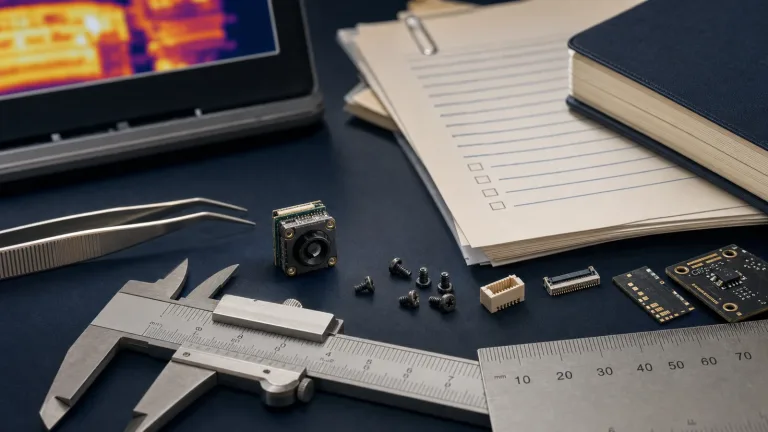
This memo uses the CAMCUDA AeroMini 640 thermal imaging module in a non-radiometric, 9 mm, USB + CVBS + MIPI configuration as the practical reference point. The goal is not to pretend the module is a finished AI camera. It is to show when oem ai cameras should evaluate a thermal sensing path, what trade-off comes with that decision, and which field details should be named before the pilot is treated as stable.
Quick answer: OEM AI cameras warrant a thermal input review alongside visible-model tuning when the visible-only model performs well in controlled tests but starts losing confidence in dawn, haze, glare, rain, or low-light outdoor service conditions. The right next step is not “add more AI” in the abstract. It is to confirm the sensing path, interface plan, service-view method, and documentation timing before the pilot or RFQ locks in the wrong assumptions. Compare target/background contrast and the completed pipeline against agreed acceptance criteria in representative scene trials; adding thermal alone does not establish better fog/rain performance, fewer false alarms, or safer deployment.
Why OEM AI cameras start slipping when the sensing path is chosen too late
The current industry language around edge systems is useful because it keeps reminding buyers that the camera is only one part of the decision. NVIDIA’s June 2026 Jetson physical-world update frames edge intelligence as a production stack for robotics, inspection, and industrial automation, not as a loose algorithm floating above the hardware. That is exactly the right way to think about oem ai cameras. If the deployment is real, the sensor path, host path, service workflow, and procurement path all have to agree.
Thermal can be introduced late because the visible system already seems close. The model has acceptable daytime metrics. The enclosure team has a draft layout. The software team has a test feed. Then the outdoor pilot starts producing borderline results in fog, early sun, headlight spill, or low-contrast night scenes. At that point, the question is no longer “can AI work here?” It is “did we choose a sensing path that gives the edge system enough reliable signal for the field conditions?”
That distinction matters because oem ai cameras are not finished consumer products. They are subsystems inside a larger build. A compact thermal module can give the system a second source of scene information to evaluate when visible-only detection becomes fragile, but it also introduces new design work: how the feed is evaluated, how the host receives it, how field service views it, and what documents procurement will ask for once the pilot turns into a real purchase path.
The next buyer decisions should link the sample configuration to deployment requirements. A team moving beyond the first proof should review the AeroMini 640 product page, the outdoor and field thermal imaging application page, the support downloads page, the support FAQ, and the Contact / RFQ page. Those are better next steps than another generic AI camera landing page because they force the program back into deployment details.
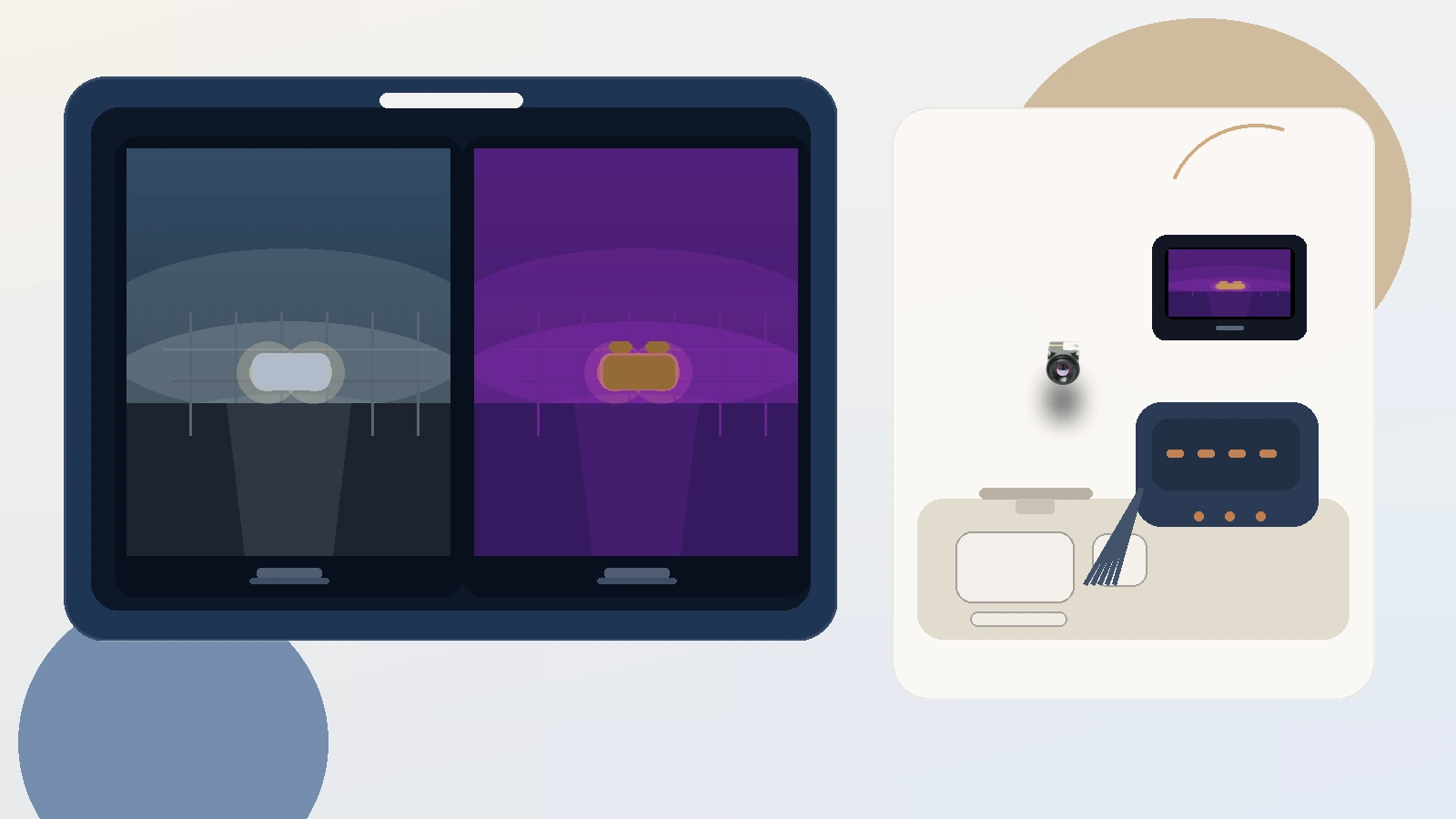
OEM AI cameras selection chart for adding a thermal second view
A useful review starts by naming which part of the system is actually under strain. That keeps the review focused beyond vague “AI camera” language.
| Decision area | What looks solved too early | What still needs confirmation |
|---|---|---|
| Sensing path | The visible model reaches acceptable lab or daytime results | Whether thermal adds useful information in representative dawn, haze, glare, rain, or low-light trials, compared with the visible baseline |
| Evaluation interface | USB on a laptop proves the sample can stream | Whether the production system remains USB-centered or later needs a different host, service, or embedded path |
| Mechanical fit | The module fits in a concept model | Housing volume, connector direction, cable bend space, sealed-cover clearance, and service access |
| Field service | Remote analytics looks sufficient on paper | Whether technicians still need a simple local view during setup or troubleshooting |
| Procurement packet | Price and quantity are roughly known | Support files, compliance context, and whether an NDAA statement should be requested early for North America buyers |
The practical trade-off is straightforward. Thermal gives oem ai cameras another input to test against the visible-only baseline, but it also widens the integration conversation. A faster pilot now may mean more host and workflow questions later. That is still a good trade when the field problem is real. It is a bad trade only when the team refuses to name the integration work that comes with it.
AeroMini 640 parameter table for OEM AI camera planning
The reference configuration is CAMCUDA AeroMini 640 with a 9 mm lens and USB + CVBS + MIPI board. Non-radiometric imaging is 60 Hz by factory default, with a 30 Hz factory option; this version does not measure temperature. It is a module-level thermal imaging component for integration, not a finished analytics appliance. That makes it relevant to oem ai cameras precisely because the buyer still has to decide how the rest of the edge stack will use it.
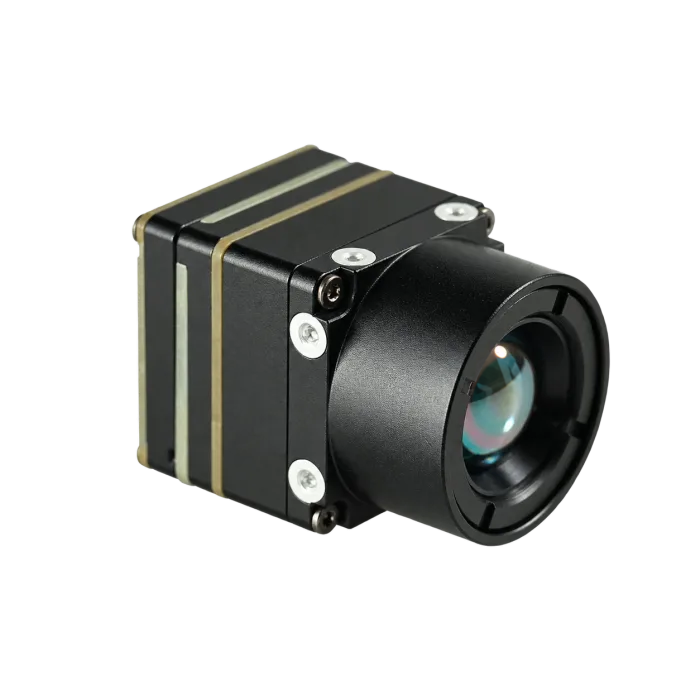
| Component model | AeroMini 640 · 9 mm · non-radiometric · USB + CVBS + MIPI |
|---|---|
| Detector type | Vanadium oxide uncooled infrared focal plane detector |
| Resolution | 640 × 512 |
| Detector frame rate | 60 Hz factory default / 30 Hz factory option; confirm timing for each output |
| Pixel pitch | 12 μm |
| Spectral range | 8–14 μm |
| NETD | ≤30 mK @ 25°C, F/1.0 |
| Supply voltage | 5 V at illustrated 16-pin POWER_IN1 and 26-pin POWER_IN2; do not connect either input to 12 V |
| Typical power consumption @ 25°C | <0.5 W typical module consumption; complete-kit consumption may differ |
| Digital video | USB / MIPI on the selected board; confirm output format, firmware and host support |
| Analog video support | CVBS on the selected USB + CVBS + MIPI board; confirm analog timing during RFQ |
| Communication interface | 16-pin reference: RS232; 26-pin reference: UART. Match control protocol, electrical levels and any required transceiver |
| Weight | <20 g, excluding lens and flange |
| Dimensions | 21 mm × 21 mm × 28 mm, excluding lens and flange |
| Operating temperature | −40°C to +80°C |
| Storage temperature | −50°C to +85°C |
| Humidity | 5–95%, non-condensing |
| Vibration | Request the test profile and report for the ordered assembly |
| Shock | Request the test profile and report for the ordered assembly |
Those details matter for oem ai cameras because they make the thermal discussion concrete. The module is compact and light, which helps when the edge enclosure is crowded or the mounting bracket is already constrained; the stated mass and dimensions exclude the lens and flange. At the same time, the published listing is honest about what still needs confirmation. USB and MIPI are digital-video paths on the selected board; CVBS is a separate analog output. USB video does not establish a USB serial control port or default RS422 support. Buyers should confirm output timing and simultaneous-output behavior during RFQ rather than assuming every configuration ships the same way. The environmental ranges do not establish an IP rating or weatherproofing.
A short application case with realistic constraints
Buyer moment: illustrative planning case
An integrator is building a yard-gate analytics box for a utility and logistics customer. The visible model is already good enough in midday footage. Then the dawn review shows recurring false positives in footage containing mist and headlight spill; their cause is still a hypothesis to test. The product manager does not want to restart the pilot, the embedded engineer does not want a late enclosure change, and the field team still wants a simple local view during service visits.
That is the kind of scenario where oem ai cameras need a more serious thermal-input discussion. The thermal module is not replacing the visible camera or the model pipeline. It is giving the system another way to read the scene for comparison with the visible baseline, while the software team tests what more labeling and model tuning can resolve.
The same planning case has practical limits. Suppose the edge box already has space for a compact 5 V module path, but almost no room for another large housing change. The maintenance plan allows only brief site visits. The customer wants the second sample order approved with support files and procurement notes already attached. In that case, the sensible move is to review the thermal path before the enclosure and service workflow are frozen, not after the analytics demo looks polished.
The realistic mistake is to treat the problem as purely algorithmic. Teams often say the model just needs more training data. Sometimes that is true. Sometimes testing shows that the scene benefits from another sensing path. OEM AI cameras are where that distinction becomes expensive, because data, host architecture, and physical integration all move together.

Interfaces and documents that should move earlier in the memo
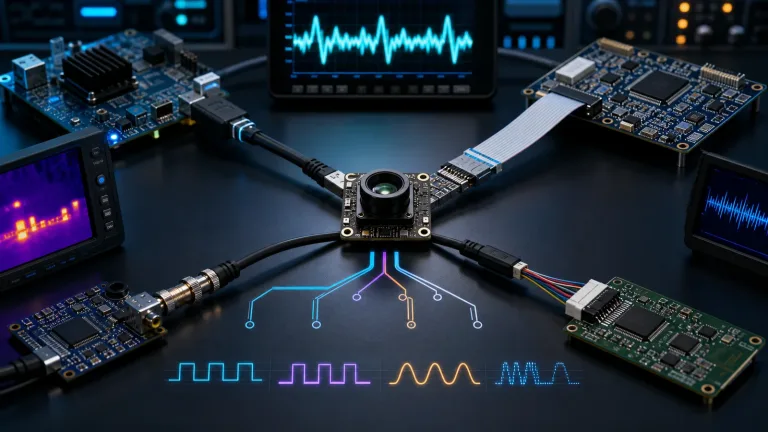
The interface conversation is where many oem ai cameras programs drift. The current AeroMini configuration gives a practical starting point because USB and MIPI are explicit. That is useful for evaluation, proof-of-concept software, and fast host-side review. The hidden risk is letting “USB works” turn into “the interface question is closed.” It is not closed if the field deployment still needs a different host path, a simple service monitor, or another embedded route later.
This is where neutral standards context helps. USB-IF’s Video Class v1.5 document set remains the right reference for teams that are validating a USB video path. For broader embedded camera planning, MIPI CSI-2 is still the common reference point when the production design eventually wants a tightly integrated imaging interface. The selected board lists USB and MIPI, but these standards pages do not establish its UVC version, CSI-2 lane count or data types, drivers, or host compatibility. The point is to keep the program honest about whether today’s evaluation method matches tomorrow’s product architecture.
Micron’s broader edge-AI framing is useful for the same reason. In The rise of edge AI, the emphasis is on local processing, memory, and storage. That is exactly how oem ai cameras should be discussed once thermal enters the picture. The thermal feed is not a magical accuracy button. It is another data path that has to fit memory, compute, wiring, service, and environmental reality.
Service viewing is the other reason to write the memo early. Some programs are happy with a pure compute pipeline. Others still want a low-friction local view during installation or troubleshooting. If that requirement exists, the selected USB + CVBS + MIPI board provides a CVBS analog output, and buyers should confirm its timing during RFQ. Type-C + CVBS is a different board package with its own wiring cable and USB-C data cable; its pinout must come from the matched board guide. This keeps the service-view requirement tied to the ordered configuration, without implying every configuration ships with every interface by default.
Documentation should move early too. North America buyers evaluating oem ai cameras for security, utility, or industrial monitoring often discover late that the purchase file needs one more compliance item. Ask which NDAA-related documents are available for the exact configuration, then have the buyer review their scope and relevance. Europe-facing teams may also need the EU compliance page, support files from downloads, or clarifications through support FAQ before the customer review is comfortable. Name the configuration, destination, use case and requested documents; the EU page is guidance for that review, not a product certificate.

Common mistakes in OEM AI camera programs that add thermal too late
1. Treating the false-alarm problem as software-only
Sometimes the model is undertrained. Sometimes the scene needs another sensing path. The memo should test both possibilities early.
2. Assuming the evaluation interface is the final architecture
USB is a strong way to review and prototype, but it does not automatically answer every production or field-service question.
3. Freezing the enclosure before the second-sensor review
Compact hardware helps, but connector clearance, housing geometry, and service access still need an explicit check.
4. Waiting too long to mention a local service view
If maintenance teams still need a simple field view, review the selected board’s CVBS analog output and timing early during RFQ.
5. Requesting the procurement packet only after the pilot succeeds
By then the schedule is tighter, and the buyer may still need support files, compliance context, or an NDAA statement request for the exact program.
These are ordinary mistakes, not dramatic ones. That is why they keep reappearing in oem ai cameras work. Each one looks small by itself. Together they can turn a clean thermal sample into a messy late-stage integration debate.
RFQ checklist for OEM AI cameras that may need thermal support
A stronger RFQ names the deployment problem and acceptance criteria. It tells CAMCUDA where the thermal path has to fit inside the program.
| RFQ item | Why it matters |
|---|---|
| Named application | Separates yard-gate monitoring, perimeter/security, industrial inspection, and other edge-AI workflows. |
| Failure mode | Shows whether the thermal path is being considered for dawn, haze, glare, night, low-light, or another specific scene problem. |
| Host and interface plan | Lets CAMCUDA review whether the evaluation path and production path are still aligned. |
| Service-view expectation | Clarifies whether the system is compute-only or still needs a local install/troubleshooting view. |
| Mechanical and power notes | Brings the 5 V requirement, full kit power budget, enclosure volume, cable routing, and mounting constraints into one discussion; use the thermal imaging calculator for preliminary scene geometry, then validate the actual target and lens. |
| Documentation list | Helps buyers request support files, compliance context, and NDAA timing before procurement asks late. |
For many teams, the right sequence is to review the outdoor and field application page, compare the AeroMini 640 configuration, browse the broader thermal imaging cores and uncooled thermal modules categories, and then send the actual deployment constraints through Contact / RFQ. That is a cleaner handoff than asking for a quote on “AI camera thermal support” without the scene, service, and document details.
Turn the pilot into a cleaner thermal-input decision
If the visible model is already close but the field scene is still unstable, do not wait for the enclosure freeze or the procurement gate to force the conversation. Align the sensing path, interface plan, local-view expectation, and documentation list while the thermal option can still be evaluated without disrupting the program.
Review the AeroMini 640 module | See outdoor and field thermal imaging applications | Browse thermal modules | Send an RFQ
FAQ
When do OEM AI cameras need thermal input instead of more visible-model tuning?
When the visible-only system performs acceptably in controlled tests but keeps losing confidence in real field conditions such as haze, glare, low light, dawn, or rain, the sensing path deserves review alongside the model. Use representative paired trials to decide whether thermal adds useful information.
Is the AeroMini 640 a finished AI camera?
No. It is a compact thermal imaging module for OEM integration; the selected non-radiometric version does not measure temperature. The buyer still needs to define host platform, mechanical path, service workflow, and procurement requirements around it.
Why does USB matter so much in OEM AI camera evaluation?
Because USB can speed up early software and host-side review. It is a strong evaluation path, but teams should still confirm whether the production architecture needs the same path or another embedded route later.
Why review MIPI when the first evaluation uses USB?
Because many OEM AI camera programs begin with one evaluation method and later move toward a more embedded imaging architecture. The selected AeroMini board includes MIPI; confirm the protocol version, lane count, data types, firmware and host drivers for that production path.
When is CVBS still relevant in an AI-enabled system?
It can still matter when technicians or legacy workflows want a simple local view for setup or troubleshooting. The selected USB + CVBS + MIPI board includes CVBS analog output, and buyers should confirm its timing during RFQ.
When should North America buyers ask for an NDAA statement?
As soon as the procurement path suggests the project may need it. Ask which NDAA-related documents are available for the exact configuration and have the buyer review their scope and relevance.
What should Europe buyers clarify early?
They should confirm the support-file list, compliance-review expectations, and destination-market details for the exact configuration before the customer review is already in motion.
What is the most realistic mistake in a visible-plus-thermal pilot?
Assuming the problem is purely software while leaving the sensing path, service view, and enclosure implications unresolved until the pilot is already committed.
Which CAMCUDA pages are the best next step after this memo?
Start with the AeroMini 640 product page, the outdoor field application page, the support downloads page, and the RFQ page.