OEM camera production: 3 Practical Handoffs That Turn Into Costly Pilot Delays
Consider a pilot-build scenario: on the bench, the thermal feed looks clean. In the build review, the team discovers that the host, enclosure, and document handoffs are still open.
OEM camera production: 3 Practical Handoffs That Turn Into Costly Pilot Delays
OEM camera production can slow down after the sample stage. A compact thermal module can stream correctly on a laptop and still create pilot-build delays when the team has not locked the real host interface, enclosure path, field wiring, and documentation package. That is the gap this article is about.
One common mistake is approving the sample around a development setup instead of the production constraints. The USB demo works, but the payload team still needs a stable cable route, a final power budget, a vibration plan, outdoor environmental review, and the procurement documents needed for the destination market. If those questions remain open at pilot approval, they can affect the build schedule.
Quick answer: In OEM camera production, three handoffs deserve attention before pilot build: the move from bench video to the real host path, the move from sample fit to enclosure and field constraints, and the move from engineering approval to RFQ-ready documentation. For CAMCUDA buyers, the current AeroMini 640 non-radiometric imaging configuration provides a concrete example: 9 mm lens, 60 Hz factory setting, and USB + CVBS + MIPI package. This version supplies thermal images, not temperature measurements.
Where OEM camera production slows after a sample passes
The industrial vision conversation includes full deployment pipelines, not isolated sensors. NVIDIA’s manufacturing coverage frames AI and vision within broader factory operations. That gives useful context for OEM camera production: a passing image is not the same thing as a production-ready subsystem. See NVIDIA and Partners Showcase the Future of AI-Driven Manufacturing at Hannover Messe 2026. Its manufacturing examples do not establish AI capability or deployment results for the AeroMini module.
Micron provides another manufacturing example in Smart sight: how Micron uses AI to enhance yield and quality. Its discussion of AI-assisted inspection and yield improvement concerns Micron’s process. For a thermal integration team, the useful question is what must be validated after the first encouraging image; Micron’s results do not establish an AeroMini yield benefit or AI capability.
For thermal projects, the integration gap can look simpler. A product team orders one module, powers it from a bench setup, captures thermal video over USB, and decides the camera risk is basically closed. Then pilot build starts. The housing team asks for final connector clearance. The payload engineer asks whether the video path to the operator display stays digital all the way through. The sourcing manager asks whether an NDAA statement and compliance paperwork are available for the customer file. The outdoor program manager asks whether the thermal assembly is being reviewed against the real field environment or only a clean indoor test.
That is why OEM camera production is not mainly a sensor-resolution decision. It is a handoff decision. Useful resources for that handoff include: the thermal imaging cores category, the thermal modules category, the support downloads page, and the Contact / RFQ page.
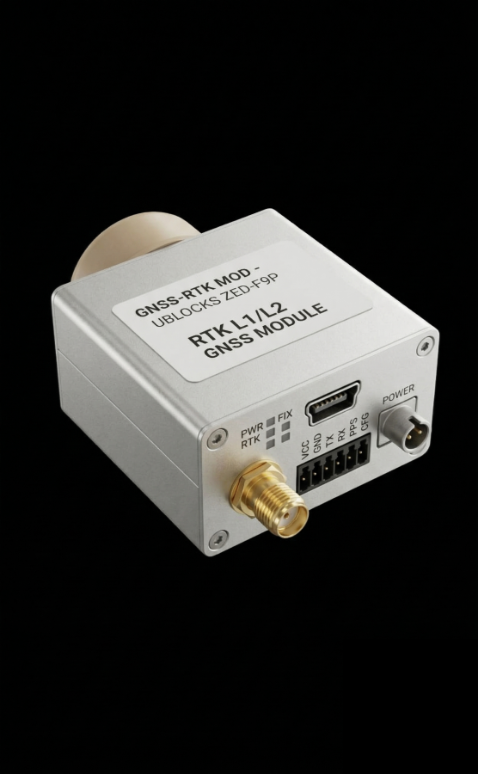
A decision chart for OEM camera production handoffs
| Handoff point | What feels done at sample stage | What still has to be settled for pilot build | What to send in the RFQ |
|---|---|---|---|
| Video path | USB video displays correctly on a dev machine | Real host path, connector route, latency expectation, recorder or downlink path | Host board, OS, preferred interface, whether analog viewing is required |
| Mechanical fit | Module sits inside a provisional bracket | Final mounting points, cable bend radius, lens clearance, service access | Enclosure envelope, mounting sketch, connector side constraints |
| Field deployment | Indoor test looks stable | Outdoor temperature range, humidity, vibration, shock, power margin | Operating scene, installation method, duty cycle, environmental notes |
| Program documents | Spec questions handled in email | Matched datasheet, assembly drawings, interface reference, available NDAA-related documents, buyer compliance review | Destination market, buyer document list, approval gate timing |
| Application fit | Thermal image quality looks promising | Inspection distance, operator task, viewing workflow, false assumptions about resolution | Target application, recognition task, working distance, lens/FOV expectation |
The chart matters because several modest decisions can stay open at once in OEM camera production. A sample bench can accommodate provisional wiring or fixtures; a pilot build needs agreed interfaces, assembly constraints, acceptance tests, and a document owner.
AeroMini 640 parameters that matter in OEM camera production
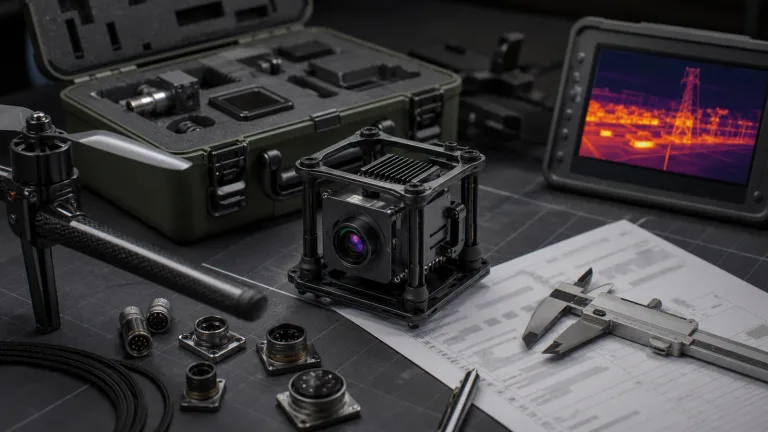
CAMCUDA AeroMini 640 provides the module example for this article, using the non-radiometric 9 mm / 60 Hz / USB + CVBS + MIPI configuration. The module can be evaluated for civilian inspection payloads and embedded systems, but the ordered lens, board, firmware, and complete assembly still need to be fixed in the production handoff.
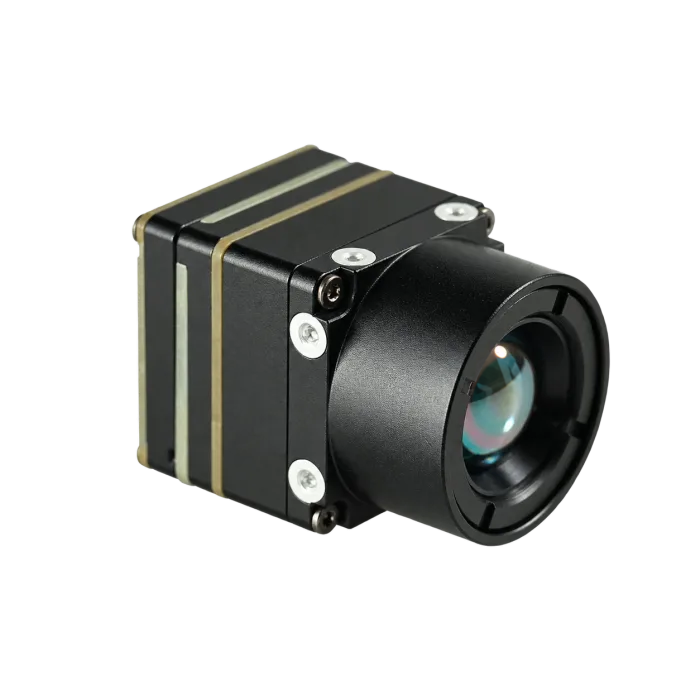
| Component model | AeroMini 640 non-radiometric; 9 mm / 60 Hz / USB + CVBS + MIPI example |
|---|---|
| Detector type | Vanadium oxide uncooled infrared focal plane detector |
| Resolution | 640 × 512 |
| Non-radiometric frame rate | 60 Hz factory default / 30 Hz factory option; validate actual output timing for the selected interface, firmware, and host |
| Pixel pitch | 12 μm |
| Spectral range | 8–14 μm |
| NETD | ≤30 mK at 25°C, F/1.0; sensitivity is not temperature-measurement accuracy |
| Supply voltage | 5 V at illustrated 16-pin POWER_IN1 and 26-pin POWER_IN2 inputs; do not connect these pins to 12 V |
| Typical power consumption @ 25°C | <0.5 W for the module; confirm complete-kit consumption and host power margin |
| Digital video | USB and MIPI on the selected USB + CVBS + MIPI board; confirm format, timing, host, and firmware |
| Analog video support | CVBS on the selected board; confirm PAL/NTSC mode and the complete display or recorder path |
| Communication interface | Board-specific: illustrated 16-pin RS232_RX/TX and 26-pin UART0_TX/RX; confirm electrical levels, transceiver, and command protocol |
| Weight | <20 g, excluding lens and flange; confirm complete assembly mass |
| Dimensions | 21 × 21 × 28 mm, excluding lens and flange; request dimensions for the ordered lens/board assembly |
| Operating temperature | −40°C to +80°C; module range does not establish weatherproofing or an enclosure IP rating |
| Storage temperature | −50°C to +85°C |
| Humidity | 5–95%, non-condensing; assess condensation control and ingress protection at system level |
| Vibration | Request the selected assembly’s vibration test profile, mounting conditions, report, and acceptance limits |
| Shock | Request the selected assembly’s shock test profile, axes, pulse duration, report, and acceptance limits |
Those numbers help OEM camera production planning when their scope is kept clear. The published size and weight exclude the lens and flange; the <0.5 W figure is typical module consumption at 25°C, not a complete-kit power budget. The operating-temperature and humidity ranges are useful review inputs, not weatherproofing or an IP rating. Check the AeroMini datasheet against the ordered assembly, then validate connector routing, power margin, test access, and installed environmental acceptance.

Illustrative utility-drone pilot scenario
Consider a utility-drone integrator validating a thermal sample on a bench over USB and assuming the camera path is settled. In this illustrative scenario, two weeks later, the pilot build review catches a problem: the aircraft still needs a cleaner path to the operator display, the sealed pod leaves less room for the planned cable bend than expected, and the customer asks for documentation before approving the next sample order. None of those issues mean the module was wrong. They mean the OEM camera production handoff was treated like a demo milestone instead of a production milestone.
That is where the CAMCUDA drone thermal camera application page becomes useful. It keeps the discussion tied to payload constraints instead of general thermal terminology.
Interface and documentation points worth settling early
Interface questions belong in the OEM camera production handoff. A clean thermal image does not settle how that image moves through the real product. The selected AeroMini USB + CVBS + MIPI package offers USB and MIPI digital paths and a separate CVBS analog path; Type-C + CVBS uses a different board and its own wiring guide. Confirm the host, output format, actual frame timing, recorder or downlink path, and PAL/NTSC mode where relevant. A 60 Hz factory setting does not guarantee every output runs simultaneously at 60 Hz. USB video does not establish USB-serial control or default RS-422 support. The illustrated 16-pin drawing labels RS232_RX/TX, while the 26-pin table identifies UART0_TX/RX: match electrical levels, any required transceiver, and the command protocol before wiring. Request the matching Linux drivers, examples, and SDK resources, with board and firmware versions, then validate them on the actual host.
FLIR’s September 2022 SIRAS drone announcement for public safety and industrial inspection is a historical example of presenting a payload within an operator workflow. It supports asking about the video path, operator task, and service assumptions before more samples are ordered. It is not a current product recommendation, and its complete-system capabilities, radiometry, or flight ratings do not apply to the AeroMini example.
The same logic applies to outdoor and fixed systems. A team that validates indoors may not yet have answered the real field questions around service access, weather exposure, power stability, and mounting shock. That is where the CAMCUDA outdoor and field thermal imaging page fits naturally in the buying journey.
Documentation timing is another handoff to plan. LightPath’s October 2025 Commercial Thermal Camera Systems: OEM Integration Guide provides context for reviewing interfaces, mechanics, environmental requirements, software, and power together. For CAMCUDA buyers, request the matching support package early: assembly drawings, interface references, downloads, and procurement notes from support downloads and support FAQ. If the customer or integrator needs North America procurement material, ask which NDAA-related documents are available for the exact configuration and have the buyer review their scope and relevance; a general webpage is not a product certificate.

Common mistakes that make OEM camera production harder than it needs to be
1. Treating sample approval like production approval
A sample confirms that the module is promising. It does not confirm that the final camera path, harness, enclosure, and documentation package are closed.
2. Choosing the interface too late
USB is a fast way to validate a thermal feed, but it can create rework if the final system expects a different routing, control path, or legacy viewing requirement. When analog viewing is relevant, confirm the selected board’s CVBS mode, wiring, and display or recorder chain before pilot build.
3. Ignoring field conditions because the module is compact
Compact size helps, but the actual program still has to survive vibration, humidity, temperature range, and service access. Outdoor deployment is a system question, not only a camera question. Module temperature and humidity ranges do not establish weatherproofing or an IP rating.
4. Leaving documents until procurement asks for them
This is a realistic mistake, especially when engineering and sourcing review happen on different schedules. If a buyer expects compliance files, interface notes, or NDAA-related material, the RFQ should identify the exact configuration, required documents, and buyer review date early.
These open decisions can affect OEM camera production even when each looks manageable alone. Assign an owner and an acceptance check to each handoff before treating the pilot configuration as fixed.
RFQ checklist for OEM camera production
If the goal is a cleaner pilot-build handoff, the RFQ should do more than ask for price. It should give CAMCUDA enough information to review the thermal fit against the real program constraints.
| RFQ item | Why it matters |
|---|---|
| Target application | Separates UAV payload, outdoor fixed, handheld, and embedded OEM requirements. |
| Host system and preferred interface | Names the host board, OS, selected interface board, firmware, control path, output format, and timing to validate beyond the bench. |
| Lens / FOV and working distance | Connects module choice to the operator’s civil inspection task. Include target size and working distance; use the thermal imaging calculator for preliminary geometry, then validate with the actual lens and target. |
| Mechanical envelope | Defines brackets, cable bend space, strain relief, and service access using the matched lens/board assembly drawing. |
| Power budget | Defines the regulated 5 V path for the illustrated inputs and the complete-kit power margin, including the host and board. |
| Environmental notes | Brings temperature, humidity, condensation, ingress, vibration, and shock into the installed assembly’s test plan and acceptance limits. |
| Documentation list | Lists matched drawings, references, downloads, and requested NDAA-related or compliance documents, with availability and scope for buyer review. |
For teams that want to move immediately, start from the AeroMini 640 configuration page, review the broader thermal imaging cores range, and send the production constraints through Contact / RFQ. That is a more useful handoff than asking whether the sample “looked good.”
Turn the sample result into a cleaner pilot build
If your team is already past the first thermal demo, the next useful step is to review the production handoffs directly: video path, mechanical fit, environmental notes, and required documents. CAMCUDA can review those inputs against the selected AeroMini configuration and the complete-system acceptance plan.
Review AeroMini 640 configurations | See drone thermal camera applications | See outdoor and field thermal imaging applications | Send an RFQ
FAQ
What changes between a passing thermal sample and a pilot build?
In OEM camera production, the camera has to move from a development setup into the real host, enclosure, wiring path, and documentation process. Those handoffs need their own acceptance checks before pilot approval.
Is USB enough for OEM camera production planning?
USB is useful for development and for the selected AeroMini USB + CVBS + MIPI board, but it is not the whole answer. The final product still needs the correct host architecture, cable path, control method, and service plan. Match the board, firmware, format, drivers, and actual timing; USB video does not imply USB-serial control or universal host compatibility.
When does CVBS still matter in OEM camera production?
It matters when the program uses legacy displays or recorders, analog viewing chains, operator monitoring, or drone video transmission workflows that still expect analog video. Confirm the selected AeroMini board’s CVBS mode, PAL/NTSC format, wiring, and display or recorder chain during RFQ; the factory imaging rate does not guarantee simultaneous 60 Hz on every output.
What should a drone payload team settle before ordering more samples?
Settle complete assembly mass and payload weight margin, mounting geometry, power path, lens/FOV, operator viewing workflow, connector and cable routing, service access, and whether any analog or legacy monitoring path is still required.
What should an outdoor fixed-system team confirm early?
Confirm enclosure sealing and condensation management, power stability, operating environment, service access, selected-assembly shock and vibration evidence, humidity expectations, and the documentation package for the final customer or integrator. Module temperature and humidity ranges do not establish weatherproofing or an IP rating.
Does a lightweight module remove production risk?
No. AeroMini’s published <20 g mass and 21 × 21 × 28 mm size exclude the lens and flange. Confirm the complete assembly and cable clearance; a lightweight module does not settle the host, enclosure, power, or environmental acceptance plan.
When should NDAA or compliance documents be requested?
Request them during RFQ or at least before pilot build approval. Ask which NDAA-related and compliance documents are available for the exact configuration, destination, and use case, then have the buyer review their scope and relevance.
What should be included in the RFQ to reduce rework?
Include the application, host system, preferred interface, lens/FOV, mechanical envelope, power budget, environmental notes, and the exact documents needed for commercial or compliance review.