CVBS Thermal Camera Module: 7 Costly Mistakes OEM Teams Should Avoid
CVBS thermal camera module questions usually appear late in a project, after a drone payload, recorder, transmitter, or vehicle display has already been selected. That timing is risky. Analog video can be the right path for low-latency viewing and legacy hardware, but it should be treated as a system decision rather than a checkbox on a datasheet.
Quick answer
Use CVBS when the host system needs analog video now, but confirm the exact module configuration before quoting.
A CVBS thermal camera module can fit legacy monitors, analog wireless links, DVRs, and some drone payload architectures. CAMCUDA can support CVBS analog output on applicable configurations. USB video, MIPI and DVP are digital image paths; USB serial and RS-422 are separate command/control paths, not video streams. The safest RFQ states the display path, recorder, video transmitter, power budget, lens/FOV, quantity, and destination market.
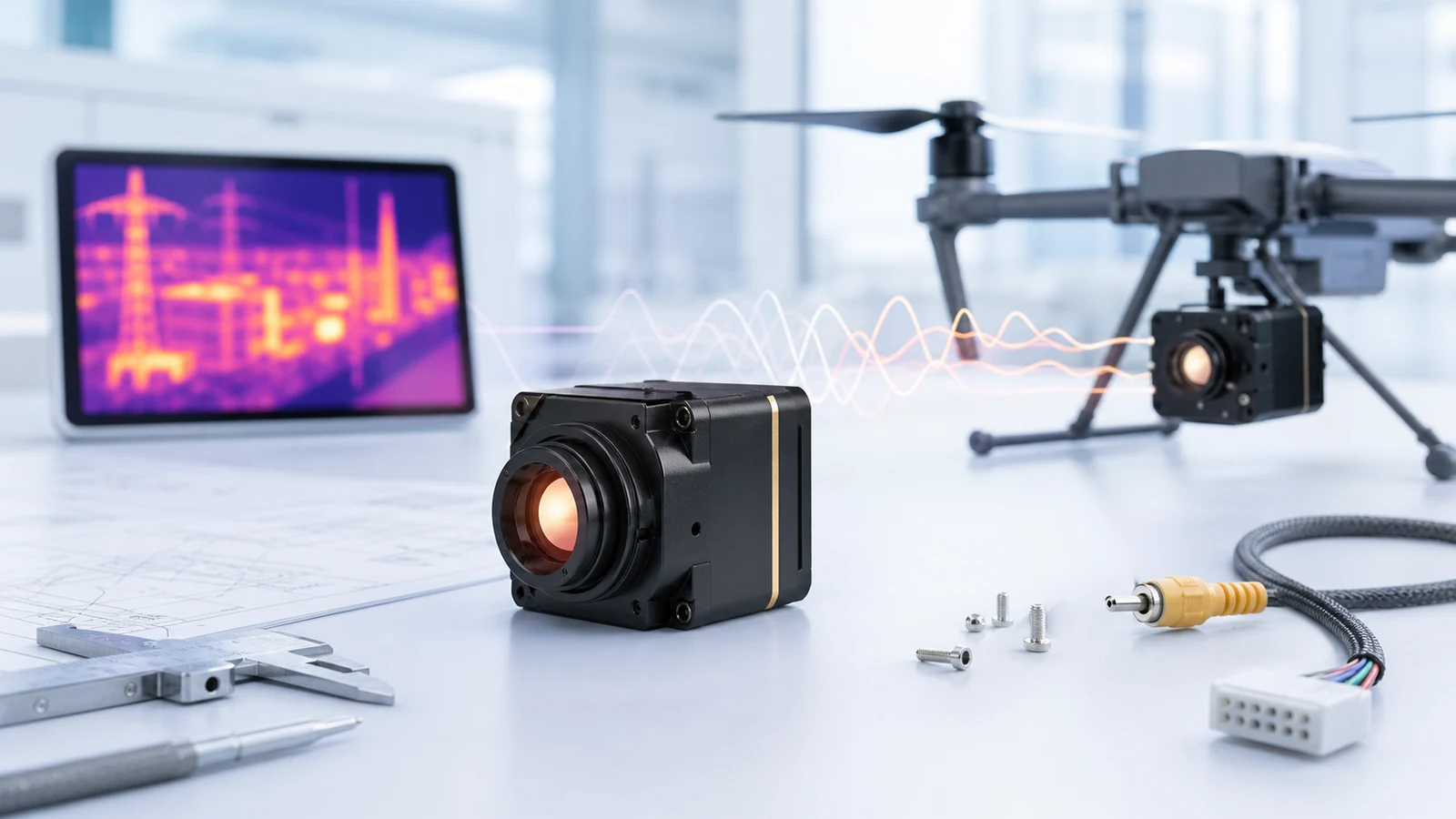
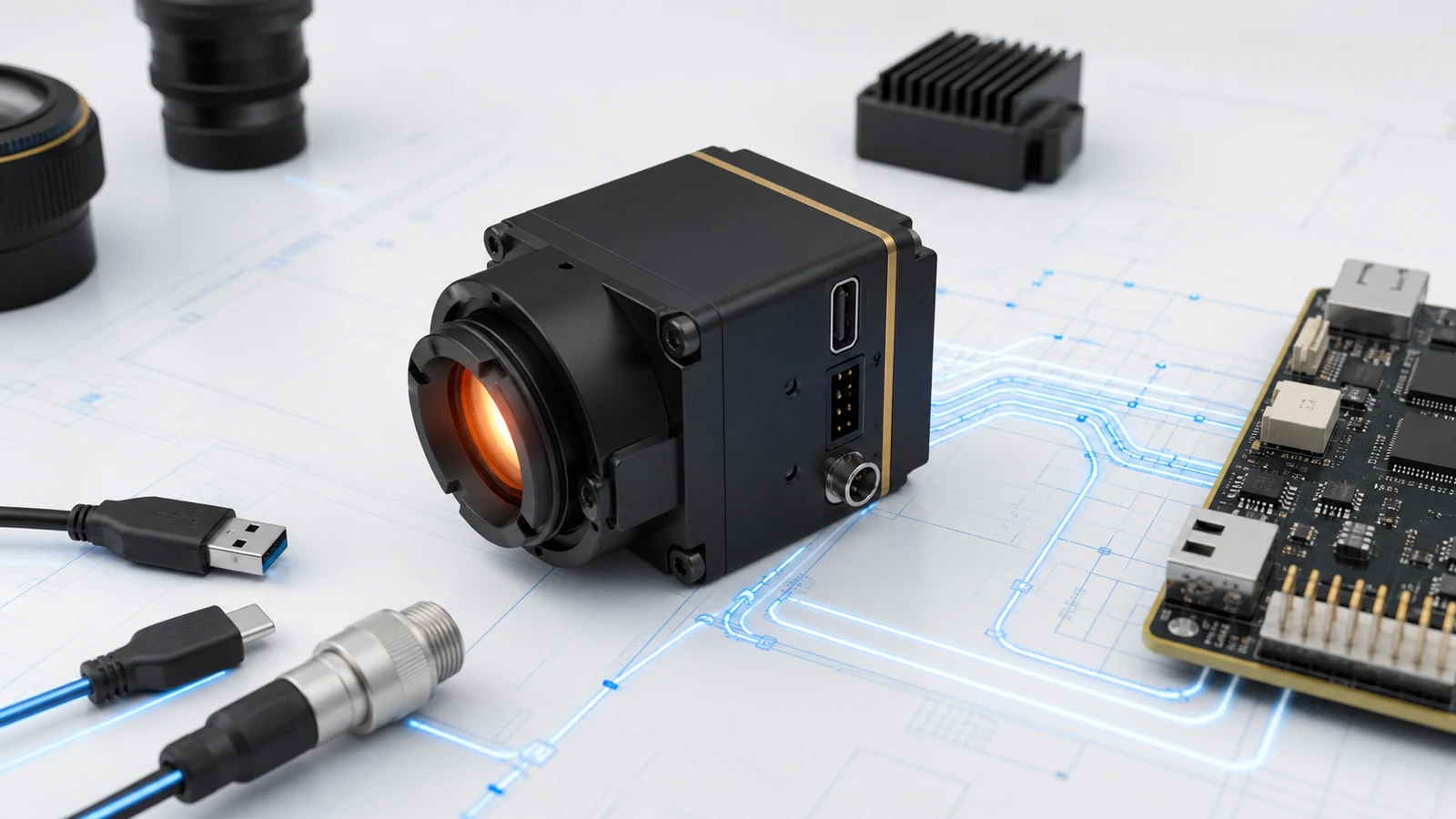
CVBS thermal camera module selection chart
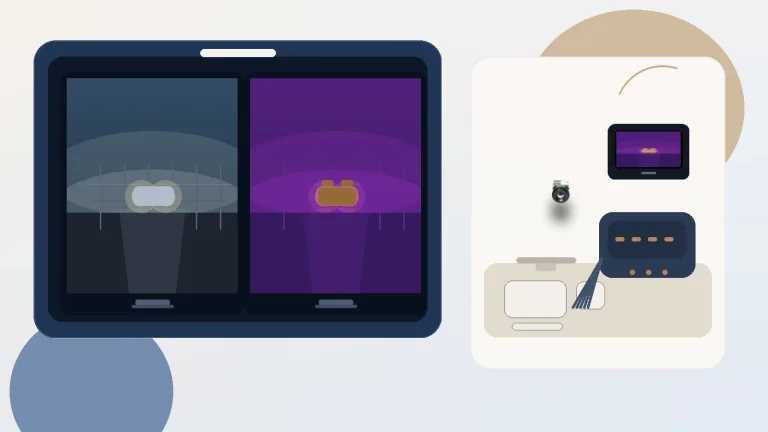
The phrase CVBS thermal camera module sounds simple, but buyers usually mean one of four different workflows. One team wants a live analog image on an existing monitor. Another wants a drone video transmitter. A third wants computer capture. A fourth needs both analog viewing and digital control. Treat those as separate design cases.
| Buyer situation | Likely interface path | Why it matters | What to confirm in RFQ |
|---|---|---|---|
| Existing analog display, DVR, or vehicle monitor | CVBS analog output on applicable configuration | Fast integration with legacy video equipment and familiar composite video workflows | PAL/NTSC expectation, connector, cable length, display input, power supply, enclosure |
| Drone payload with analog video transmitter | CVBS plus control/telemetry path where required | Low-latency viewing can be more important than software capture | Transmitter input, vibration, payload weight, lens/FOV, power budget, EMI layout |
| PC evaluation or image capture | USB video or an SDK-supported image path; separate serial control if required | Useful for lab testing and image capture; USB serial alone does not carry the video stream | Operating system, frame rate, control needs, cable length, software environment |
| Embedded product with processor board | MIPI, DVP, USB, or custom digital path | Digital interfaces can reduce conversion stages and support productized image processing | Host chipset, voltage level, frame sync, firmware, mechanical stack, thermal dissipation |
| North America procurement or security monitoring | Interface plus documentation package | Procurement may ask for origin, compliance, NDAA statement, and support records | Destination country, end use, NDAA statement request, CE/RoHS docs, datasheet needs |
If a buyer only writes “need CVBS” in an email, the supplier still cannot know whether the project needs analog video only, analog plus command control, or a digital interface with an external converter. A better request says: “We need a CVBS thermal camera module for an existing PAL monitor and analog video transmitter, with 640×512 resolution target, lightweight drone payload, and NDAA statement request for North America procurement.” That single sentence changes the quality of the reply.
Parameter table for a CVBS thermal camera module RFQ
Use published product parameters for the module you are evaluating, then separate “current product facts” from “configuration to confirm.” The CAMCUDA AeroMini 640 product page lists board-dependent digital video, CVBS and serial-control options. For non-radiometric builds, choose the USB + CVBS + MIPI package or the separate Type-C + CVBS package, then confirm the delivered analog output, firmware and host requirements during RFQ. Radiometric interface availability requires enquiry.
| Parameter | AeroMini 640 published value | Why it affects CVBS projects | RFQ note |
|---|---|---|---|
| Detector / module type | VOx uncooled LWIR thermal imaging module; 12 μm pixel pitch | Uncooled LWIR is common for compact drone, embedded, outdoor, and inspection systems | Confirm target application and environmental range |
| Resolution | 640 × 512 | Higher detail helps inspection and target recognition before analog display scaling | State whether 640×512 is required or if 384×288 / 256×192 is acceptable |
| Primary listed video/control path | Board-dependent USB / YUV / BT.656 video; UART / RS232 / RS422 control | Digital control may still be needed even when analog viewing is requested | Explain whether the system needs live video only or video plus serial commands |
| Published module frame rate | Non-radiometric: 60 Hz default / 30 Hz factory option; radiometric: 25 Hz, availability enquiry | Module rate does not establish the rate of the complete analog video chain | Confirm PAL/NTSC output and delivered frame rate for the selected board; do not assume 60 Hz on every interface or simultaneous outputs |
| NETD | ≤30 mK at 25 °C, F/1.0 | Sensitivity matters for low-contrast outdoor and industrial scenes | Provide use case: patrol, inspection, search, machinery, or OEM device |
| Weight, excluding lens and flange | <20 g | Important for drone payloads and compact embedded products | Include total payload weight target after lens, cable, board, and enclosure |
| Typical module power at 25 °C | <0.5 W; complete-kit consumption may differ | Power budget affects drone endurance, enclosure heat, and analog transmitter stability | Share available voltage, current budget, and cable length |
| Mechanical size, excluding lens and flange | 21 × 21 × 28 mm | Analog integration still fails if the lens, cable exit, or mounting stack does not fit | Send envelope size, mounting constraints, and orientation requirements |
| CVBS analog output | PAL / NTSC; availability depends on the selected board | CVBS can support existing analog monitors, DVRs, and drone video paths | Ask for CVBS analog output on applicable configurations and confirm connector/output standard |
This is the level of detail a serious CVBS thermal camera module request needs. It lets engineering check electrical compatibility, not just price.
For a smaller core, compare CAMCUDA SuperMini 640 / 640T: 640 × 512, 8 μm, 13 × 13 × 13.4 mm and <3.5 g, excluding optics and boards. SuperMini 640 is imaging-only at 50 Hz; 640T is thermographic at 30 Hz. The bare-core CVBS output requires an external video-buffer IC. Its 30-pin core connector differs from AeroMini’s 16/26-pin board interfaces, and UART uses 1.8 V logic. Supply requirements include MAIN_POWER at 3.8–5.2 V plus separate 3.28–3.32 V and 1.78–1.82 V rails. Review the SuperMini manual, pages 6–8, for the full pin table, rail noise limits and power sequence; this is not a plug-compatible substitution.
Drone case: analog video without redesigning the whole payload
Imagine a UAV integrator already has an analog downlink, a ground monitor, and a lightweight payload bay. The team wants to add thermal visibility for night inspection, roof surveys, solar farm checks, or emergency response support without rebuilding the airframe electronics. A CVBS thermal camera module can be attractive because the video path can match the existing analog workflow.
The mistake is assuming the thermal module is only a camera. It is part of a payload system. The lens has to match altitude and target size; use the thermal imaging calculator for initial lens/FOV planning, then confirm the selected lens with the product specification. The cable route has to survive vibration. The power supply has to remain stable when motors and transmitters draw current. If the team also wants on-screen data, configuration control, image polarity switching, or calibration commands, analog video alone may not be enough.
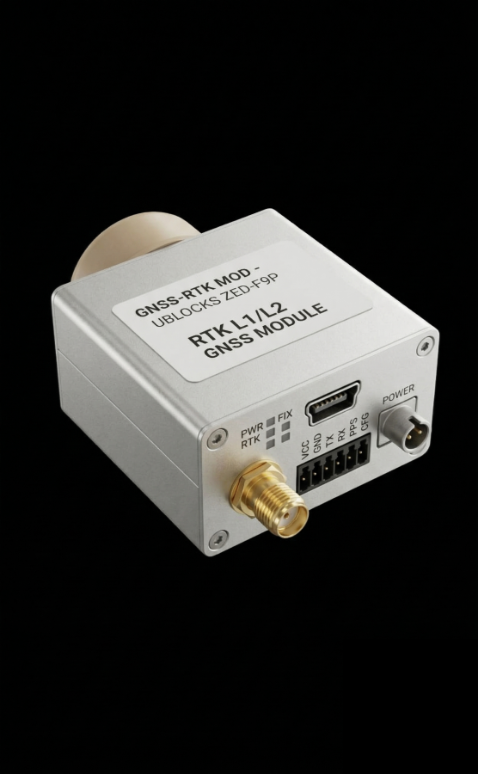
A practical RFQ for this case would include: drone model or payload envelope, desired resolution, lens/FOV or target distance, expected video transmitter input, supply voltage, cable length, frame-rate expectation, operating temperature, quantity range, and whether the buyer needs an NDAA statement or CE/RoHS documentation. That request is far more useful than “send price for thermal camera with CVBS.”
CVBS versus USB, MIPI, DVP, and RS-422
CVBS is a composite analog video path. It is useful when the receiving device expects analog video and the buyer values live viewing over software control. USB is often easier for PC evaluation, data capture, and engineering demos. MIPI CSI-2 is common in embedded camera pipelines, especially when the host processor is designed for direct camera input; the MIPI Alliance CSI-2 specification overview is a useful reference for teams building processor-board products. DVP can fit some embedded architectures where a parallel digital video path is expected. RS-422 is often used for robust serial communication in electrically noisy or longer-cable environments.
For USB video expectations, the USB-IF Video Class documentation is a helpful external reference because it shows why “USB camera” can involve host support, descriptors, drivers, and control behavior. A USB connector alone does not establish UVC support, and a MIPI label alone does not confirm CSI-2 packet format or host compatibility. Confirm the selected board, firmware, output format and rate. Imaging-only modules do not become radiometric by changing the cable.
A buyer choosing a CVBS thermal camera module should therefore avoid comparing CVBS to USB as if they are only cable names. They represent different integration models. CVBS can be convenient for live analog display. USB can be convenient for evaluation and software. MIPI and DVP can be better for embedded productization. RS-422 can remain relevant for commands or auxiliary communication. The final answer depends on host hardware.
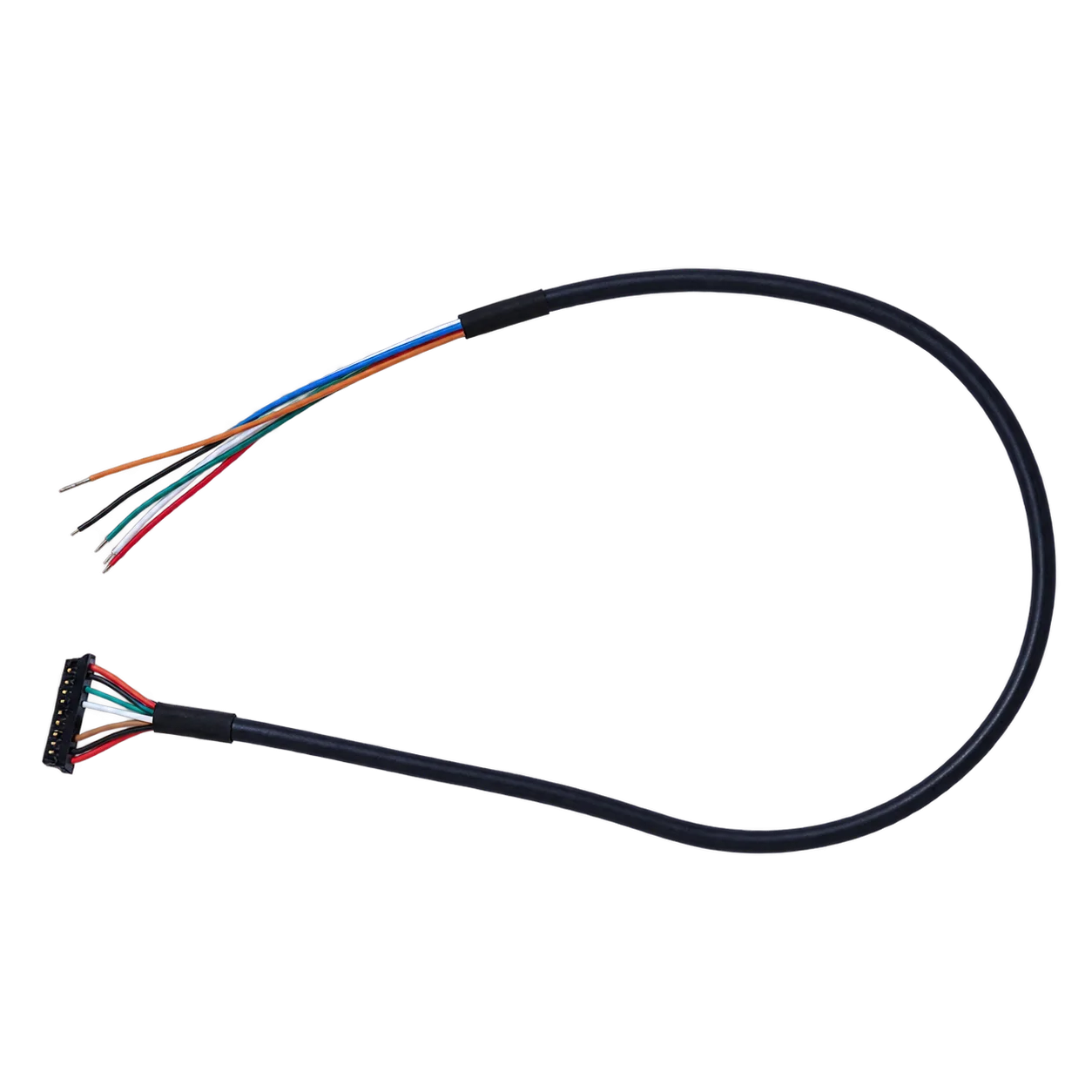
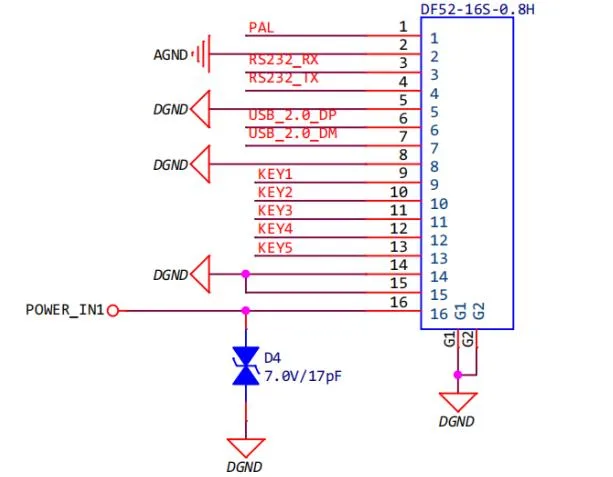
AeroMini board check: the illustrated USB + CVBS + MIPI board uses a 16-pin USB/CVBS reference and a separate 26-pin MIPI/DVP reference. The Type-C + CVBS board is a different package; these diagrams are not its pinout. The illustrated POWER_IN1 and POWER_IN2 inputs are 5 V only: do not apply 12 V. Confirm the supplied board revision, mating orientation and matched wiring guide before connecting power. USB serial and RS-422 carry commands, not the video stream; their availability also depends on the board.
7 costly mistakes OEM teams should avoid
1. Treating CVBS as a universal default
Do not assume every thermal module SKU includes CVBS by default. CAMCUDA can support CVBS analog output on applicable configurations, but the exact model, firmware, board, connector, and destination requirements should be confirmed before purchase.
2. Ignoring the control path
Analog video may carry the image, but it may not carry control commands. If the product needs polarity changes, calibration, menu control, serial command, or telemetry, mention it early.
3. Buying by resolution only
Resolution matters, but it does not solve lens mismatch, mechanical fit, thermal sensitivity, output format, power, or enclosure heat. A good CVBS thermal camera module request combines image needs with system constraints.
4. Forgetting analog display expectations
Legacy monitors, DVRs, and transmitters can differ in input expectation, connector, signal tolerance, cable run, and noise environment. Tell the supplier what the receiving device is.
5. Leaving drone vibration and power noise out of the RFQ
Drone payloads are not bench tests. Motors, switching regulators, vibration, cable movement, and RF transmitters can all affect video stability. Share the real installation environment.
6. Requesting NDAA paperwork after sourcing is complete
For North America procurement, security monitoring, public-sector-adjacent projects, or distributor review, ask for the NDAA statement early. CAMCUDA can provide an NDAA statement on request, and the requirement should be part of the RFQ checklist.
7. Skipping sample validation
Even when the specification looks correct, validate the sample in the actual display chain. Check startup behavior, latency, image polarity, thermal scene contrast, cable routing, enclosure temperature, and operator workflow.
NDAA statement, procurement notes, and RFQ wording
Procurement teams sometimes ask whether a thermal camera supplier can provide an NDAA statement. The reason is usually tied to sourcing policy, North America resale, public-sector-adjacent applications, or security monitoring projects. The relevant U.S. procurement language is often connected to FAR clause 52.204-25, which buyers may reference when reviewing telecommunications and video surveillance supply chains.
CAMCUDA can provide an NDAA statement on request. The careful wording matters: this is a document availability statement for buyer review, not a blanket claim that every configuration is automatically approved for every end use. If your project requires compliance documents, send destination country, intended application, model target, interface requirement, quantity, and any procurement wording you must satisfy.
| RFQ line item | Good wording | Why it helps |
|---|---|---|
| Interface | Need CVBS analog output on applicable configuration; also confirm whether USB serial or RS-422 control is available | Separates live video from command/control needs |
| Application | Drone inspection payload for live analog downlink and ground monitor | Lets engineering review vibration, weight, power, and video latency |
| Optics | Target viewing distance 80-150 m, request lens/FOV recommendation | Prevents resolution-only selection mistakes |
| Documentation | Need datasheet, mechanical drawing, CE/RoHS context, and NDAA statement for buyer review | Moves procurement work earlier instead of delaying sample order |
| Market | Destination: United States / Canada / EU; commercial industrial use | Supports compliance and export-related screening |
For product discovery, start with CAMCUDA thermal camera modules, review thermal imaging applications, and send the final configuration request through CAMCUDA Contact / RFQ.
A practical workflow for choosing a CVBS thermal camera module
- Define the receiving device first: monitor, DVR, transmitter, embedded processor, PC, or hybrid system.
- Decide whether analog live view is enough or whether digital capture/control is also required.
- Choose resolution and lens based on target size and distance, not only catalog preference.
- Check power, size, weight, cable routing, enclosure heat, and vibration.
- Ask for CVBS analog output on applicable configurations and confirm connector/output requirements.
- Request documentation early if the buyer needs CE/RoHS context, datasheets, mechanical drawings, or NDAA statement.
- Validate the sample in the actual system before committing to volume purchase.
This workflow keeps the CVBS thermal camera module decision close to the real hardware. It also helps a supplier reply with an engineering recommendation instead of a generic quotation.
Need help matching the module to a real project?
Start with AeroMini 640, compare the smaller SuperMini 640 / 640T, or send your display path, board/interface, lens/FOV, quantity, and destination market through CAMCUDA Contact / RFQ. Include the receiving device, PAL/NTSC requirement and expected delivered frame rate. If CVBS or NDAA paperwork is part of the project, mention it in the first message.
Sales contributors: Vivian, Lena and Sophie
FAQ from buyer questions
Do CAMCUDA thermal camera modules support CVBS analog output?
CAMCUDA can support CVBS analog output on applicable configurations. Because interface support depends on the exact model, board, firmware, connector, and project requirements, confirm CVBS during RFQ.
Is a CVBS thermal camera module better than USB?
Neither is universally better. CVBS is useful for analog live display, DVRs, and some drone video transmitters. USB is often better for PC evaluation, software capture, and engineering tools.
Can one thermal module provide both analog video and digital control?
Some project configurations may combine live video with separate control or communication paths. State whether you need analog video only, analog plus serial commands, or a digital capture path.
What should I send before requesting a quote?
Send application, resolution target, receiving device, expected CVBS standard/connector if known, control needs, lens/FOV, target distance, power budget, size limit, quantity, and destination market.
Is CVBS suitable for drone thermal camera payloads?
CVBS can be suitable when the drone workflow already uses analog video transmission or an analog ground monitor. The final choice also depends on payload weight, vibration, power, lens, and whether the system needs digital control.
Does NDAA matter for thermal camera module buyers?
It can matter for North America procurement, security monitoring, government-adjacent buyers, distributors, and projects with formal sourcing rules. CAMCUDA can provide an NDAA statement on request for buyer review.
Can I use an external converter instead of requesting CVBS from the module?
Sometimes, but converters add power draw, space, latency, cable complexity, and another failure point. If analog video is required, compare a supplier-supported CVBS board with the proposed converter. SuperMini’s bare-core CVBS pin still requires an external video-buffer IC; confirm the complete output circuit.
Why does the product page show USB while I am asking about CVBS?
The AeroMini 640 page lists non-radiometric USB + CVBS + MIPI and separate Type-C + CVBS packages. Confirm analog wiring, PAL/NTSC output and delivered frame rate for the ordered board. For host-software evaluation, the AeroMini SDK FAQ identifies USB-SDK.zip as the Linux drivers, examples and SDK resource in the technical documentation folder. Match software to the selected board, firmware and host.
Can CVBS carry temperature data?
CVBS carries analog video. Structured temperature data, commands or metadata require a supported separate path or a different integration architecture. Specify the radiometric model and data format in the RFQ; an analog image does not by itself provide a temperature-data stream.
What is the fastest way to avoid the wrong interface choice?
Share the complete signal chain: camera module, cable, power, controller, recorder/display/transmitter, software needs, and market documentation requirements. Interface selection becomes much clearer when the whole chain is visible.