oem pro av camera: 5 Practical Video Handoff Questions for Reliable Thermal Builds
Procurement memo for OEM video and thermal integration teams
oem pro av camera: 5 Practical Video Handoff Questions for Reliable Thermal Builds
A buyer asking for an oem pro av camera may need a compact thermal module that hands video to an encoder, recorder, payload controller, display, or embedded processor. The useful starting point is the receiving system: what it accepts, how it controls the camera, and what the finished assembly must deliver.
Quick answer
Define the video handoff before ordering samples: receiver, output format and rate, control path, latency test, mechanical envelope, and documents. CAMCUDA AeroMini 640 is the primary configuration to review for a compact 640 × 512 thermal-video build with a selected USB/CVBS interface package. Compare SuperMini 640 / 640T when bare-core integration and a smaller envelope justify custom hardware work. Confirm the ordered board and host together; neither module specifications nor a USB connector establish finished Pro AV compatibility.
oem pro av camera decisions fail when video is treated as an accessory
The same enquiry can describe three buying jobs: a thermal input for a finished AV device, an inspection payload, or an analog feed for an existing monitor and recorder. A resolution-only quote hides these differences. Procurement should name the receiving equipment before engineering chooses the camera interface.
For an OEM Pro AV thermal build, ask where the image goes after the module. A laptop demonstration, an embedded encoder, and a legacy CVBS monitor are different acceptance environments. Include the control connection separately: sending commands is a different task from transporting video. A combined visible/thermal workflow also needs its own routing and synchronization review.
The wider industry context reinforces this approach. AVIXA’s 2026 Pro AV coverage discusses connected systems and interoperability, while NVIDIA’s industrial material places vision within broader processing workflows. These are useful framing sources, not evidence for CAMCUDA interface performance. A supplier quotation still needs the specific receiver and a testable handoff.
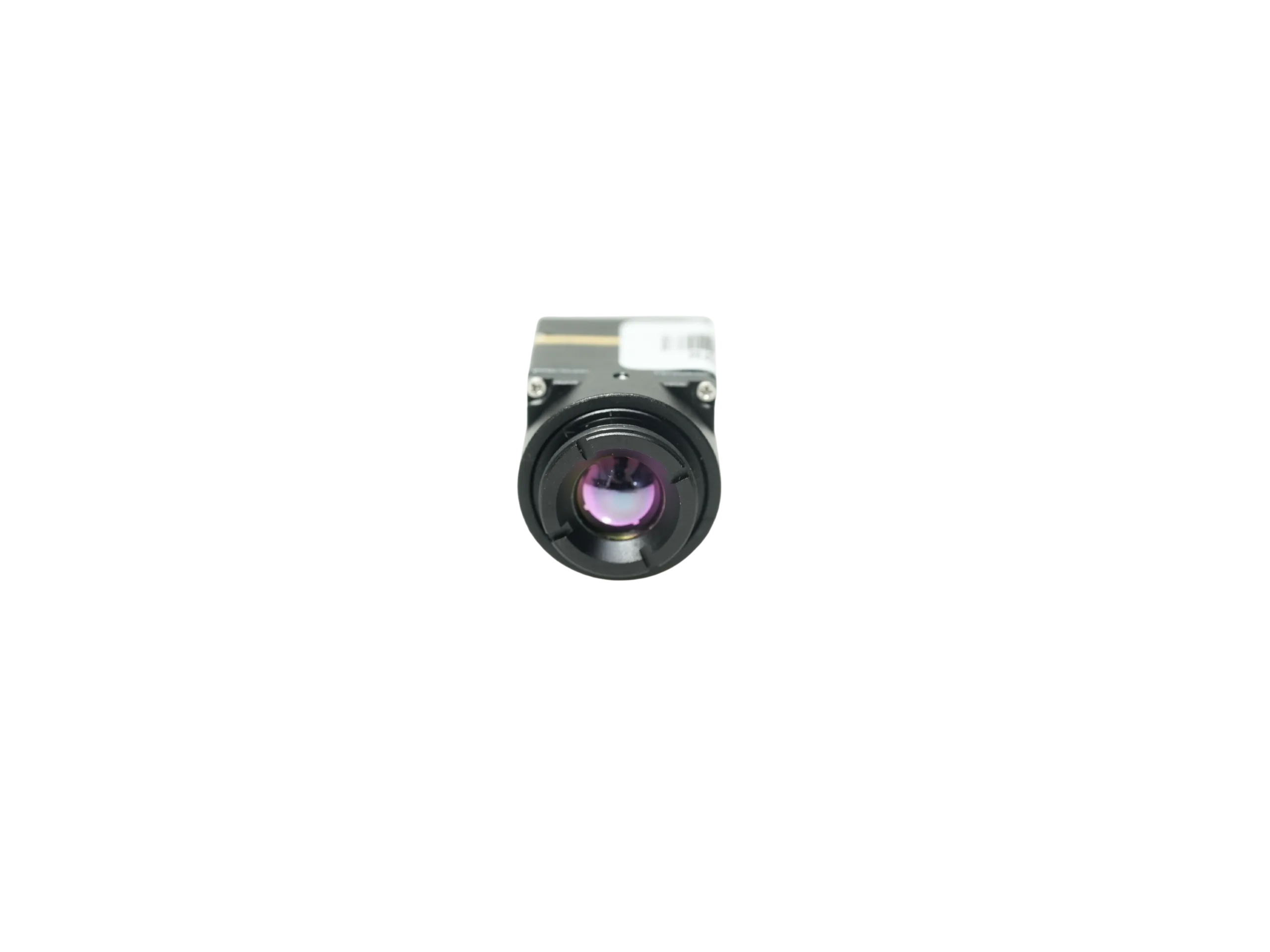
AeroMini 640 offers a practical starting point because its current non-radiometric choices include USB + CVBS + MIPI and Type-C + CVBS tailboards. The selected package, cable, firmware, and lens define the evaluation assembly. SuperMini offers a smaller bare core, with additional carrier, power, and receiver-design responsibilities. Compare the complete integration effort rather than only the core’s headline size.
oem pro av camera: five questions before the RFQ leaves engineering
1. What video path must the next device actually accept?
Name the receiver and its accepted input. USB can suit a development computer or embedded host; CVBS can matter for an existing analog monitor, recorder, or transmitter. For either path, specify the required format, delivered frame rate, connector, cable length, and recording workflow. Validate PAL/NTSC compatibility where relevant instead of treating every analog input as equivalent.
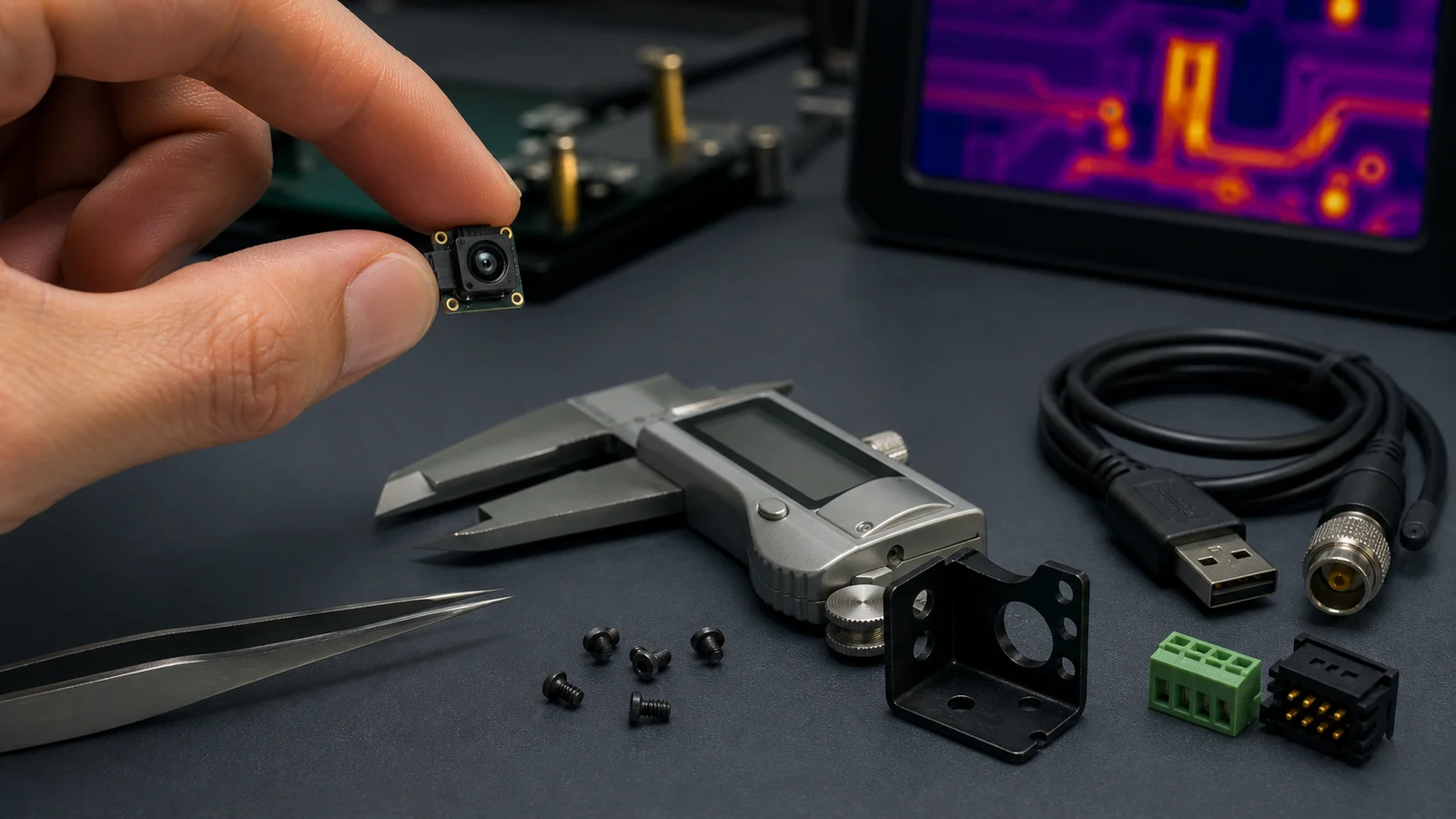
AeroMini’s USB + CVBS + MIPI package includes a cable requiring customer soldering. The Type-C + CVBS package includes its own wiring cable and a USB-C data cable. The published 16-pin USB/CVBS and 26-pin MIPI/DVP references belong to the illustrated USB + CVBS + MIPI board; request the matched Type-C guide for that alternative.
Keep serial control on a separate RFQ line. AeroMini’s family table lists UART, RS232, and RS422 as board-dependent; the illustrated 16-pin reference labels RS232. An RS-422 requirement needs written confirmation for the ordered board, electrical levels, cable, and commands. It is not guaranteed by choosing an AeroMini package. Confirm supported video modes and simultaneous outputs with the supplied firmware, then test them on the final host.
2. Is the buyer asking for a camera, a module, or a payload subsystem?
An AV integrator may expect a housed endpoint, while an OEM engineer expects a component needing power, mounting, and host software. State whether the quotation should cover a module with lens and tailboard, an evaluation assembly, a custom carrier, or a wider payload discussion. Itemize cables and documentation rather than assuming the word “kit” covers every integration task.
SuperMini 640 / 640T is the bare-core comparison. Its 30-pin interface needs multiple supply rails and 1.8 V UART logic. USB pins do not make the bare core a finished USB camera; its CVBS pin needs an external video-buffer IC. A separately specified expansion board may change the connection and supply arrangement. Review that board’s documentation before committing the enclosure or host.
3. Does compact size solve the payload problem or create a connector problem?
AeroMini’s published 21 × 21 × 28 mm dimensions and weight below 20 g exclude the lens and flange. SuperMini’s 13 × 13 × 13.4 mm dimensions and weight below 3.5 g exclude optics and boards. These are different measurement boundaries. Ask for the selected assembly’s envelope and mass before approving a bracket, gimbal, or handheld enclosure.
Include lens projection, cable exit, connector mating clearance, board stack, heat path, and service access in the layout. For an initial lens discussion, the thermal imaging calculator can help compare geometry at a working distance. Confirm the selected product’s published FOV and test the intended scene; a geometry estimate does not establish detection performance or temperature accuracy.

4. Will the thermal data be viewed, recorded, or acted on?
A viewing system needs usable imagery on its display. A recorder needs a confirmed capture format and reliable files. An inspection alarm may also need calibrated temperatures and validated host parsing. Define each deliverable separately. A colorized thermal picture or a particular pixel format alone does not establish temperature-measurement capability.
AeroMini non-radiometric imaging uses 60 Hz by default or a 30 Hz factory option. Its 25 Hz radiometric version is enquiry-only, with interface and measurement requirements to confirm. SuperMini 640 is imaging-only at 50 Hz; SuperMini 640T provides thermography at 30 Hz. Do not transfer temperature specifications or frame rates between these configurations.
Measure latency across the installed chain: module, interface board, host buffering, encoder, transport, and display. Agree where timing begins and ends, test under representative load, and record interruptions such as NUC/FFC behavior. A sensor frame rate is not a glass-to-glass latency promise. For a combined visible/thermal view, verify alignment and timing on the actual receiver rather than assuming matched streams.
5. Which procurement documents are needed before a pilot order?
Request the exact model, lens, board revision, firmware, wiring guide, mechanical drawing, and supplied-items list with the sample quote. The AeroMini datasheet supplies the illustrated interface references. Its product SDK and Linux-resources FAQ points to model-specific integration resources. Confirm supported host, format, and rate; the existence of a resource package does not prove your host has been validated.
SuperMini has a separate V1.0.0 product manual. Do not substitute AeroMini software or wiring instructions. If purchasing requires NDAA-related evidence, ask which model-specific documents are available for the exact configuration, destination, end user, and intended use. Have the responsible procurement or compliance team assess them before purchase; this article makes no product-compliance determination.
Selection chart for OEM Pro AV thermal video projects
| Decision | Configuration to review | Needs clarification | RFQ wording |
|---|---|---|---|
| Video destination | AeroMini with a selected USB/CVBS tailboard | Receiver format, rate, PAL/NTSC, and host support | Name the display, encoder, recorder, or processor and required input. |
| Control path | Board-specific AeroMini serial control; SuperMini 1.8 V UART | Protocol, electrical levels, connector, and commands | Confirm the ordered board’s control interface; identify any RS-422 requirement. |
| Mechanical envelope | AeroMini assembly review or SuperMini bare-core integration | Lens, carrier, flange, cables, and mounting | Provide the complete envelope and mass limits with a bracket sketch. |
| Application | Thermal input for AV retrofit, inspection, or payload integration | Imaging versus temperature data; module versus finished endpoint | Describe what the operator sees and what the host must record or calculate. |
| Documents | Matched model, hardware, firmware, and procurement records | Unspecified document availability or approval criteria | List required evidence and the team’s acceptance process before samples. |
Current module facts for an oem pro av camera discussion
Use these published product-level facts for shortlisting. The AeroMini product page and SuperMini product page have separate configuration boundaries; the final RFQ must identify the delivered assembly.
| Fact | AeroMini 640 | SuperMini 640 / 640T |
|---|---|---|
| Detector / resolution | Uncooled VOx LWIR; 640 × 512 | Uncooled VOx LWIR; 640 × 512 |
| Pixel pitch / spectral range | 12 μm; 8–14 μm | 8 μm; 8–14 μm |
| NETD | ≤30 mK at 25 °C, F/1.0 | ≤40 mK at 25 °C, F/1.0 |
| Frame rate / version | Non-radiometric: 60 Hz default, 30 Hz factory option; radiometric: 25 Hz, enquiry-only | 640 imaging: 50 Hz; 640T thermography: 30 Hz |
| Video integration | USB + CVBS + MIPI or Type-C + CVBS package; board, firmware, and host confirmation required | Bare-core digital interfaces and USB pins; CVBS requires an external buffer; confirm expansion board |
| Control | Board-dependent serial interface; illustrated 16-pin reference labels RS232 | UART, 1.8 V logic; use the model’s 30-pin manual |
| Power boundary | Typical module consumption <0.5 W at 25 °C; complete kit may differ | Typical core consumption ≤0.5 W at 25 °C, excluding expansion board |
| Supply planning | Approved board input required; illustrated POWER_IN1 / POWER_IN2 are 5 V only | Multiple rails: MAIN_POWER, +3.3 V, +1.8 V; follow manual limits and sequencing |
| Dimensions / weight | 21 × 21 × 28 mm; <20 g, excluding lens and flange | 13 × 13 × 13.4 mm; <3.5 g, excluding optics and boards |
Budget power for the delivered board, lens assembly where relevant, host, encoder, and peripherals separately. Module consumption does not establish whole-system supply sizing. Confirm startup behavior and the operating environment against the current model documents. Adjacent applications include drone thermal camera integration and outdoor field imaging, with their own mounting and environmental tests.
Application case: an AV retrofit that needs a confirmed CVBS path
Hypothetical integration example: a European inspection-device maker wants thermal video while retaining an analog monitor and compact recorder. The software engineer also needs USB for development. The team must prove both receiving paths before buying a pilot batch; a successful laptop image alone would leave the field workflow untested.
The revised RFQ names AeroMini 640, the selected non-radiometric factory rate, lens, and tailboard. It identifies the recorder and monitor inputs, asks for the supported CVBS standard and USB mode, and includes the bracket envelope. Control requirements, measured latency targets, cable preparation, and requested procurement evidence each have a separate line. SuperMini remains an alternative if the team can design and validate its carrier and analog buffer.
The bench plan checks video on the actual recorder and display, control commands from the intended host, restart behavior, and complete assembly fit. If two outputs are needed together, their concurrent operation and delivered rates must be confirmed and tested. No fixed latency or receiver compatibility is assumed from the package name.


Before wiring, verify the supplied board and connector orientation. The illustrated POWER_IN1 and POWER_IN2 inputs are 5 V only; a family-level 12 V entry does not authorize 12 V on those pins. Disconnect power before mating cables and check the completed harness against the approved guide.
Common mistakes in OEM Pro AV thermal module sourcing
- Leaving the receiver unnamed. Include the exact display, recorder, encoder, or host and its input requirements.
- Combining video and control claims. Confirm each electrical interface and protocol on the ordered board.
- Applying one board’s wiring to another. AeroMini’s illustrated 16/26-pin guides do not establish Type-C wiring.
- Budgeting from bare-core figures. Add optics, carriers, connectors, cables, power conversion, and enclosure hardware.
- Approving only a laptop test. Include final receiver compatibility, latency, restart, and recording in acceptance.
- Requesting procurement evidence late. Establish required model-specific documents and review ownership with the first RFQ.
RFQ checklist for an oem pro av camera thermal build
| RFQ line | What to provide |
|---|---|
| Product role | Module or finished endpoint; AeroMini assembly or SuperMini carrier project; imaging or thermography |
| Video receiver | Host, monitor, recorder, encoder, or transmitter model; required format and delivered rate |
| Interface requirement | Selected board, USB/CVBS or digital path, separate control interface, cable, and any simultaneous-output requirement |
| Mechanical limits | Complete envelope and weight budget; lens, bracket sketch, connector clearance, cable route, and heat path |
| Application scene | AV retrofit, inspection, UAV, or embedded workflow; environment, working distance, and intended operator decisions |
| Documents | Matched datasheet, assembly drawing, wiring guide, firmware/resources, supplied-items list, and required procurement evidence |
| Acceptance criteria | Final receiver video, controls, measured latency, recording, power/restart tests, mechanical fit, and radiometric data if required |
Turn the video path into a cleaner RFQ
Start with AeroMini 640 and describe the receiving equipment, lens, factory rate, board, control requirements, and mechanical limits. If the smaller SuperMini core better suits the layout, include the carrier and power design responsibilities in the comparison. A clear sample specification gives engineering and purchasing the same acceptance target.
Review AeroMini 640 | Compare SuperMini 640 / 640T | Check support downloads | Request an engineering quote
FAQ
What does oem pro av camera mean in a thermal module RFQ?
It describes a thermal-video component or camera intended for a professional AV or embedded system. Specify its role, receiving equipment, interfaces, and acceptance tests so suppliers can distinguish a module request from a finished endpoint.
Is AeroMini 640 a complete Pro AV camera?
It is a module-level thermal integration product with selectable lens and interface packages. Plan power, mounting, host software, controls, and receiver validation; the sample package does not establish a housed, field-ready AV endpoint.
Why does CVBS still appear in OEM video requests?
Existing analog monitors, recorders, and transmitters can make it useful for retrofits. Confirm the selected AeroMini board’s output and receiver standard. SuperMini’s bare-core CVBS path needs an external buffer and separate integration review.
When should USB be preferred?
Consider USB when the intended host supports the camera’s documented format and rate. Validate drivers, firmware, controls, capture, and latency on that host. AeroMini’s soldered-cable and Type-C packages have different wiring requirements.
What control interfaces should buyers ask about?
Ask for the exact board’s serial interface, electrical levels, and command manual. AeroMini control is board-dependent; the illustrated 16-pin reference labels RS232, not a universal RS-422 capability. SuperMini uses 1.8 V UART logic.
How small are the current thermal modules?
AeroMini lists 21 × 21 × 28 mm and less than 20 g, excluding lens and flange. SuperMini lists 13 × 13 × 13.4 mm and less than 3.5 g, excluding optics and boards. Confirm the complete assembly separately.
Can these modules fit drone thermal camera projects?
They are candidates for UAV integration when the complete payload fits the platform’s mass, power, mechanical, and video requirements. Test vibration, environment, host control, and receiver behavior; small core dimensions alone do not establish platform compatibility.
What should be included in the first sample request?
Include model and version, lens, board, factory rate, receiver, control path, envelope, power plan, environment, quantity, destination, and requested documents. State whether acceptance covers displayed video, recorded data, or calibrated temperature measurement.
Can CAMCUDA provide an NDAA statement?
Ask which model-specific NDAA-related documents are available for the exact configuration and procurement use. Availability and suitability require confirmation. Have the responsible procurement or compliance team review the evidence; this article does not guarantee a statement or compliance status.