Handheld Thermal Imaging Camera: 8 Proven Checks for Reliable Field Buying
handheld thermal imaging camera projects go wrong when buyers compare only resolution and ignore weight, field workflow, ruggedness, recording, and RFQ support. This guide is written for engineers, inspection teams, and procurement managers who need a handheld thermal imaging camera that will actually work in outdoor monitoring, search, patrol, and industrial field review.
Quick answer
The right handheld thermal imaging camera is the one that matches your patrol distance, carry weight, image detail, recording path, and procurement paperwork. CAMCUDA’s handheld range currently spans a lighter entry handheld path, a 640×512 binocular path, and a dual-light fusion handheld path, so the safest choice comes from mission fit rather than headline price alone.
handheld thermal imaging camera selection chart
Most SERP pages describe a handheld thermal imaging camera as a general inspection tool. Real buyers need more than that. They need to know how the handheld thermal imaging camera will be carried, who will use it, what must be recorded, and whether the supplier can answer documentation questions quickly enough to keep a field deployment moving.
| Decision area | What to compare | CAMCUDA-backed example | Why it matters |
|---|---|---|---|
| Primary use case | Outdoor patrol, search, perimeter review, utility inspection, rescue support | CAMCUDA FieldView Handheld Thermal Viewer fits lighter field use; Ura-Y and Ura-Z fit longer-range and higher-spec workflows | A handheld thermal imaging camera bought for short walk-around checks is different from one used for long-range observation. |
| Thermal detail | Resolution, NETD, lens range, FOV | CAMCUDA FieldView Handheld Thermal Viewer offers 384×288 or 640×512 paths; Ura-Y offers 640×512 with 70 mm F1.0; Ura-Z offers 640×512 with 35 mm manual focus | A handheld thermal imaging camera with the wrong detail level either misses targets or costs more than the job requires. |
| Carry burden | Weight, one-hand vs binocular workflow, battery habits | CAMCUDA FieldView Handheld Thermal Viewer is about 550 g class; Ura-Y and Ura-Z are about 1 kg class | Weight and handling affect fatigue, scan stability, and operator adoption. |
| Environment | Weather exposure, temperature range, ruggedness | Ura-Z lists IP66 and -40C to +50C operation; other models need exact use-case confirmation during RFQ | Field teams should not assume every handheld thermal imaging camera has the same enclosure margin. |
| Evidence capture | Photo/video export, file handling, downstream reporting | Recording workflow should be confirmed during RFQ for the exact handheld thermal imaging camera configuration | Many buyers forget how images leave the device and reach a report or customer handoff. |
| Procurement package | Datasheet, compliance packet, NDAA statement, destination-market checks | CAMCUDA can provide documentation for buyer review and an NDAA statement available on request | Documentation quality matters as much as device fit for North America and Europe procurement. |
CAMCUDA handheld thermal imaging camera options backed by current product pages
CAMCUDA’s current handheld thermal imaging camera lineup gives buyers three distinct decision paths rather than one generic answer.
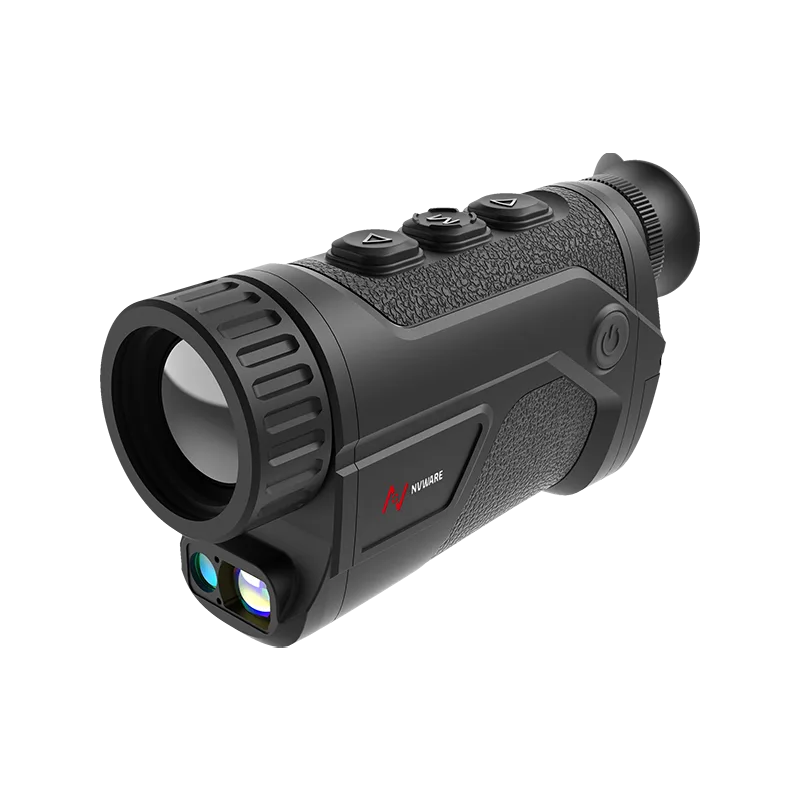
CAMCUDA FieldView Handheld Thermal Viewer is the lighter path in the current range. Its product page lists 384×288 and 640×512 configuration paths, a VOx uncooled sensor at 8-14 um, 50 Hz frame rate, 25 / 35 / 50 mm F1.0 lens options, and about 550 g class weight. That makes this handheld thermal imaging camera relevant when teams need mobility first and do not want a bulkier binocular platform.
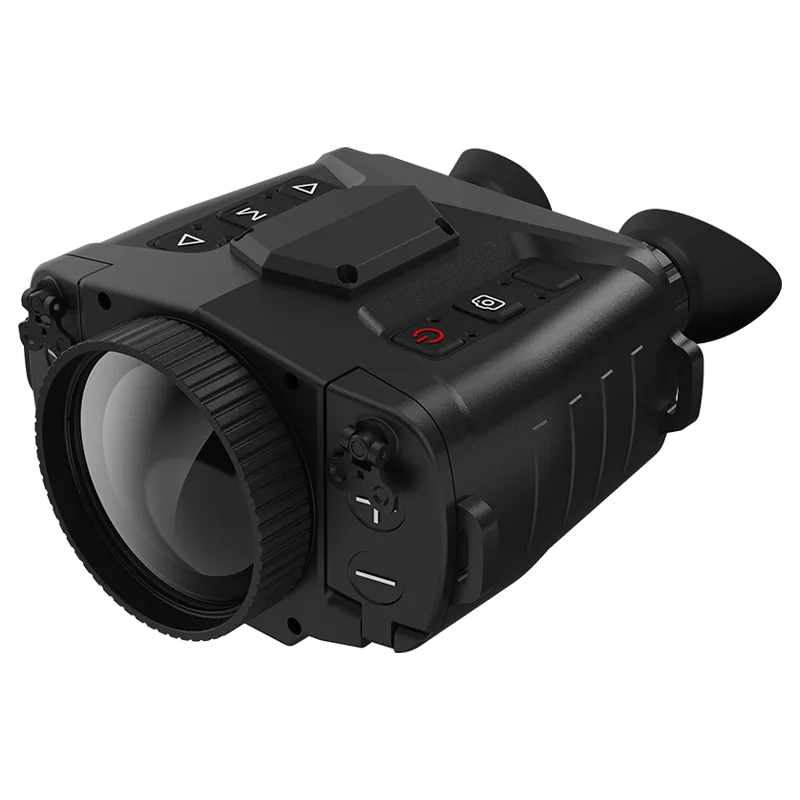
Ura-Y Series 640×512 Handheld Thermal Observation Binocular is the stronger fit when range and sustained observation matter more than minimum carry weight. The live product page lists a 640×512 VOx uncooled sensor, 12 um pixel size, 50 fps imaging, 70 mm F1.0 lens, 7.0 x 4.8 degree FOV, and about 1 kg class weight.
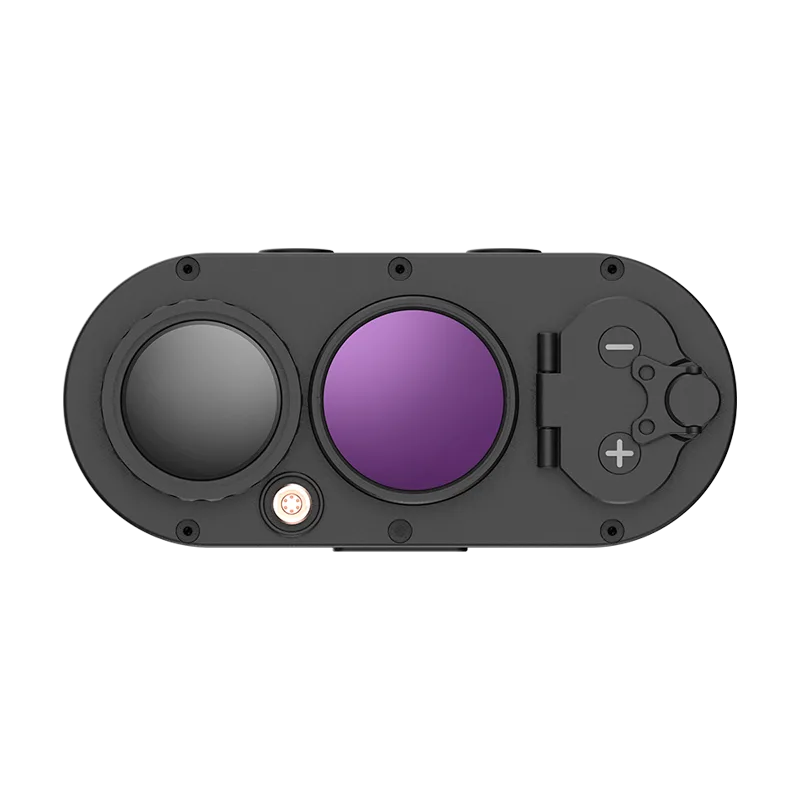
CAMCUDA Ura-Z Dual-Spectrum Handheld Thermal Viewer is the more specialized handheld thermal imaging camera for buyers who need thermal plus low-light context. The product page lists 640×512 thermal resolution, 12 um pixel pitch, 35 mm manual-focus lens, 12.6 x 10.1 degree FOV, IP66 protection, and <=1 kg weight. That dual-light path matters when operators need easier scene interpretation, better visual documentation, or a second image mode for field reporting.
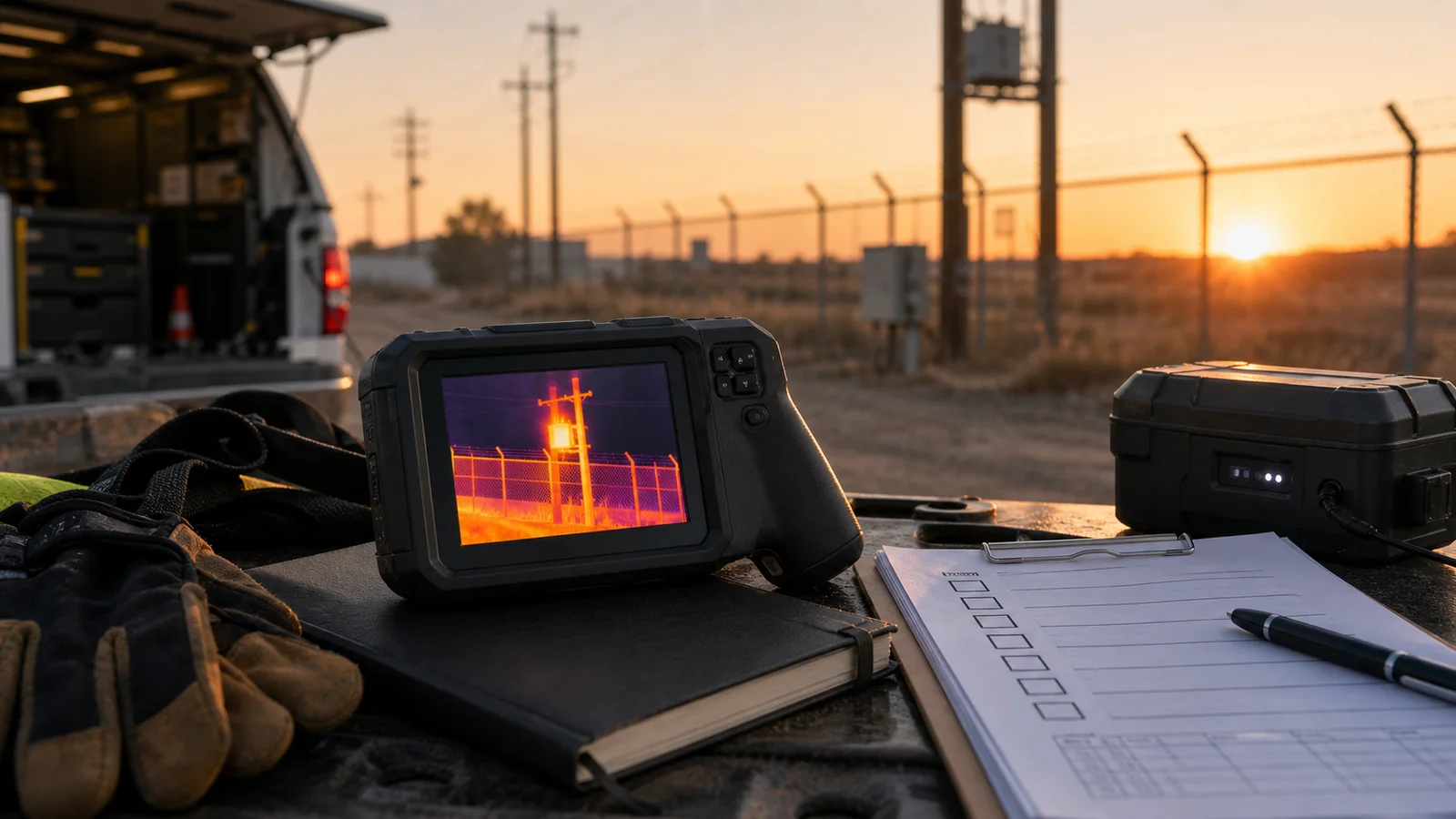
A realistic handheld thermal imaging camera case: perimeter and utility patrol at dawn
Consider a buyer responsible for dawn patrol across a mixed industrial site with fencing, parked vehicles, transformers, and service walkways. The team is on foot for ninety minutes at a time. They need fast target confirmation, enough detail to distinguish a person from warm background clutter, and a reporting flow that lets the operator hand results to a supervisor before the next shift starts.
In that case, the lightest handheld thermal imaging camera is not always the best. A lighter body helps fatigue, but if the lens is too short for standoff viewing, the operator will still lose time by walking closer. A binocular-style handheld thermal imaging camera with a 70 mm lens may be worth the extra mass for long fence-line review. If the site manager also wants thermal context plus visible-light reporting for maintenance tickets, the Ura-Z dual-light path can be easier to justify because thermal-only frames sometimes create follow-up questions from non-technical reviewers.
This is where the SERP gap matters. Many ranking pages compare price and pixel count but skip operator rhythm. CAMCUDA’s product pages at least provide enough real facts to ask the next question: carry distance, target distance, evidence format, and environmental exposure. That is how a handheld thermal imaging camera gets chosen with fewer surprises.
Handheld thermal imaging camera interface and workflow checks
A handheld thermal imaging camera is still part of a system. Buyers should confirm how files are stored, exported, named, reviewed, and archived. If the handheld will feed a legacy monitor, recorder, or transmitter in a vehicle or fixed post, ask whether CVBS analog output on applicable configurations is possible and confirm during RFQ. CAMCUDA’s Business_Profile states that the company can support interface paths such as USB, MIPI, DVP, RS-422, and CVBS depending on module family and project configuration, but public handheld pages do not list every downstream interface path.
For teams working in North America procurement, security monitoring, drone inspection support, or industrial monitoring, documentation deserves its own line item. CAMCUDA states that an NDAA statement available on request can be supplied together with CE/RoHS and product documentation where applicable. That wording is safer than assuming every handheld thermal imaging camera page will show the full documentation stack publicly.
External references from FLIR’s handheld category page and Fluke’s thermal camera overview reinforce a similar buyer reality: handheld products are purchased around use case, durability, and workflow, not just sensor headline numbers.
Common handheld thermal imaging camera mistakes
- Buying a handheld thermal imaging camera by resolution alone and never checking lens, FOV, or patrol distance.
- Ignoring weight and operator fatigue, especially when the device will be carried for long shifts.
- Assuming every handheld thermal imaging camera includes the same ruggedness margin or ingress protection.
- Failing to ask how images and video leave the device and move into a report or customer deliverable.
- Skipping NDAA and export-document questions until after internal approval.
- Using a thermal-only device where dual-light evidence would make decision-making easier for non-technical reviewers.
Handheld thermal imaging camera RFQ checklist
- State the operating scenario: perimeter patrol, rescue support, utility inspection, outdoor field review, or industrial monitoring.
- Provide expected viewing distance and whether wide search or narrow identification matters more.
- Specify preferred resolution path and whether 384×288 is acceptable or 640×512 is required.
- Ask about lens options, image export method, battery workflow, and carry accessories.
- Request exact environmental limits, enclosure rating, and accessory list for the selected handheld thermal imaging camera.
- Ask whether visible-light fusion, binocular viewing, or lower carry weight is the priority.
- Request compliance documents, destination-market support, and an NDAA statement available on request when procurement requires it.
- Link the RFQ to Support, Download Center, and CAMCUDA contact so engineering review can move quickly.
Budget and rollout checks for a handheld thermal imaging camera
Budgeting a handheld thermal imaging camera should include more than the body price shown on a product page. Procurement teams should ask whether the field kit needs extra batteries, carrying cases, tripod support, export software guidance, or operator training notes. If the rollout spans multiple sites, ask whether a single handheld thermal imaging camera configuration can stay consistent across regions or whether destination-market and documentation differences will change the package.
This budgeting step also helps compare the three current CAMCUDA handheld paths. The lower-cost handheld can be easier to scale across more operators, while the Ura-Y and Ura-Z paths can reduce repeat inspections if longer-range viewing or dual-light context prevents misreads. In other words, a more expensive handheld thermal imaging camera can still be the cheaper operational choice when it cuts revisit time and reporting friction.
Shortlist a handheld thermal imaging camera with fewer surprises
Review the CAMCUDA FieldView Handheld Thermal Viewer, compare Ura-Y and Ura-Z, then send an RFQ through CAMCUDA contact with your target distance, recording workflow, and compliance needs.
Operational handoff after a handheld thermal imaging camera purchase
After a handheld thermal imaging camera is selected, operations teams should decide who owns image review, who maintains battery rotation, and how findings are escalated. A strong handoff process matters because many field programs fail not during product selection but after deployment, when nobody defines naming rules, evidence storage, or re-inspection triggers. Procurement teams should ask for this operating context while the supplier conversation is still active.
FAQ from handheld thermal imaging camera buyers
What matters most when choosing a handheld thermal imaging camera?
Start with target distance, use duration, reporting workflow, and whether you need lighter carry weight or stronger long-range observation.
Is 384×288 enough for a handheld thermal imaging camera?
It can be enough for closer-range field review, but longer-range tasks and tighter detection margins often justify a 640×512 path.
Why would I choose a binocular handheld thermal imaging camera?
A binocular format can make longer observation sessions more stable and comfortable when patrol distance matters more than minimum carry weight.
When is dual-light fusion useful?
Dual-light fusion helps when thermal context alone is not enough for documentation, patrol review, or supervisor handoff.
Should I ask about CVBS on a handheld thermal imaging camera project?
Yes if the workflow touches a legacy monitor, recorder, or transmitter. CAMCUDA can support CVBS analog output on applicable configurations, so confirm during RFQ.
What documentation should procurement request?
Ask for datasheets, use-case fit notes, destination-market documentation, and an NDAA statement available on request when required.
How do buyer forums usually frame the decision?
Community questions often compare comfort, battery life, and practical evidence capture rather than only sensor headlines, which is a useful reminder for commercial buyers.
Where can I compare CAMCUDA handheld options next?
Use the product pages, application pages, and support center, then send a field-specific RFQ through CAMCUDA contact so the shortlist reflects your real operating scenario.
Community-style buyer questions were paraphrased from forum discussions such as this Reddit thread about which handheld thermal camera to test next.