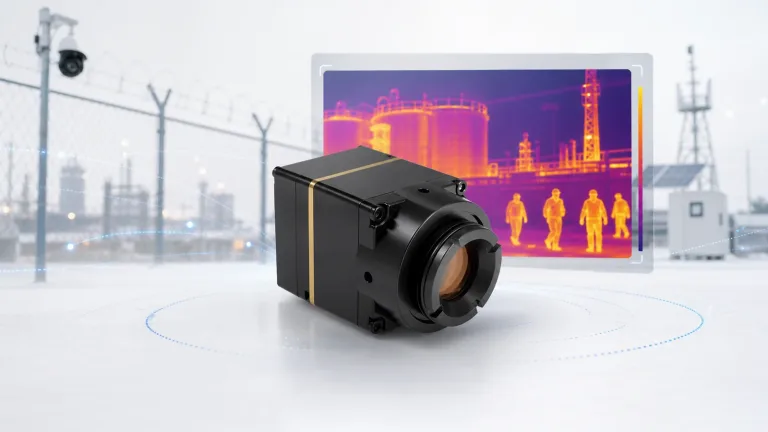
LWIR Camera: 9 Proven Checks for Reliable Drone and OEM Selection
lwir camera decisions become safer when the buyer connects product parameters to the real application: drone payload, outdoor observation, OEM embedded device, or industrial inspection. This guide uses Camcuda product context and practical RFQ questions so the lwir camera choice is easier to validate.
lwir camera: quick answer for reliable module selection
A strong lwir camera article should help an engineer or buyer make a decision, not only define a term. Use the charts, examples, and RFQ checklist below to compare real integration constraints before requesting pricing.
lwir camera selection chart
A lwir camera project should start from application workload: drone, outdoor, OEM, inspection, or observation.
| Use case | Check first | Useful Camcuda path |
|---|---|---|
| Drone | Weight, power, frame rate, lens/FOV | Drone Thermal Camera Application |
| Outdoor | Environment, lens, enclosure, display | Outdoor / Field Thermal Imaging |
| OEM | Interface, dimensions, control path | HR21-L612-USB reference |
Drone and outdoor LWIR camera case
A lwir camera can serve very different buyers. A UAV integrator needs a lightweight payload, while an outdoor product team needs stable field visibility and enclosure planning.
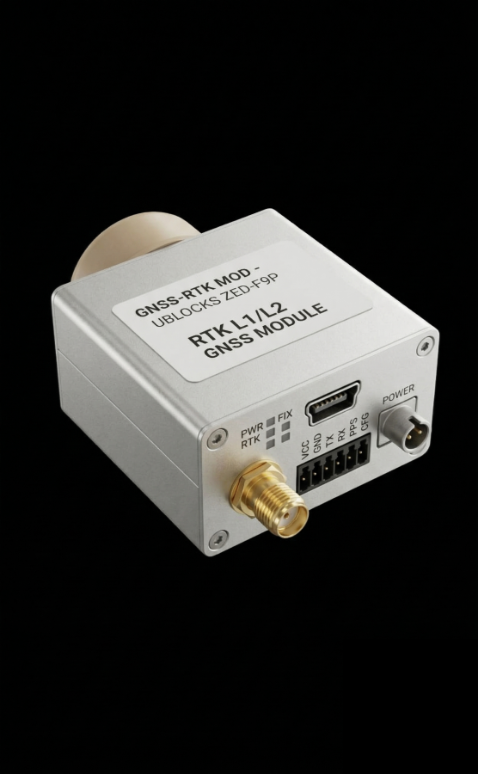
Reference compact LWIR values
| Area | Parameter | Exact HR21-L612-USB value | Selection meaning |
|---|---|---|---|
| Detector | Detector type | Vanadium oxide uncooled infrared focal plane detector | Uncooled LWIR platform for compact OEM integration. |
| Image detail | Resolution | 640 × 512 | Useful when drone, outdoor, or OEM work needs more detail than detection-only modules. |
| Motion | Detector frame rate | 50 Hz | Relevant for UAV motion and smoother operator video. |
| Optics | Pixel pitch | 12 μm | Important for lens/FOV matching. |
| Thermal band | Spectral range | 8–14 μm | Identifies LWIR thermal imaging range. |
| Sensitivity | NETD | ≤40 mK @ 25°C, F#1.0 | Supports small thermal-difference visibility when inspection conditions are suitable. |
| Power | Supply voltage | 5 V ±0.5 V | Check host power rail and protection design. |
| Power | Typical power consumption @ 25°C | <1.2 W, including expansion board | Important for drones and compact battery-powered systems. |
| Interface | Digital video | USB | Practical host-side video path for evaluation and integration. |
| Interface | Communication interface | USB serial port, 1 × RS-422 | Control path should be planned before PCB/enclosure decisions. |
| Mechanical | Weight | <15 g | Important for UAV payloads and compact devices. |
| Mechanical | Dimensions | 21 mm × 21 mm × 20.2 mm | Check gimbal, enclosure, and cable service space. |
| Environment | Operating temperature | -40°C to +85°C | Relevant for outdoor and field systems. |
| Environment | Humidity | 5%-95%, non-condensing | Enclosure design still matters for condensation control. |
| Ruggedness | Vibration / shock | 6.06 g random vibration; 80 g @ 4 ms shock | Review for UAVs, vehicles, and rugged inspection devices. |
LWIR camera selection mistakes
- Using resolution as the only decision.
- Ignoring lens/FOV.
- Skipping interface planning.
- Not defining the operator workflow.
LWIR camera RFQ checklist
- Use case and target scene.
- Distance and lens/FOV.
- Host platform and interface.
- Mechanical envelope and power.
- Quantity and market.
Choose a reliable LWIR camera path
Use Applications, compare Products, or send Contact / RFQ.
FAQ for LWIR camera buyers
What is a lwir camera?
A long-wave infrared imaging path that reads thermal contrast rather than visible color.
Is LWIR useful at night?
Yes, but performance depends on lens, scene, and module capability.
Is 640 × 512 enough?
Often for practical inspection tasks, but not every job needs it.
Does NETD matter?
Yes, it relates to thermal sensitivity.
What interface should I choose?
Choose based on host system and production plan.
Can one LWIR path serve drone and outdoor use?
Sometimes, but mounting and lens requirements differ.
Where should I start?
Start with application page, then product detail, then RFQ.
Should I compare with finished cameras?
Only if you need a finished device; modules are for integration.
lwir camera validation workflow before purchase
A practical lwir camera validation workflow should start with a written requirement sheet. The sheet should name the application, target distance, lens/FOV expectation, host processor, interface path, power rail, mechanical envelope, operating environment, quantity range, and destination market. This simple document makes the supplier conversation more useful than a generic request for price.
For engineering teams, the second step is a bench test plan. Confirm whether the lwir camera can produce usable video on the intended host, whether the control path is documented, whether the module can be powered safely, and whether the image settings are enough for the target scene. For procurement teams, the same test plan becomes a checklist for comparing samples and supplier responses.
The third step is a field or application simulation. A drone payload should be checked against weight, vibration, flight height, and reporting workflow. An outdoor system should be checked against enclosure, condensation risk, lens window, mounting position, and day/night operation. An OEM embedded system should be checked against PCB layout, cable exit, software integration, and future production repeatability.
Example RFQ language for Camcuda
Instead of writing only “please quote a lwir camera,” use a more complete request: “We are building a thermal imaging product for [application]. The host platform is [processor/system]. We need [interface] output, [lens/FOV] target, [quantity] units, and the destination market is [region]. Please recommend a module path, drawing/document package, sample availability, and integration risks.”
This RFQ style improves technical matching and helps Camcuda respond with a useful product path. It also protects the buyer from comparing incompatible modules just because they share a similar resolution or product photo.
How to compare suppliers for lwir camera
When comparing suppliers, avoid a spreadsheet that only lists price and resolution. A stronger lwir camera comparison should include whether the supplier can provide product detail pages, drawings, interface notes, realistic lead-time discussion, media assets, and application guidance. A supplier that can explain integration risk is usually easier to work with than one that only sends a short quote.
For Camcuda buyers in Europe and North America, documentation and communication also matter. Ask whether the supplier can confirm the product model, clarify the interface, explain what is included in the module scope, and identify which requirements need engineering review. If the answer is vague, the project may still be possible, but the buyer should treat the quotation as incomplete.
Acceptance test checklist after samples arrive
- Confirm the shipped model matches the quoted lwir camera path.
- Check basic power-up behavior with the intended host or evaluation platform.
- Verify video output and control communication before mechanical integration.
- Compare image output under at least two realistic scenes.
- Review mechanical fit with cable, mount, enclosure, and lens/window constraints included.
- Record questions for the supplier before moving to production quantity.
This acceptance step is especially important for thermal imaging projects because many issues do not appear in a product photo. The lwir camera may look correct but still require interface adjustment, lens matching, or enclosure changes. Treat the first sample as an engineering validation tool rather than a final production approval.