Current catalogue and original hardware references
The HR21 documents below are retained as references for the original hardware. Their parameters are not AeroMini 640 specifications. For a new order, use the complete product catalogue and request documents matched to the selected configuration.
Current module references: CAMCUDA SuperMini 640 / 640T · AeroMini 640 · CAMCUDA FlexMini 640
AeroMini 640 specifications and interface PDF · CAMCUDA SuperMini 640 / 640T manual
Download Center
Thermal module datasheets, SDK and PC software access for OEM integration.
Download public HR21 documents and follow the configuration-specific path for SDK, command protocol, PC evaluation software, mechanical, electrical, interface or compliance files.
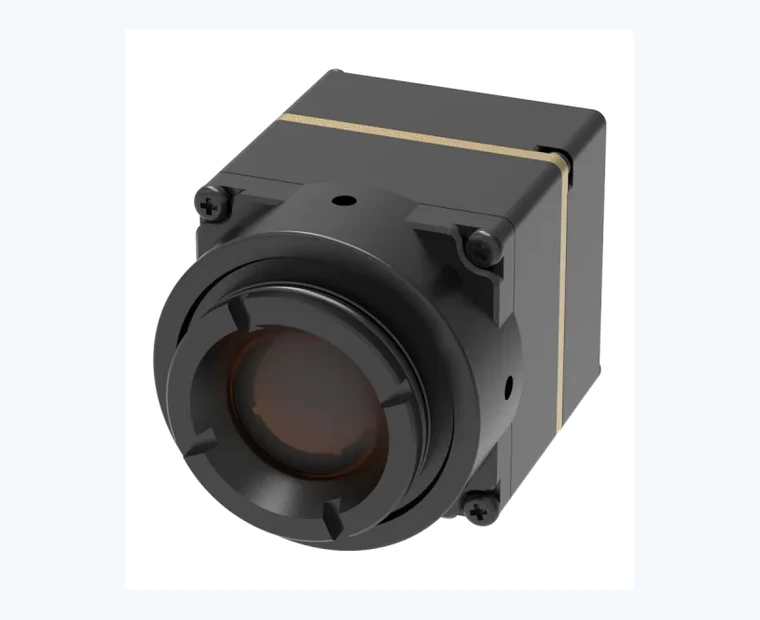
HR21 document library
Public lens/FOV downloads, available references, and request-only materials.
Restricted documents are handled through RFQ so the file package matches the selected thermal camera lens, FOV, interface board, firmware, output configuration, and destination market.
| Document | Type | Access | Action |
|---|---|---|---|
| HR21 datasheet Specifications, thermal camera lens/FOV table, interface notes, power, mechanical data, and RFQ guidance. |
Public download | Download | |
| HR21 RFQ checklist Buyer input checklist for application, target distance, thermal camera lens/FOV, interface, documents, compliance, and commercial details. |
Public download | Download | |
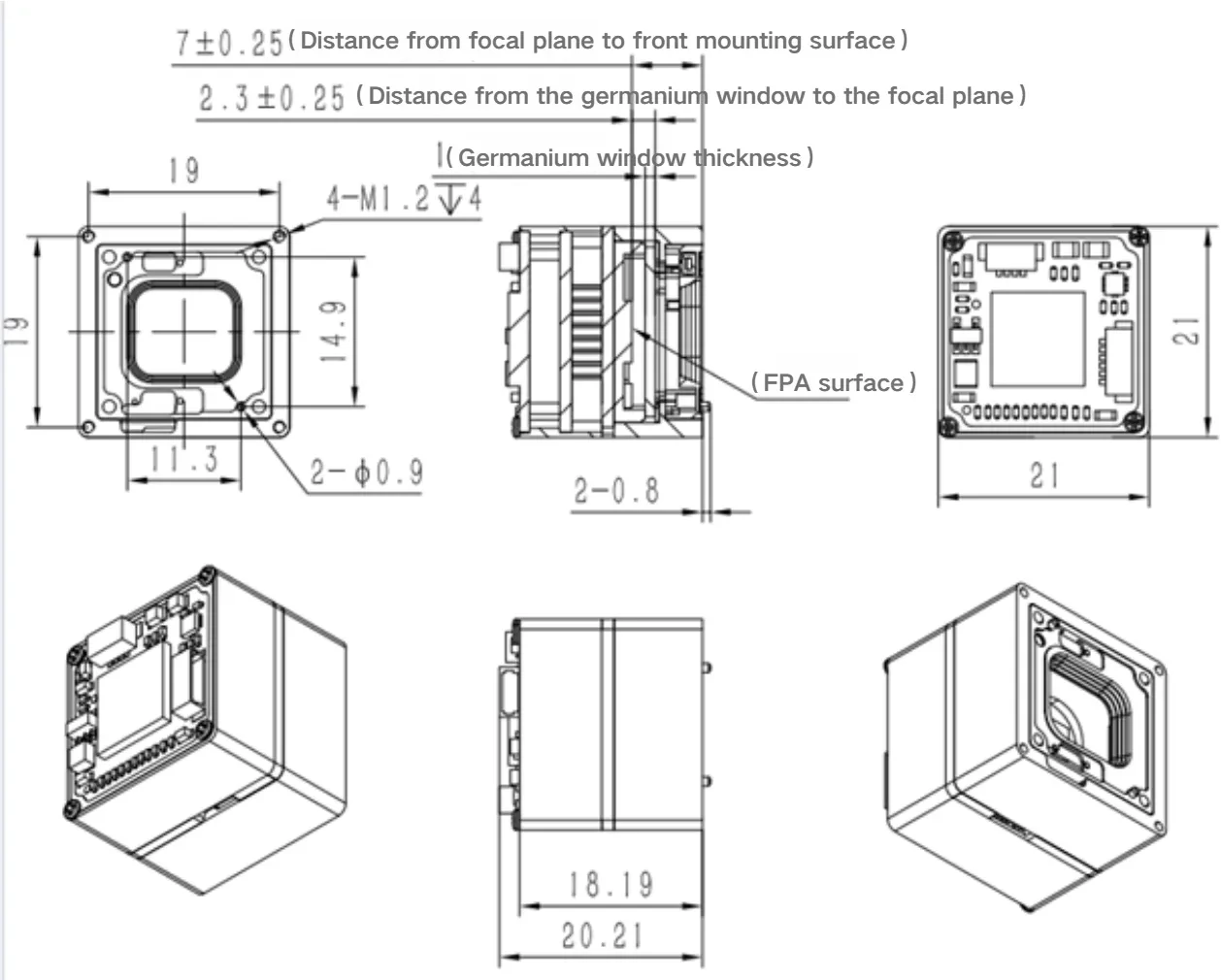
| Mechanical dimension reference Current media-library drawing reference for enclosure and module dimension review. |
Image reference | Available reference | Open |
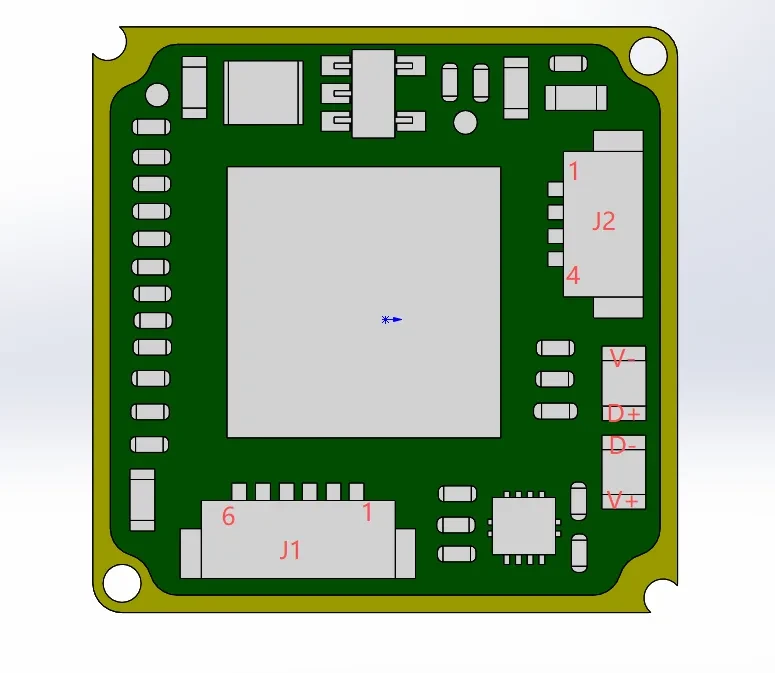
| Electrical interface diagram Available electrical interface image showing connector and integration reference points. |
Image reference | Available reference | Open |
| NDAA statement Supplier self-declaration for procurement review. NDAA statement available on request. |
Statement | Request by RFQ | Request |
| CVBS / interface configuration note USB, RS-422, TTL, BT656, LVDS / CameraLink, MIPI, SDI, and CVBS confirmation notes. |
Integration note | Request by RFQ | Request |
Available software releases
SDK and PC software packages
Select the package that matches your camera model, interface, hardware revision and host platform.
CAMCUDA AeroMini 640 — Specifications & Interface Definitions (PDF)
- Product
- AeroMini 640 — MINI640 hardware series; camera version and interface board must match
- Platform
- PDF · English · 4 pages
- Compatibility
- MINI640 family; radiometric lenses 9 / 13 / 18 mm only
- Package size
- 1.56 MB
English AeroMini 640 specifications: 11 lens configurations, field of view, power, radiometric options and connector definitions. Supplied integrated datasheet.
e627721a6309a66d220453aef446d69175dba84896233c308bcc3dca0b5867ddCAMCUDA SuperMini 640 — Mechanical Drawing PDF
- Product
- CAMCUDA SuperMini 640 / 640T — illustrated assembly
- Platform
- PDF drawing
- Compatibility
- Specific illustrated lens/assembly; confirm ordered configuration
- Package size
- 136.00 KB
One-page mechanical drawing for the assembly shown in camcuda_super_mini640_22.pdf. Verify the lens and board configuration against your order. This drawing complements the product manual.
db23f73f1f9a18584cd379f3277f7a5ddeaa2646a686b772b7abb4b3ed66d9f7SDK / PC Software Access
Request the software package that matches the production configuration.
CAMCUDA does not publish one universal SDK or upper-computer program for every module. Send the model, interface board, firmware, host platform and project use so engineering can match the correct package.
| Package | Applies to | Access | Action |
|---|---|---|---|
| SDK / command protocol API, image-control and command references where available. | Confirmed module, interface board and firmware | Request by RFQ | Request SDK |
| PC / upper-computer evaluation software Windows GUI or evaluation workflow for supported USB and evaluation-board configurations. | USB UVC, serial control or evaluation-board path | Configuration-specific | Request software |
| CAMCUDA FlexMini 640 integration packet Connector, cable, pin definition, interface note and available software references. | CVBS, USB UVC or MIPI configuration | Engineering review | View product |
| TC160-NF SPI evaluation path FPC/SPI documentation plus USB evaluation, GUI or SDK planning where available. | SPI host or evaluation-board workflow | Request by RFQ | View product |
Thermal camera lens / FOV selection is included in the HR21 datasheet.
The current HR21 thermal camera lens FOV datasheet includes focal length options from 4.6 mm to 50 mm with corresponding IFOV values from the supplied product source material.
Open datasheetRestricted files should match the final configuration.
Detailed protocol, SDK, CAD source files, board configuration source documents, and NDAA statements should be issued after project context and configuration review.
Request document packetFuture development plan
Materials still missing and recommended next steps.
Create PDF plus DWG/DXF package from original mechanical source files, then gate CAD files behind RFQ.
Develop separate USB, RS-422, CVBS, BT656/LVDS, MIPI, and SDI notes with configuration-safe wording.
Convert the board configuration source into a clean PDF table and link it from both product page and Download Center.
Decide whether command protocol and SDK files are public, gated by RFQ, or shared only after NDA / project approval.
Lens / FOV Datasheet Guide
How to use the thermal camera lens FOV datasheet before RFQ.
The HR21 thermal camera lens FOV datasheet helps engineering teams narrow the lens choice before requesting a quote. Use it to compare focal length, IFOV, mechanical limits, interface requirements, and project-specific documents.
Choose focal length
Start from target distance and required scene width. If the final field of view is not fixed, mark it as “Confirm during RFQ.”
Match video output
Confirm USB, RS-422, CVBS, MIPI, DVP, or related output path against the selected board and firmware configuration.
Request restricted documents
CAD, SDK, command protocol, board configuration, and NDAA statements should match the final lens/FOV and interface selection.
Download FAQ
Thermal camera lens FOV datasheet questions.
Can I download CAD, SDK, or protocol files directly?
Some files should be requested through RFQ so CAMCUDA can match the document packet to the exact lens, interface board, firmware, output path, and destination market.
What should I prepare before requesting restricted files?
Prepare target distance, required field of view or scene width, host device, interface, quantity, destination country, and any compliance or NDAA statement requirements.